Waqar Seo - Berjaya Electronics Trading LLC
ASUS ROG vs MSI Raider: Which Gaming Laptop Should I Buy for Competitive Gaming

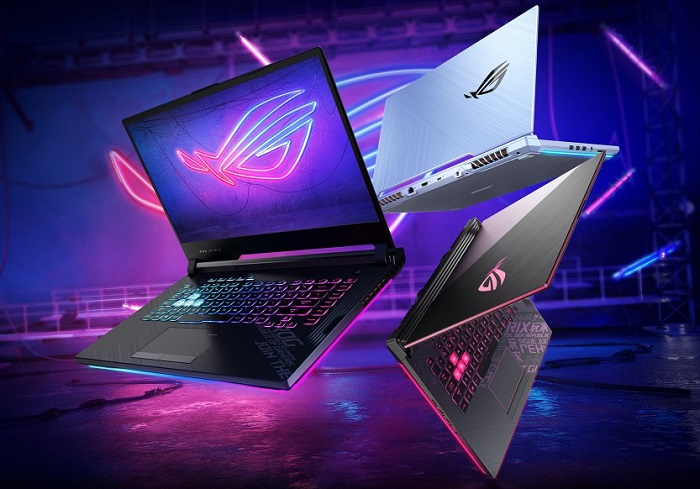
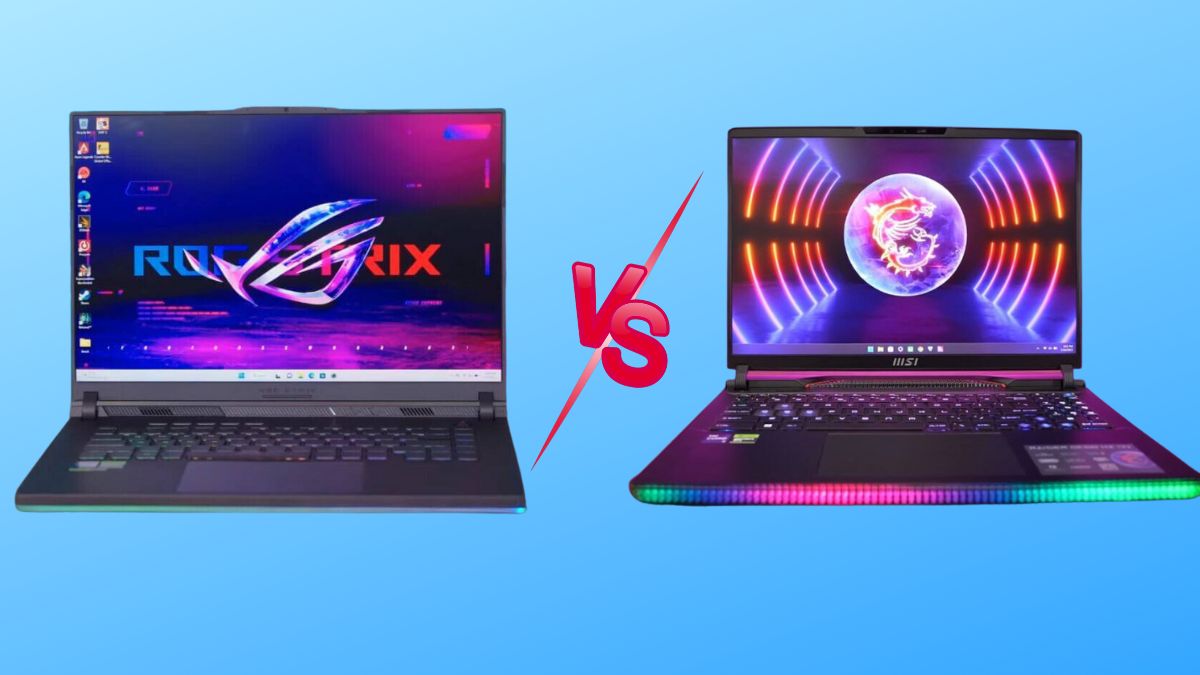
ASUS ROG vs MSI Raider: Which Gaming Laptop Should I Buy for Competitive Gaming?

If you’re shopping for a competitive gaming laptop in Dubai or anywhere in the UAE, you’ve almost certainly landed on the same two names everyone else does: ASUS ROG and MSI Raider. Both brands build genuinely excellent hardware, both are widely stocked across the UAE, and both are backed by strong local warranty support – so the “which one is better” debate isn’t really about which brand is bad. It’s about which laptop is right for how you actually play.

We compared the ASUS ROG lineup (Strix and Zephyrus series) against the MSI Raider lineup (including the flagship Raider 18 HX) across the five things that matter most to competitive and esports players: raw performance, display responsiveness, keyboard feel, thermal management under sustained load, and price-to-performance in AED. Here’s the honest breakdown, plus where to buy either one in Dubai with genuine UAE warranty.

Quick Verdict – ASUS ROG or MSI Raider for Competitive Gaming?

If you only read one paragraph, read this one.

Choose ASUS ROG if you play fast-paced, twitch-reflex esports titles like Valorant, CS2, or Apex Legends. The optical-mechanical keyboard and faster panel response time give competitive players a small but real edge, and the cooler palm rest matters during long ranked sessions.

Choose MSI Raider if you want a desktop-replacement powerhouse that also handles heavy multitasking, streaming overlays, and demanding AAA titles at maximum settings without throttling. The Raider’s cooling system is built to sustain peak clock speeds longer under continuous load.

Both brands are excellent – the right pick genuinely depends on your game library and how you use the machine day to day. Below, we break down exactly why.

ASUS ROG vs MSI Raider: Key Specs Compared

FeatureASUS ROG (Strix / Zephyrus)MSI Raider (18 HX / GE78 HX)
Processor optionsIntel Core i9-14900HX / Ryzen 9 series / Core Ultra 9Intel Core i9-14900HX
GPU optionsUp to NVIDIA GeForce RTX 5090 (Strix SCAR 16)Up to NVIDIA GeForce RTX 4090
Display refresh rateUp to 240Hz–360Hz, 3ms response timeUp to 240Hz Mini LED, 3ms response time
KeyboardOptical-mechanical switches, per-key RGBSteelSeries per-key RGB, deeper key travel
CoolingArc Flow fans + Conductonaut liquid metalCooler Boost Titan + Phase Change Thermal Pads
Build materialAluminum/magnesium alloy, aggressive gamer aestheticMagnesium alloy, subtler premium-business look
Best forEsports / competitive FPS playersDesktop-replacement / max-settings AAA gaming
UAE price rangeApprox. AED 4,900 – AED 22,000 depending on configApprox. AED 6,500 – AED 20,000+ depending on config

Performance for Competitive Gaming: CPU, GPU & FPS

Processor and Graphics Power

Both brands use nearly identical top-tier silicon at the high end – an Intel Core i9-14900HX paired with the latest NVIDIA RTX GPUs is common to both. In synthetic benchmarks (Cinebench, 3DMark Time Spy), the difference between a similarly specced ASUS ROG and MSI Raider is typically within a 2–3% margin – not something you’ll feel mid-match. What actually separates the two is how each brand tunes power delivery and sustains those clocks over a 40-minute ranked match, which we cover in the cooling section below.

Frame Rates in Esports Titles

For competitive titles like Valorant, CS2, Fortnite, and Apex Legends, both laptops will comfortably push 300+ FPS at 1080p on high-end configurations. The real differentiator isn’t raw FPS – it’s frame time consistency and display response time, because in competitive gaming, a stable 280 FPS on a fast panel beats an occasionally-spiking 320 FPS on a slower one.

Display & Response Time – Why It Matters for Esports

Refresh Rate and Response Time

This is where ASUS ROG has a slight, measurable edge for esports. Many ROG models ship with a 3ms response time panel tuned specifically for competitive play, alongside refresh rates reaching up to 360Hz on select Zephyrus and Strix models. MSI Raider panels are excellent too, often reaching 240Hz on Mini LED displays, but MSI’s engineering focus leans toward contrast and HDR punch rather than shaving off the last millisecond of latency.

Panel Type and Color Accuracy

If you split your time between ranked matches and story-driven or cinematic games, MSI’s Mini LED panels with VESA DisplayHDR 1000 support are genuinely stunning – deeper blacks, higher peak brightness, and richer color. ASUS panels are excellent for color accuracy out of the box too, which also makes ROG laptops a solid dual-purpose pick if you stream or create content between matches.

Keyboard, Build Quality & Portability

Keyboard Feel for Competitive Play

Competitive players live and die by their keyboard, and this is arguably ASUS ROG’s biggest strength. Its optical-mechanical switches have a sharp, distinct actuation point – the kind of tactile snap that helps with fast strafe-peeks and rapid ability inputs. MSI’s SteelSeries per-key RGB keyboard on the Raider offers deeper, more cushioned key travel, which some players prefer for comfort during marathon sessions, even if it’s a touch less crisp for split-second inputs.

Chassis, Weight & Design Philosophy

ASUS ROG leans into an unapologetically “gamer” aesthetic – angular lines, bold RGB light bars, dense and rugged-feeling chassis. MSI Raider takes a more understated, premium-business-meets-powerhouse approach: cleaner lines, more magnesium alloy, and a subtle light strip instead of a logo-forward design. If you carry your laptop to LAN events or a cafΓ© between classes, MSI’s lower-key look might suit you better; if you want your setup to look like a gaming rig, ASUS wins that round easily.

Cooling & Thermal Throttling During Long Sessions

This matters more than most buyers realize. A laptop that peaks at high FPS in a five-minute benchmark but throttles 20 minutes into a real match isn’t actually the faster machine.

In sustained stress testing, high-end MSI Raider models tend to hold peak CPU and GPU clocks slightly longer under continuous load – roughly 15–20% longer before throttling kicks in – thanks to the Cooler Boost Titan system and phase-change thermal pads. The trade-off is more fan noise under load.

ASUS ROG models, using Arc Flow fans and liquid metal thermal compound, tend to run cooler to the touch on the WASD keys and palm rest – genuinely more comfortable for a two-hour ranked grind – but can throttle a touch earlier to protect surface temperatures.

Bottom line: if absolute sustained performance is your top priority, MSI Raider has a slight edge. If hand comfort during long sessions matters more, ASUS ROG wins.

Price in the UAE: ASUS ROG vs MSI Raider (AED Comparison)

Gaming laptop pricing in Dubai fluctuates with GPU generation, promotions, and shopping seasons like the Dubai Shopping Festival, but as a general guide:

  • ASUS ROG models start around AED 4,900 for a mid-tier Strix G16 configuration and climb toward AED 22,000 for a flagship ASUS ROG Strix SCAR 16 with an RTX 5090.
  • MSI Raider models, including the flagship MSI Raider 18 HX with an RTX 4090, typically sit in a similar premium bracket, with mid-tier Raider configurations available at a lower entry point.

Because both brands span budget-to-flagship tiers, the smarter comparison isn’t “which brand is cheaper” – it’s which specific model, at your budget, gives you the GPU tier and refresh rate your games actually need. For a broader breakdown of pricing tiers in the UAE, our guide on gaming laptops under AED 6,000 is a useful starting point if you’re on a tighter budget.

Which One Should You Buy?

Choose ASUS ROG If:

  • You mainly play fast-paced esports titles (Valorant, CS2, Overwatch 2) where response time and keyboard feel matter most
  • You want a cooler palm rest and keyboard during long ranked sessions
  • You want strong built-in speakers and a more feature-rich control suite (Armoury Crate)
  • You’re shopping mid-range and want the best performance-per-dirham – browse the full ASUS ROG Strix range for UAE gamers for model-by-model detail

Choose MSI Raider If:

  • You want a desktop-replacement machine that holds peak performance longest under sustained load
  • You play a mix of competitive titles and max-settings AAA games or do content creation between matches
  • You prefer a more understated, premium chassis
  • You want a brighter, richer Mini LED display for both gaming and movies

Not sure a full-size gaming laptop is even the right category for you versus a lighter everyday machine? Our comparison of gaming laptops vs regular laptops in the UAE market breaks down that decision too.

Where to Buy ASUS ROG & MSI Raider Gaming Laptops in Dubai, UAE

Buying a gaming laptop locally in the UAE – rather than importing or buying grey-market stock – matters for three reasons: genuine manufacturer warranty, fast local delivery, and after-sales support if something goes wrong mid-tournament season.

At UAE Tech Dubai (Berjaya Electronics), we stock both flagship ASUS ROG and MSI Raider configurations with full UAE warranty, fast delivery across Dubai, Abu Dhabi, Sharjah, and the rest of the Emirates, and secure payment options. You can browse the complete range directly:

Also pair your new gaming laptop with the right peripherals for competitive play – check our gaming mouse,gaming keyboards, and gaming headsets collections for setups that match your new rig.

Conclusion

There’s no single “winner” here – there’s the right tool for your specific playstyle. If competitive FPS titles and keyboard feel are your priority, go with ASUS ROG. If you want a machine that maximizes every frame during long, demanding sessions without breaking a sweat, the MSI Raider is phenomenal.

Whichever direction you choose, buy from a retailer that backs it with genuine UAE warranty and real local support. Browse the full range of ASUS ROG and MSI Raider gaming laptops at UAE Tech Dubai (Berjaya Electronics), or get in touch with our team for personalized advice on which configuration fits your budget and your game library.

Is ASUS ROG better than MSI Raider for competitive gaming? 

For pure competitive esports (Valorant, CS2), ASUS ROG has a slight edge thanks to its optical-mechanical keyboard and faster-response displays. For sustained max-performance gaming and multitasking, MSI Raider is the stronger pick.

Which is more expensive in the UAE, ASUS ROG or MSI Raider? 

Both brands span a wide price range from mid-tier to flagship. Entry ASUS ROG models start lower, while flagship configurations of both brands land in a similar premium price bracket in Dubai.

Do ASUS ROG and MSI Raider laptops come with UAE warranty? 

Yes – when purchased through an authorized UAE retailer like UAE Tech Dubai, both brands come with genuine manufacturer warranty valid across the Emirates.

Which laptop has better cooling, ASUS ROG or MSI Raider? 

MSI Raider’s high-end models sustain peak clock speeds slightly longer under continuous load. ASUS ROG runs cooler to the touch on the keyboard and palm rest, prioritizing comfort during long sessions.

Can I game on either laptop for esports tournaments at 240Hz or higher? 

Yes. Both ASUS ROG and MSI Raider offer configurations with refresh rates up to 240Hz–360Hz and 3ms response times, more than capable of competitive tournament-level play.
Best Gaming Laptop to Buy in Dubai Under AED 6000

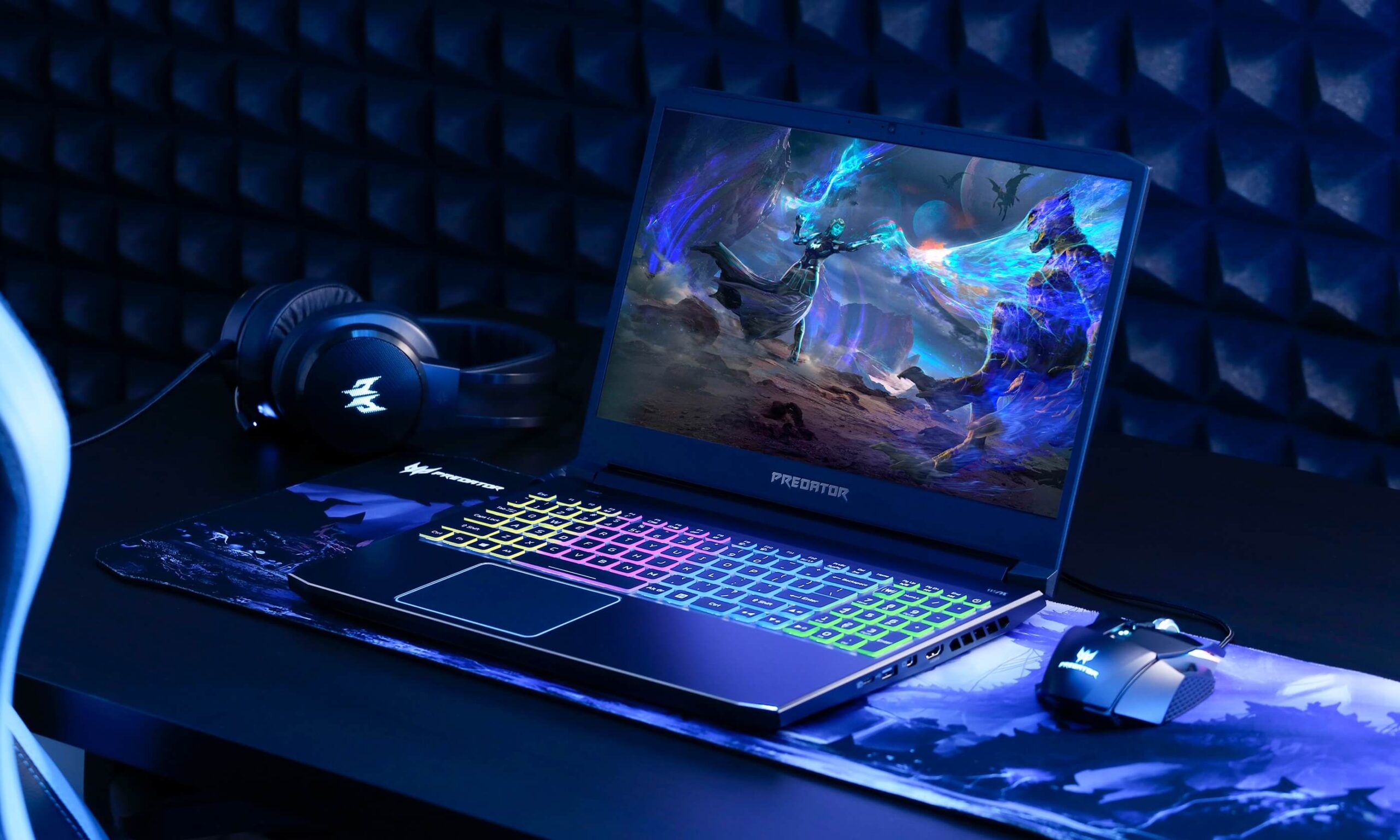
What Is the Best Gaming Laptop to Buy in Dubai Under AED 6000?

If you’re searching for the best gaming laptop under AED 6000 in Dubai, you already know the problem: the UAE market is flooded with options, half of them “gaming” in name only, and prices swing wildly between stores. This guide cuts through that. We tested spec sheets and real-world pricing across Dubai’s leading retailers, benchmarked what AED 6000 actually buys you in 2026, and shortlisted only the laptops that deliver genuine RTX-class gaming performance – not integrated graphics dressed up in RGB lighting.

Whether you’re gaming casually after work, grinding Valorant and Fortnite ranked matches, or looking for your first serious rig as a student in Dubai or Abu Dhabi, this guide will help you buy with confidence.

What to Look for in a Gaming Laptop Under AED 6000 in the UAE

Not every laptop labeled “gaming” earns the title. Before comparing specific models, it helps to understand what actually separates a real gaming laptop from a regular laptop with a sticker on it – especially at this budget, where corners get cut fast.

Graphics Card (GPU)

The GPU is the single biggest factor in gaming performance. At the AED 6000 price point in Dubai, you should be targeting an NVIDIA GeForce RTX 4050, RTX 5050, or RTX 5060. These cards handle 1080p gaming at high settings comfortably, and the RTX 5060 in particular supports DLSS 4 for smoother frame rates in newer titles. Avoid laptops that only list “integrated graphics” or “AMD Radeon Graphics” (non-RX) as their GPU – they’ll struggle with anything beyond esports titles like CS2 or Valorant.

Processor (CPU)

Pair your GPU with a CPU that won’t bottleneck it. Intel Core i7/Core Ultra 7 or AMD Ryzen 7 processors are the sweet spot under this budget – enough multi-core performance for gaming, streaming, and everyday multitasking without overheating under sustained load.

RAM & Storage

16GB RAM is the practical minimum for modern AAA titles in 2026; 32GB (increasingly common even at this budget) gives you real headroom for background apps, Discord, and browser tabs while gaming. For storage, look for at least a 512GB NVMe SSD – 1TB is ideal if you install multiple large titles like Call of Duty or GTA VI.

Display & Refresh Rate

A 1080p or 3K display with a 120Hz+ refresh rate noticeably improves competitive gaming, making motion smoother and giving you a real edge in fast-paced shooters. Standard 60Hz panels feel dated by comparison.

Cooling System – Critical for Dubai’s Climate

This is the point most generic buying guides miss, and it matters more in the UAE than almost anywhere else. Dubai’s ambient heat – especially with summer temperatures pushing 45Β°C – puts extra strain on a laptop’s thermal system. A gaming laptop with weak cooling will throttle performance mid-session once internal temperatures spike. Prioritize models with dual-fan setups, vapor chamber cooling, or multiple heat pipes, and always keep the laptop on a hard, ventilated surface rather than a bed or sofa when gaming indoors with AC running.

Best Gaming Laptops Under AED 6000 in Dubai (2026)

Based on current UAE pricing, in-stock availability, and genuine gaming-grade specifications, here are the three best options under AED 6000 in Dubai right now.

Best Overall – HP OMEN Transcend 14

Price: AED 5,899

The HP OMEN Transcend 14-fb1013dx is, spec-for-spec, the strongest gaming laptop available under AED 6000 in the UAE. It’s built around an Intel Core Ultra 7 255H processor, an NVIDIA GeForce RTX 5060 8GB GPU, 32GB of RAM, and a 1TB NVMe SSD – a configuration that would typically sit closer to the AED 8,000–9,000 range from other brands. The standout feature is its 14″ 3K OLED display, which delivers punchy contrast and vivid color that most budget gaming laptops simply can’t match.

Why it’s our top pick:

  • RTX 5060 handles 1080p and even 1440p gaming at high settings
  • 32GB RAM future-proofs it well beyond most laptops at this price
  • OLED display is a genuine step above competitors in this bracket
  • Compact 14″ chassis is easier to carry around Dubai and Abu Dhabi than bulkier 16″–18″ rigs

Trade-off: the 14″ size means a slightly smaller keyboard deck than 15.6″/16″ alternatives – worth trying in person if you have larger hands.

Best Budget Pick – Acer Predator Helios Neo 16

Price: AED 4,750

If you want to stay well under budget while still getting real RTX-class performance, the Acer Predator Helios Neo 16 is the smartest value buy in Dubai’s gaming laptop market. It runs an Intel Core i7-13700HX, NVIDIA RTX 4050 6GB, 16GB RAM, and a 512GB SSD on a spacious 16″ WUXGA display – all for under AED 5,000.

Why it’s a top pick:

  • Nearly AED 1,150 cheaper than our top overall pick, leaving budget for a gaming mouse or headset
  • Acer’s IceStorm cooling copes well with extended sessions in Dubai’s heat
  • 16″ screen is more comfortable for long gaming sessions than a 14″ panel
  • Genuine RTX 4050 GPU, not a rebadged integrated chip

Trade-off: 512GB SSD fills up quickly with modern AAA titles – plan to manage storage or add an external drive.

Best for Study + Light Gaming – Dell 16 Plus DB16255

Price: AED 5,950

For buyers who need a machine that handles university coursework, office apps, and casual gaming equally well, the Dell 16 Plus DB16255 is worth a look. It pairs an AMD Ryzen AI 7 350 processor with 32GB RAM, a 1TB SSD, and a 16″ FHD+ touch display.

Important honesty note: this model uses AMD Radeon integrated graphics, not a dedicated RTX GPU. That means it will run esports titles like Valorant, CS2, and older games smoothly, but it is not the right choice for demanding AAA titles at high settings. Choose this only if gaming is secondary to productivity, and pick one of the two models above if gaming performance is your priority.

Quick Comparison Table

LaptopPrice (AED)CPUGPURAMStorageDisplay
HP OMEN Transcend 145,899Intel Core Ultra 7 255HRTX 5060 8GB32GB1TB SSD14″ 3K OLED
Acer Predator Helios Neo 164,750Intel Core i7-13700HXRTX 4050 6GB16GB512GB SSD16″ WUXGA
Dell 16 Plus DB162555,950AMD Ryzen AI 7 350AMD Radeon (integrated)32GB1TB SSD16″ FHD+ Touch

Gaming Laptop vs Regular Laptop – Why It Matters Under This Budget

At around AED 6000, the gap between a true gaming laptop and a regular laptop marketed to gamers is bigger than it looks on a spec sheet. A regular laptop with a decent CPU can feel fast for browsing and office work, but without a dedicated NVIDIA or AMD discrete GPU, it will bottleneck hard the moment you launch a modern title. If you want a deeper breakdown of exactly where the two diverge – thermals, upgradeability, and long-term value – see our full comparison: Gaming Laptop vs Regular Laptop – What’s The Difference in the UAE Market?

If your budget stretches a little further down the line, it’s also worth knowing what the next tier looks like – our ASUS ROG Strix Gaming Laptops UAE Buyer’s Guide covers the step-up models once you’re ready to spend above AED 10,000.

Where to Buy Gaming Laptops Under AED 6000 in Dubai

All three laptops above – and more than 620 other gaming laptops across every major budget – are in stock at UAE Tech Dubai (Berjaya Electronics), one of Dubai’s most trusted electronics retailers. Here’s why gamers across the UAE buy from us:

  • 100% authentic, warranty-backed stock – every unit ships with an official manufacturer’s warranty, never grey-market
  • Same-day and next-day delivery in Dubai, with shipping across Abu Dhabi, Sharjah, Ajman, Fujairah, Ras Al Khaimah, and Umm Al Quwain
  • International shipping to Qatar, Bahrain, Oman, Kuwait, and Saudi Arabia
  • Flexible payment options and honest, spec-based advice from our support team – call or WhatsApp +971 50 652 0580

Browse the full range on our Gaming Laptops in UAE category page, filterable by brand, GPU, and price. Once your laptop arrives, complete the setup with a proper gaming mouse, a mechanical gaming keyboard, or a gaming headset – all in stock for fast Dubai delivery. And if you eventually want a dedicated rig for your desk at home, check out our Gaming PC collection too.

Conclusion – Which One Should You Buy?

If you want the strongest all-round gaming performance under AED 6000 in Dubai, the HP OMEN Transcend 14 (AED 5,899) is the clear winner – its RTX 5060 GPU and 32GB RAM outclass almost everything else at this price. If you’d rather save close to AED 1,150 and still get genuine RTX gaming power, the Acer Predator Helios Neo 16 (AED 4,750) is an excellent budget alternative with a larger screen. Only consider the Dell 16 Plus DB16255 if gaming is secondary to study or work.

Whichever you choose, buy from a retailer that backs it with a real manufacturer warranty and fast UAE delivery. Browse the full collection and order online at UAE Tech Dubai (Berjaya Electronics).

What is the best gaming laptop under AED 6000 in Dubai? 

The HP OMEN Transcend 14, priced at AED 5,899, is currently the best gaming laptop under AED 6000 in Dubai. It offers an RTX 5060 GPU, 32GB RAM, and a 14″ 3K OLED display – specs that punch well above its price point.

Can I play GTA and Call of Duty on a laptop under AED 6000? 

Yes. A laptop with an RTX 4050 or RTX 5060 GPU, like the two RTX-equipped models in this guide, will run modern AAA titles like GTA V/VI and Call of Duty at 1080p on medium-to-high settings comfortably.

Is 16GB RAM enough for gaming in 2026? 

16GB is the practical minimum for most current titles. If your budget allows, 32GB (available on both our top pick and the Dell 16 Plus) gives more headroom for streaming, Discord, and background apps while gaming.

Do gaming laptops overheat in Dubai’s climate? 

They can, if cooling is weak. Laptops with dual-fan systems and vapor chamber or multi-heat-pipe cooling – like the models recommended above – are built to handle sustained gaming sessions even in warm ambient conditions. Using the laptop on a hard, ventilated surface also helps significantly.

Where can I buy a gaming laptop under AED 6000 with warranty in the UAE? 

UAE Tech Dubai (Berjaya Electronics) stocks 100% authentic, manufacturer-warranty-backed gaming laptops under AED 6000, with same-day delivery available across Dubai and shipping throughout the UAE and GCC.

Is an integrated graphics laptop good enough for gaming? 

Integrated graphics, like the AMD Radeon graphics on the Dell 16 Plus, can handle light esports titles (Valorant, CS2) but will struggle with demanding AAA games. For serious gaming under this budget, choose a laptop with a dedicated RTX GPU.

Gaming Laptop vs Regular Laptop

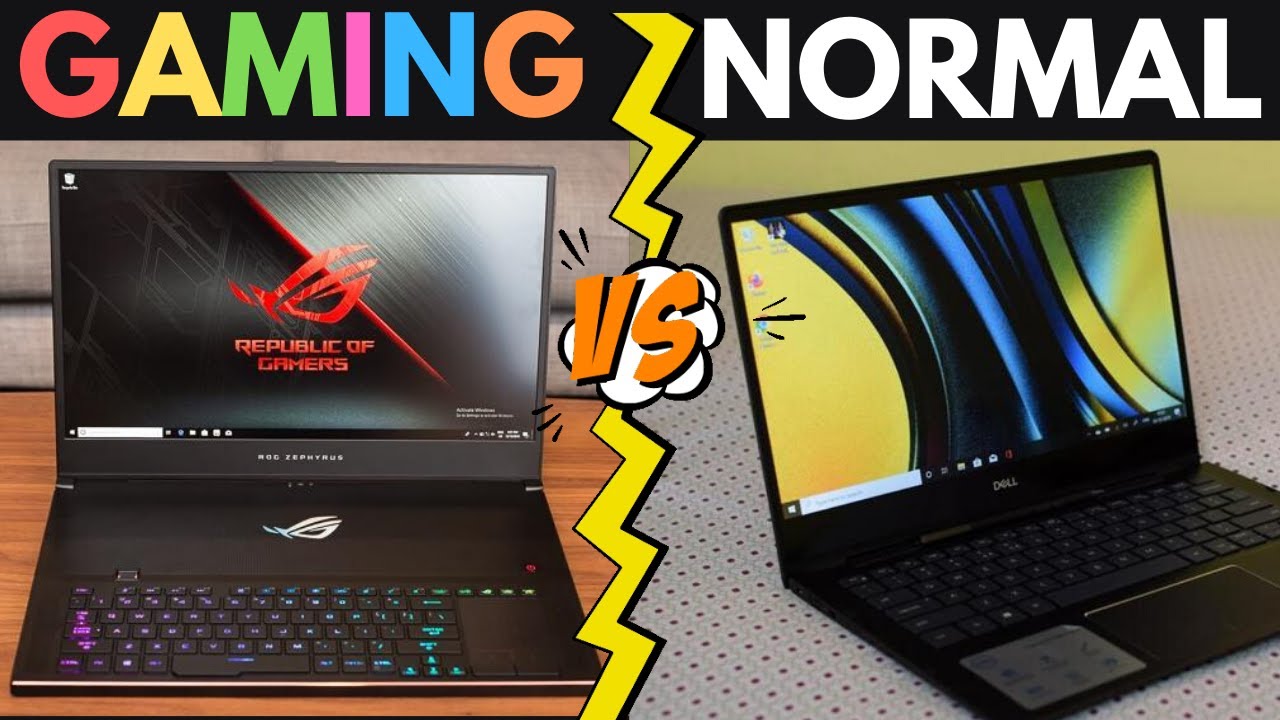
Gaming Laptop vs Regular Laptop – What’s The Difference in the UAE Market?

Shopping for a new laptop in Dubai or anywhere else in the UAE usually comes down to one big question: should you buy a gaming laptop or a regular laptop? Both look similar in a store window, but under the hood they’re built for completely different jobs – and picking the wrong one means overpaying for power you’ll never use, or underpowering yourself for the games and creative software you actually want to run.

This guide breaks down every real difference between a gaming laptop and a regular laptop – processor, graphics, cooling, battery life, and price in AED – with the UAE market specifically in mind, from Dubai’s summer heat to local pricing bands. By the end, you’ll know exactly which type suits your budget, workload, and lifestyle.

Quick Comparison Table

FeatureGaming LaptopRegular Laptop
ProcessorIntel Core i7/i9 or AMD Ryzen 7/9Intel Core i3/i5 or AMD Ryzen 3/5
Graphics CardDedicated NVIDIA GeForce RTX / AMD Radeon GPUIntegrated graphics (Intel Iris Xe, etc.)
RAM16GB–64GB DDR58GB–16GB DDR4/DDR5
Storage512GB–4TB NVMe SSD256GB–1TB SSD
Refresh Rate120Hz–240Hz60Hz–90Hz
CoolingMulti-fan, liquid-metal, large heatsinksSingle fan, basic heatsink
Battery Life3–5 hours6–12 hours
Weight2.2–3.5 kg1.1–1.8 kg
Price in UAERoughly AED 3,500 – AED 25,000+Roughly AED 1,300 – AED 8,000

What Is a Gaming Laptop?

A gaming laptop is a high-performance portable computer built around one goal: running demanding games and graphics-heavy software smoothly. That means a dedicated graphics processor, a powerful multi-core CPU, fast RAM, high-refresh-rate displays, and cooling systems designed to survive hours of sustained heavy load – something a typical productivity laptop was never engineered to do.

Browse the current lineup of gaming laptops in the UAE to see how brands like ASUS ROG, Dell, HP OMEN, and Lenovo Legion configure these machines for 2026.

What Is a Regular Laptop?

A regular (or “normal”) laptop is built around portability, battery life, and everyday computing – browsing, office work, video calls, streaming, and study. It relies on integrated graphics built into the processor rather than a separate graphics chip, which keeps it thinner, lighter, quieter, and considerably more affordable. If you’re a student, remote worker, or someone who mostly needs a reliable machine for documents and meetings, this is the general laptop category most UAE buyers land on.

Gaming Laptop vs Regular Laptop – Key Differences

Processor (CPU)

Gaming laptops are typically fitted with Intel Core i7/i9 or AMD Ryzen 7/9 chips, giving them the multi-core power to handle games, video rendering, and 3D work simultaneously. Regular laptops commonly ship with Intel Core i3/i5 or AMD Ryzen 3/5 processors – plenty for browsing, spreadsheets, and streaming, but they’ll bottleneck the moment you load a modern AAA title.

Graphics Card (GPU)

This is the single biggest differentiator. A gaming laptop packs a discrete NVIDIA GeForce RTX or AMD Radeon GPU capable of ray tracing and high frame-rate rendering. A regular laptop uses integrated graphics shared with the CPU – fine for YouTube and Office 365, but it will struggle badly with anything beyond casual browser games.

RAM & Multitasking

Gaming laptops generally start at 16GB of DDR5 RAM and scale up to 64GB, which matters as much for game texture loading as it does for running Discord, OBS, and a browser with 30 tabs open at once. Regular laptops sit comfortably at 8–16GB, which is sufficient for typical multitasking but tight for heavier creative workloads.

Storage Speed

Both categories now favour SSDs over old-style hard drives, but gaming laptops use faster NVMe SSDs with larger capacities (often 1TB–4TB) to accommodate huge game installs – a modern title can easily exceed 100GB. Regular laptops usually offer 256GB–1TB, adequate for documents, media, and standard apps.

Display & Refresh Rate

Gaming laptops feature 120Hz to 240Hz refresh-rate panels with technologies like NVIDIA G-Sync or AMD FreeSync to eliminate screen tearing during fast motion. Regular laptops typically top out at 60Hz (some newer models reach 90Hz), which looks perfectly smooth for everyday use but noticeably less fluid in competitive gaming.

Cooling System – Why It Matters in the UAE

Here’s a factor UAE buyers should weigh more heavily than shoppers elsewhere: ambient heat. Gaming laptops run hot under sustained load – CPU and GPU working together can generate significant thermal output – so manufacturers build in multi-fan systems, vapour chambers, and liquid-metal thermal compounds. In UAE indoor environments this is well-managed by air conditioning, but if you game in a room without strong AC during summer, thermal throttling becomes more noticeable than it would in a cooler climate. Regular laptops generate far less heat and get by with a single fan or passive cooling, since they were never designed for prolonged high-load use.

Design, Weight & Portability

Gaming laptops are bulkier – typically 2.2kg to 3.5kg – with bold designs, RGB keyboards, and thicker chassis to house the extra cooling hardware. Regular laptops are built for portability first: slim profiles, lighter builds (often under 1.8kg), and a more understated look suited to office and campus use.

Battery Life

Regular laptops comfortably deliver 6–12 hours on a single charge thanks to power-efficient integrated graphics. Gaming laptops, with their power-hungry dedicated GPUs, typically last only 3–5 hours unplugged – less under actual gaming load. If you’re commuting across Dubai or Abu Dhabi without regular access to a charger, this is worth factoring in.

Price in the UAE

Gaming laptops in the UAE generally start around AED 3,500 for entry-level RTX-equipped models and climb past AED 20,000 for flagship configurations with top-tier GPUs like the RTX 5090. Regular laptops range from roughly AED 1,300 for basic models to around AED 8,000 for premium ultrabooks and business-grade machines – see current business laptop options for that segment.

Which One Should You Buy in Dubai & the UAE?

Choose a Gaming Laptop If…

  • You play modern AAA titles or competitive esports and want smooth, high-frame-rate performance.
  • You do video editing, 3D rendering, graphic design, or AI/ML work that benefits from a dedicated GPU.
  • You want one machine that covers both serious gaming and demanding professional work.
  • You’re mostly gaming indoors with reliable air conditioning, so battery life and heat are less of a daily concern.

Choose a Regular Laptop If…

  • You mainly need it for university, office work, browsing, or streaming.
  • Battery life and light weight matter more than raw graphics power.
  • You want a quieter, cooler-running machine for daily carry across Dubai’s metro, offices, or campuses.
  • Budget efficiency matters and you don’t need gaming-level specs.

Can a Regular Laptop Handle Gaming in the UAE?

To an extent, yes – it depends entirely on what you’re playing. Indie games, browser-based titles, card and strategy games, and older remastered classics run fine on integrated graphics. But modern AAA games, competitive shooters at high settings, or anything requiring ray tracing will run poorly or not at all on a regular laptop’s integrated GPU. Some components – RAM and storage – can be upgraded on certain regular laptops to improve general responsiveness, but the CPU, GPU, and display refresh rate are almost always fixed at purchase, so a true gaming upgrade path doesn’t really exist on non-gaming hardware.

Gaming Laptop vs Gaming PC – A Quick UAE Note

It’s worth mentioning that many UAE gamers also weigh a gaming laptop against a desktop gaming PC. Desktops generally deliver more performance per AED thanks to better cooling and higher power limits, and they handle the UAE climate more comfortably since desktop cooling systems have far more room to work with. Laptops win on portability – ideal if you’re moving between university, home, and travel. If desk-bound performance is your priority, it’s worth comparing both gaming laptops and gaming PC builds before deciding.

Popular Gaming Laptop Brands in the UAE

UAE buyers most commonly shop ASUS ROG, Dell (XPS and Alienware-class configurations), HP OMEN, Lenovo Legion, and MSI – all built around NVIDIA RTX-series graphics. Pair any of these with a proper gaming mouse, mechanical gaming keyboard, or gaming headset to round out a proper setup.

Conclusion – Buy the Right Laptop from UAE Tech Dubai

The real difference between a gaming laptop and a regular laptop in the UAE comes down to three things: performance, portability, and price. If you need serious graphics power for gaming, design, or video editing, a gaming laptop is the clear investment. If you value battery life, light weight, and everyday reliability, a regular laptop gets the job done for less.

Whichever direction fits your needs, UAE Tech Dubai (Berjaya Electronics) stocks both categories from trusted brands – ASUS ROG, Dell, HP, Lenovo, and Apple – with fast delivery across Dubai, Abu Dhabi, Sharjah, and the wider UAE. Browse the full gaming laptop range or explore everyday and business laptops to find the right machine for your budget – or get in touch with our team for personalised buying advice.

Is a gaming laptop worth it if I don’t game every day? 

Yes, in many cases. Modern gaming laptops handle everyday tasks – browsing, streaming, video calls, office work – extremely well, and the extra power is useful for creative software. The trade-offs are weight, shorter battery life, and a higher price than a comparable regular laptop.

What’s the average gaming laptop price in the UAE? 

Entry-level RTX-equipped gaming laptops start around AED 3,500–5,000, mid-range configurations sit between AED 7,000–13,000, and flagship models with top-tier GPUs go beyond AED 20,000.

Can I use a gaming laptop for university or office work in Dubai? 

Absolutely – the extra processing power handles office software with ease. Just be aware it’s heavier to carry daily and won’t last as long on battery between charges compared to a slim regular laptop.

Do gaming laptops overheat in UAE weather? 

Not typically indoors with normal air conditioning. Heat becomes a concern only in poorly ventilated, non-air-conditioned spaces during sustained heavy gaming sessions – keep vents clear and consider a cooling pad if that applies to you.

Should students in the UAE buy a gaming or regular laptop? 

Most students are better served by a regular laptop for portability, battery life, and cost – unless their coursework involves gaming, video editing, 3D design, or engineering software that genuinely needs a dedicated GPU.

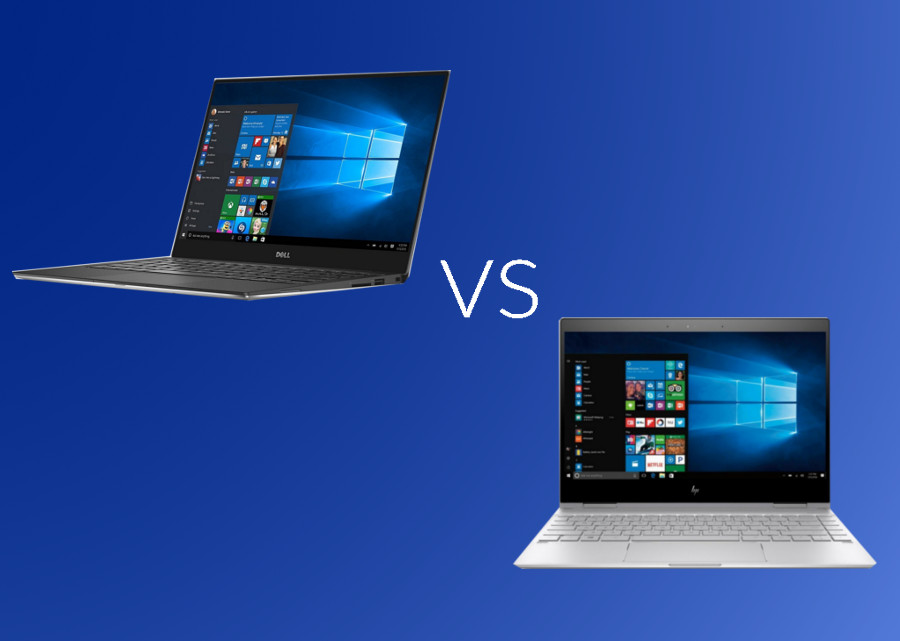
HP Spectre vs Dell XPS β€” Ultra-Premium Laptop Comparison in UAE

HP Spectre vs Dell XPS – Ultra-Premium Laptop Comparison in UAE (2026 Guide)

If you’re shopping for an ultra-premium laptop in Dubai or anywhere else in the UAE, two names keep coming up: the HP Spectre and the Dell XPS. Both are flagship ultrabooks built for professionals, executives, and creators who want a machine that looks as sharp in a boardroom in DIFC as it performs on a deadline at 2 a.m.

This guide breaks down design, display, performance, battery life, security, and – most importantly – real HP Spectre and Dell XPS prices in the UAE, so you can make a confident decision instead of guessing from a spec sheet.

Quick Verdict – Which Ultra-Premium Laptop Wins in the UAE?

If you want the short answer before the deep dive:

  • Choose the Dell XPS if you need raw performance, a dedicated NVIDIA GPU, and a display built for design or video work.
  • Choose the HP Spectre if you want a 360Β° convertible, touchscreen flexibility, and a slightly more budget-friendly entry point into the ultra-premium tier.

Both are available with genuine manufacturer warranty at UAE Tech Dubai (Berjaya Electronics), with fast delivery across Dubai, Abu Dhabi, Sharjah, and the rest of the Emirates.

HP Spectre vs Dell XPS: Design & Build Quality

Both laptops sit at the top of their brand’s line-up, and it shows the moment you open the lid.

HP Spectre Design

The HP Spectre series is instantly recognisable for its gem-cut edges, aluminium chassis, and jewel-tone finishes. The HP Spectre x360 adds a 360-degree hinge, letting it fold flat into tablet or tent mode – genuinely useful for presenting to a client in Downtown Dubai without pulling out a separate iPad. It’s a statement piece as much as a work tool.

Dell XPS Design

The Dell XPS takes the opposite design philosophy: minimalist, almost architectural. The InfinityEdge display and near-borderless bezels make the Dell XPS 14 and Dell XPS 16 feel more compact than their screen size suggests. There’s no 2-in-1 flip, but the CNC-machined aluminium body and woven-glass palm rest feel noticeably premium in hand.

Verdict: HP Spectre wins on versatility and flair; Dell XPS wins on understated, professional minimalism.

Display Quality Compared

For UAE professionals working under bright office lighting or reviewing creative work, display quality isn’t a nice-to-have – it’s the whole job.

HP Spectre Display

Most Spectre configurations offer OLED or 4K options with strong colour accuracy and an anti-reflective coating that holds up well against Dubai’s intense natural light through floor-to-ceiling office windows. Because the Spectre x360 is touch-enabled, it’s a genuine option for anyone who sketches, annotates PDFs, or takes handwritten notes with a stylus.

Dell XPS Display

The Dell XPS line pushes further on raw resolution – 3.2K and UHD+ OLED panels are common across the XPS 14, XPS 16, and XPS 17. If your work involves photo retouching, video colour grading, or CAD, the XPS display edges ahead on pure pixel density and colour gamut.

Verdict: Dell XPS for resolution and colour-critical work; HP Spectre for touch and stylus flexibility.

Performance & Processors

HP Spectre Performance

HP Spectre models typically run on Intel Core Ultra 7 chips paired with integrated graphics, which is more than enough for productivity, video calls, and light creative work. What the Spectre generally lacks is a dedicated GPU option, so it’s not the pick for GPU-heavy workloads.

Dell XPS Performance

The Dell XPS 16 and Dell XPS 17 step up with NVIDIA RTX 4050/4070 graphics alongside Intel Core Ultra 7 and Core i9 options – a real advantage for architects, engineers, and video editors in the UAE who need GPU acceleration without carrying a separate workstation.

Verdict: Dell XPS is the stronger choice for anything GPU-dependent – 3D rendering, video export, or gaming on the side.

Battery Life for UAE Commutes & Travel

Both lines are built for a full working day. HP Spectre models are known for consistently strong battery efficiency thanks to lower-wattage components, while Dell XPS battery life varies more depending on whether you choose the FHD, OLED, or GPU-equipped configuration – the higher-resolution and RTX-equipped models will drain faster under sustained load. For UAE professionals who fly regularly within the GCC, the standard-display HP Spectre or a non-GPU Dell XPS 14 configuration will get you through the longest domestic flights without hunting for a socket.

Ports, Connectivity & Security Features

Both brands take enterprise security seriously – important for anyone handling client data or financial records in the UAE.

  • HP Spectre: physical webcam privacy shutter, fingerprint reader, HP Sure Start self-healing BIOS, wide port selection including USB-C, USB-A, and microSD.
  • Dell XPS: Windows Hello facial recognition, Thunderbolt 4 USB-C ports, ExpressCharge fast charging, and tighter integration with Dell’s enterprise management tools.

If you connect frequently to external monitors or legacy peripherals, the Spectre’s broader port selection is genuinely more convenient day to day; the XPS leans on USB-C-only connectivity, so budget for a dongle.

HP Spectre Price in UAE vs Dell XPS Price in UAE (2026)

Below are confirmed, current configurations and prices available at UAE Tech Dubai. Prices are in AED and inclusive of VAT – always check the live product page for the latest offer.

ModelProcessorRAM / StorageGraphicsPrice (AED)
Dell XPS 13 Plus 9320Core i7-1360P32GB / 2TB SSDIntel Iris Xe10,100
Dell XPS 14 9440Core Ultra 7 155H32GB / 1TB SSDIntel Arc9,300
Dell XPS 14 9440 (RTX 4050)Core Ultra 7 155H32GB / 1TB SSDNVIDIA RTX 405011,200
Dell XPS 16 9640Core Ultra 7 155H64GB / 2TB SSDNVIDIA RTX 407013,500
Dell XPS 17 9730Core i9-13900H64GB / 2TB SSDNVIDIA RTX 407015,800
HP Spectre x360 14-ef0013dxCore i7-1255U16GB / 1TB SSDIntel Iris XeSee live price
HP Spectre x360 14-ef2013dxCore i7-1355U16GB / 512GB SSDIntel Iris XeSee live price
HP Spectre x360 16-f1013dxCore i7-12700H16GB / 512GB SSDIntel Iris XeSee live price

For the widest current stock of both series in one place, browse the full business laptops in UAE collection.

Which One Should You Buy?

Best for Executives & Business Travel in Dubai

If you’re moving between meetings across DIFC, Business Bay, or JLT, the Dell XPS 13 Plus or XPS 14 hits the sweet spot of portability, display quality, and enough battery to skip charging between appointments.

Best for Creators & Designers

Photographers, editors, and architects in the UAE should look at the Dell XPS 16 or XPS 17 – the RTX 4070 graphics and OLED UHD+ display make short work of Premiere Pro, Lightroom, or Revit.

Best for Students & Everyday Convertibility

If you want one device that’s a laptop for lectures and a tablet for notes, the HP Spectre x360 is the more practical, touch-first choice – and typically the more accessible entry point into this premium tier.

Conclusion – Buy Yours from UAE Tech Dubai

Both the HP Spectre and Dell XPS are genuinely excellent ultra-premium laptops, and the “better” choice really comes down to how you work: pick the Dell XPS for performance-heavy, GPU-dependent work, or the HP Spectre for a flexible, touch-enabled everyday machine.

Whichever you choose, buy it from a source that stands behind it. UAE Tech Dubai (Berjaya Electronics) carries genuine, brand-new stock of both series – not grey-market imports – backed by official manufacturer warranty, fast delivery across Dubai, Abu Dhabi, Sharjah, and every Emirate, and expert pre-sales support if you’re still deciding between configurations.

Is HP Spectre or Dell XPS better for business use in the UAE? 

Both are excellent business laptops. The Dell XPS edges ahead on raw performance and display resolution, while the HP Spectre offers more flexibility with its 360Β° convertible design and touch support – a better fit if you present or annotate documents often.

What is the price of a Dell XPS laptop in Dubai? 

Dell XPS prices in the UAE currently start around AED 9,300 for the XPS 14 and go up to AED 15,800+ for the fully-loaded XPS 17 with RTX 4070 graphics. See the live price table above for current configurations.

Does HP Spectre have a dedicated graphics card? 

Most HP Spectre configurations rely on integrated Intel graphics rather than a dedicated GPU, which is sufficient for productivity and light creative work but not ideal for heavy video editing or 3D rendering – for that, the Dell XPS with NVIDIA RTX graphics is the better pick.

Where can I buy a genuine HP Spectre or Dell XPS in the UAE with warranty? 

UAE Tech Dubai (Berjaya Electronics) stocks genuine, brand-new HP Spectre and Dell XPS laptops with full manufacturer warranty, fast delivery across Dubai and all Emirates, and corporate/bulk pricing on request.

Which laptop has better battery life, HP Spectre or Dell XPS? 

Standard-display HP Spectre configurations generally offer more consistent battery life thanks to lower power draw. Dell XPS battery life is competitive on FHD models but drops noticeably on OLED or RTX-equipped configurations under heavy use.

ASUS ROG Strix Gaming Laptops – UAE Buyer's

ASUS ROG Strix Gaming Laptops – UAE Buyer’s Guide 2026

If you’re comparing ASUS ROG Strix gaming laptops in the UAE, you already know the lineup is huge – G16, G18, SCAR 16, SCAR 18, half a dozen GPU tiers, and prices that swing from AED 6,000 to over AED 22,000. This guide breaks down every ROG Strix model sold in Dubai and across the UAE in 2026, what actually matters when you’re buying (especially in Gulf heat), current AED pricing, and exactly which gaming laptop configuration fits your budget and games.

Why ASUS ROG Strix Is the Top Gaming Laptop Choice in the UAE (2026)

The ROG Strix series sits in ASUS’s Republic of Gamers line as the “performance-first” tier – one step below the ultra-premium SCAR/Zephyrus flagships but built with the same NVIDIA GeForce RTX 50-series graphics, DDR5 memory, and ROG Intelligent Cooling that serious gamers look for.

Three things make it the most searched gaming laptop family in Dubai and the wider UAE market right now:

  • Wide GPU range in one series – from an RTX 5060 up to an RTX 5090, so there’s a Strix for AED 6,000 budgets and AED 20,000+ enthusiast builds alike.
  • High-refresh 2.5K and QHD panels (up to 240Hz) that suit both competitive esports and AAA titles like Cyberpunk 2077 or EA Sports FC.
  • Cooling built for hot climates – multi-fan vapour chamber designs that matter more in the UAE than almost anywhere else, since ambient indoor temperatures and long AC-off periods (car boots, delivery vans) stress a laptop’s thermals harder than in cooler markets.

ASUS ROG Strix Lineup Explained

ROG Strix G16 – Best All-Rounder

The ROG Strix G16 is the volume seller in the UAE, and for good reason. A 16-inch WQXGA (2560Γ—1600) or FHD+ display at up to 240Hz, paired with Intel Core Ultra 9 275HX or AMD Ryzen 9 8940HX/9955HX processors and RTX 5060 through RTX 5080 graphics. It’s the model most UAE gaming laptop retailers stock in bulk, and it covers everything from esports titles to demanding AAA gaming at 1440p.

ROG Strix G18 – Best for Immersive AAA Gaming

The ROG Strix G18 trades some portability for an 18-inch 2.5K 240Hz canvas – ideal if you game mostly at a desk in Dubai or Abu Dhabi rather than carrying the laptop around. Configurations typically pair an Intel Core i9-14900HX with RTX 5070-class graphics, making it a strong pick for players who want maximum screen real estate for open-world and simulation titles.

ROG Strix SCAR 16/18 – Best for Esports & Content Creators

The ROG Strix SCAR 16 and SCAR 18 sit at the top of the Strix family, built around ROG’s Nebula HDR display technology, MiniLED panels on the SCAR 18, and GPU options that scale all the way to the RTX 5090. These are the models UAE buyers choose when they’re streaming, editing 4K footage, or competing seriously – the extra cooling headroom and RGB AniMe Matrix styling come at a premium, but so does the performance ceiling. You can check current availability and specs on the ROG Strix SCAR 16 with RTX 5090 directly.

What to Check Before Buying a ROG Strix in the UAE

GPU – RTX 5060 to RTX 5090

The graphics card is still the single biggest factor in gaming performance. In the UAE market:

  • RTX 5060 (8GB) – 1080p/1440p esports and most AAA titles at high settings.
  • RTX 5070 / 5070 Ti (12GB) – smooth 1440p at high-to-ultra settings, the sweet spot for most buyers.
  • RTX 5080 (16GB) – high-refresh 1440p and playable 4K in most titles.
  • RTX 5090 (24GB) – the SCAR-exclusive ceiling, aimed at creators and 4K/high-refresh purists.

CPU – Intel Core Ultra HX vs AMD Ryzen 9 HX

Most 2026 ROG Strix configurations in the UAE ship with either Intel Core Ultra 7/9 (255HX/275HX) or AMD Ryzen 9 (8940HX/9955HX/9955HX3D) processors. Both handle gaming and multitasking well; the Ryzen 9 9955HX3D variants (with 3D V-Cache) edge ahead in CPU-bound esports titles, while the Intel Ultra chips pull ahead in mixed productivity and AI-assisted workloads thanks to their built-in NPU.

Display & Refresh Rate

Look for 2.5K (2560Γ—1600) at 240Hz if your budget allows – it’s the best balance of sharpness and smoothness for the RTX 5070/5080 tier. Budget configurations often ship with FHD+ (1920Γ—1200) at 165Hz, which is still excellent for competitive shooters. If you plan to game mostly at a desk, pairing your Strix with an external ASUS gaming monitor is worth considering for even higher refresh rates.

Cooling & Dubai’s Climate

This is the one factor most generic buying guides skip, and it matters more in the UAE than in temperate markets. ROG Strix laptops use dust-filtered intake vents and multi-fan vapour chamber cooling, but in Dubai’s summer heat you’ll still get better sustained performance by:

  • Gaming in air-conditioned rooms rather than near windows or direct sun exposure.
  • Using a cooling pad for sessions longer than 1–2 hours.
  • Keeping Armoury Crate’s Silent/Performance/Turbo profiles set to match the room temperature, not just the game.

RAM, Storage & Upgradeability

Most ROG Strix models ship with 16GB or 32GB DDR5 and 1TB PCIe SSD storage. RAM and storage are typically user-upgradeable via accessible bays – the CPU and GPU are not – so if you’re budget-conscious, buying a 16GB model and adding a second RAM stick or SSD later is a realistic way to save money upfront.

ASUS ROG Strix Price in UAE (Dubai) – 2026 Price Guide

Based on current UAE retailer pricing, here’s roughly what to expect by GPU tier:

GPU TierTypical ConfigurationApprox. Price Range (AED)
RTX 5060 (8GB)16GB RAM / 1TB SSD / FHD+ 165Hz6,300 – 7,600
RTX 5070 (8–12GB)32GB RAM / 1TB SSD / WQXGA 240Hz8,200 – 10,500
RTX 5070 Ti (12GB)16–32GB RAM / 1TB SSD / 2.5K 240Hz9,000 – 12,000
RTX 5080 (16GB)32GB RAM / 1TB SSD / 2.5K 240Hz12,000 – 15,500
RTX 5090 (24GB, SCAR series)64GB RAM / 4TB SSD / 2.5K–4K MiniLED18,000 – 22,000+

Prices vary by retailer, promotions, and whether the keyboard is English/Arabic layout with local warranty – always confirm you’re getting official ASUS UAE/GCC warranty coverage, not a grey-import unit.

ROG Strix vs Legion vs Predator vs Omen – Quick Comparison

If raw performance-per-dirham matters more than portability, it’s also worth weighing a gaming PC against a laptop before you commit – but for anyone who needs to game on the move, here’s how ROG Strix stacks up against its closest laptop rivals.

FactorROG StrixLenovo LegionAcer PredatorHP Omen
Cooling designMulti-fan vapour chamber, dust filtersStrong, slightly quieterAggressive, louder under loadGood, mid-tier thermals
Display ceiling2.5K 240Hz / SCAR MiniLEDQHD 240HzQHD 240Hz3K OLED (Transcend line)
GPU rangeRTX 5060 – RTX 5090RTX 5060 – RTX 5080RTX 5060 – RTX 5080RTX 5060 – RTX 5080
Best forAll-round performance + esports/creator ceilingBalanced, quieter daily driverHeavy AAA titlesPortability (14-inch OLED options)

Which ROG Strix Model Fits You?

  • Casual/esports gamer on a budget: ROG Strix G16 with RTX 5060 – fast enough for Valorant, CS2, and most AAA titles at 1080p/1440p.
  • Serious AAA gamer at a desk: ROG Strix G18 with RTX 5070/5070 Ti – the bigger screen pays off for open-world and story-driven games.
  • Streamer or content creator: ROG Strix SCAR 16 with RTX 5080 – enough GPU headroom for gaming and simultaneous encoding/editing. Pair it with a gaming headset for clean stream audio.
  • Enthusiast who wants the ceiling: ROG Strix SCAR 18 with RTX 5090 – 4K-capable, MiniLED display, built for buyers who don’t want to upgrade again for years.

Where to Buy ASUS ROG Strix Gaming Laptops in Dubai & the UAE

Buying locally in the UAE matters for three reasons: official ASUS GCC warranty, English/Arabic keyboard layouts, and fast delivery across Dubai, Abu Dhabi, Sharjah, and the rest of the Emirates without import duties or grey-market risk.

UAE Tech Dubai (Berjaya Electronics) stocks current-generation ASUS ROG Strix and SCAR gaming laptops, backed by genuine UAE warranty, free delivery, and support across Dubai, Abu Dhabi, Sharjah, and the wider Emirates. If you need help comparing configurations in person or over WhatsApp, get in touch with the team before you order.

Final Verdict – Buy Your ROG Strix from UAE Tech Dubai

The ASUS ROG Strix series remains the strongest all-round gaming laptop family available in the UAE in 2026 – spanning budget RTX 5060 builds to SCAR-tier RTX 5090 powerhouses, all with cooling designed to hold up in Gulf conditions. The right model comes down to your GPU budget, screen-size preference, and whether you need a creator-grade SCAR or a value-focused G16/G18.

Ready to buy? Browse the full ROG Strix and SCAR lineup at UAE Tech Dubai (Berjaya Electronics) – genuine warranty, fast delivery across Dubai and the UAE, and expert support to help you pick the right configuration. Pair your new Strix with a gaming mouse or mechanical gaming keyboard from the same store to complete your setup.

Is ASUS ROG Strix a good gaming laptop for the UAE climate? 

Yes. ROG Strix models use dust-filtered, multi-fan vapour chamber cooling designed for sustained performance. For best results in Dubai’s heat, game in air-conditioned rooms and consider a cooling pad for long sessions.

What is the price of an ASUS ROG Strix G16 in UAE? 

Entry RTX 5060 configurations start around AED 6,300–7,600, while higher RTX 5070 Ti/5080 configurations range from AED 9,000 to AED 15,500, depending on RAM and storage.

Can I upgrade RAM and storage on a ROG Strix laptop? 

Yes, on most models. RAM and SSD storage are user-accessible on ROG Strix G16/G18, while the CPU and GPU are soldered and fixed at purchase – so buy the GPU tier you’ll be happy with long-term.

Which is better for gaming in Dubai – ROG Strix G16 or G18? 

The G16 is more portable and slightly better value; the G18’s larger 18-inch 2.5K 240Hz display suits players who mostly game at a fixed desk setup.

Where can I buy a genuine ASUS ROG Strix with UAE warranty in Dubai? 

Buy from an authorised UAE retailer such as UAE Tech Dubai (Berjaya Electronics) to ensure official ASUS GCC warranty coverage, English/Arabic keyboard layout, and fast delivery across the UAE.

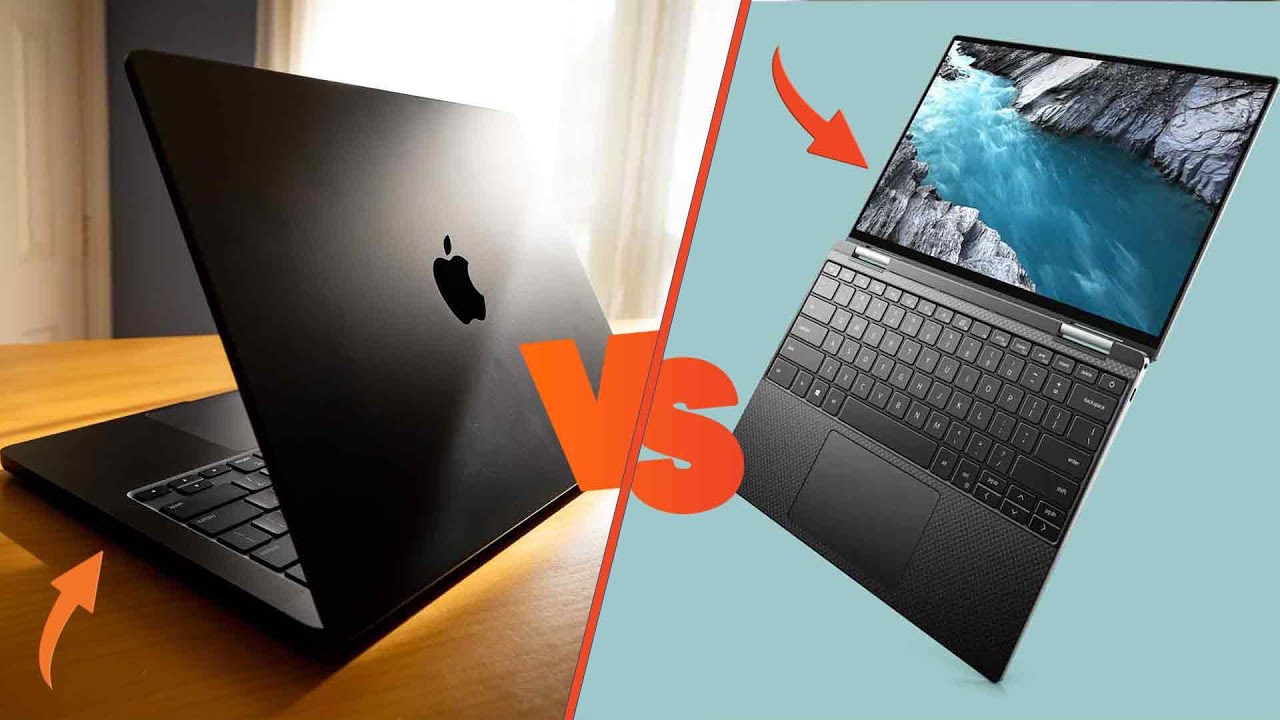
Dell XPS vs MacBook Pro: Premium Laptop Showdown for UAE Buyers

Dell XPS vs MacBook Pro: Premium Laptop Showdown for UAE Buyers

Choosing between the Dell XPS and the Apple MacBook Pro is one of the most common dilemmas facing professionals, students, and creatives across the UAE. Both are flagship premium laptops, both carry a premium price tag in AED, and both promise to be the last laptop you’ll need to buy for years. But they take very different paths to get there – one built around Windows 11 flexibility and raw configurability, the other around Apple silicon efficiency and a tightly controlled ecosystem.

This guide breaks down the Dell XPS vs MacBook Pro comparison specifically for buyers in Dubai, Abu Dhabi, Sharjah, and across the UAE – covering design, display, performance, battery life, gaming, and real AED pricing, so you can make a decision based on your actual workflow rather than spec-sheet marketing.

Quick Verdict – Which Should You Buy?

  • Choose the Dell XPS if you need Windows software compatibility, want a dedicated GPU for gaming or CAD work, or need the flexibility to configure RAM, storage, and graphics independently.
  • Choose the MacBook Pro if you’re invested in the Apple ecosystem (iPhone, iPad, AirPods), prioritize battery life and thermal efficiency, or work heavily in video editing, music production, or design software optimized for Apple silicon.

Dell XPS vs MacBook Pro: Spec Comparison Table

FeatureDell XPS (16 / 17)Apple MacBook Pro (M3 Max)
ProcessorIntel Core Ultra 7/9 (Panther Lake/Meteor Lake)Apple M3 Max chip
DisplayUp to 16.3″ OLED UHD+ Touch16.2″ Liquid Retina XDR
RAMUp to 64GB DDR5Up to 48GB Unified Memory
StorageUp to 4TB SSDUp to 1TB SSD (expandable at purchase)
GraphicsNVIDIA RTX 4070 (dedicated)Integrated Apple GPU (up to 40-core)
OSWindows 11 PromacOS
Starting price (UAE)From ~13,500 AEDFrom ~12,320 AED

Design & Build Quality

Both laptops are built to premium standards, and neither will feel like a compromise in a boardroom in Dubai’s DIFC or a co-working space in Abu Dhabi.

The Dell XPS uses a machined aluminum chassis with a carbon-fiber palm rest, InfinityEdge bezels, and a design language that’s stayed remarkably consistent across the XPS 13, 14, 16, and 17 lineup. It feels dense and industrial, with a slightly heavier footprint than the MacBook Pro in equivalent screen sizes.

The MacBook Pro is machined from a single block of aluminum, with Apple’s now-signature flat-edged design, a notch-housing camera, and a build quality widely regarded as best-in-class for structural rigidity and hinge feel.

Winner: A tie on craftsmanship – Dell wins on port variety and repairability, Apple wins on weight-to-rigidity ratio.

Display: OLED InfinityEdge vs Liquid Retina XDR

This is where the comparison gets genuinely close. The Dell XPS 16’s OLED UHD+ touch display delivers true blacks, vivid HDR, and touch/pen support that macOS simply doesn’t offer. It’s an excellent panel for photographers and video editors who work in Dubai’s bright ambient-light offices.

Apple’s Liquid Retina XDR display uses mini-LED backlighting to hit extreme peak brightness (up to 1,600 nits HDR) with ProMotion’s 120Hz adaptive refresh rate – a genuine advantage for colour-critical video and photo work, though without touch input.

Winner: MacBook Pro for colour accuracy and brightness; Dell XPS for touch/pen flexibility.

Performance: Intel Core Ultra vs Apple M-Series Chips

Everyday Use & Multitasking

For browsing, office work, video calls, and general multitasking – the kind of workload most business users in the UAE run daily – both machines are overkill in the best way. The MacBook Pro’s M3 Max chip is known for staying cool and quiet under sustained load, while the Dell XPS’s Intel Core Ultra processors offer stronger raw multi-threaded performance for Windows-native enterprise software, ERPs, and CAD tools common in UAE engineering and construction firms.

Creative Workloads (Video Editing, Design, 3D)

Apple silicon has a well-earned reputation in video editing (Final Cut Pro, DaVinci Resolve) thanks to hardware-accelerated media engines. The Dell XPS counters with a dedicated NVIDIA RTX 4070 GPU, giving it a real edge in 3D rendering, AI/ML workloads, and any software that relies on CUDA acceleration – something Apple silicon cannot match natively.

Winner: MacBook Pro for Apple-optimized creative apps; Dell XPS for GPU-dependent and Windows-native professional software.

Battery Life for UAE’s Long Workdays

With Dubai’s long commutes, back-to-back meetings, and site visits, all-day battery life matters. The MacBook Pro has historically led here, often delivering 15-20+ hours of real-world use thanks to Apple silicon’s power efficiency. The latest Dell XPS models with LED (non-OLED) panels have closed the gap significantly, with some configurations rated for 20+ hours – though OLED touch models draw noticeably more power and land closer to 8-10 hours under mixed use.

Winner: MacBook Pro, unless you specifically choose the non-OLED Dell XPS configuration.

Windows 11 vs macOS: Which Ecosystem Fits Your Workflow?

This is often the real deciding factor for UAE buyers, and it has nothing to do with specs.

  • Windows 11 (Dell XPS) is the standard in most UAE enterprises, government offices, and SMEs. If your company runs on Microsoft 365, industry-specific Windows-only software, or requires compatibility with legacy enterprise tools, the XPS removes any friction.
  • macOS (MacBook Pro) appeals strongly to creative professionals, startups, and anyone already using an iPhone or iPad, thanks to Apple’s Continuity features (Handoff, Universal Clipboard, AirDrop).

Winner: Depends entirely on your existing software and device ecosystem – there’s no universal answer here.

Ports, Connectivity & Accessories

The Dell XPS generally offers a wider native port selection depending on configuration, while the MacBook Pro’s Thunderbolt/USB-C ports pair with Apple’s MagSafe charging and, on higher-end models, an SDXC card slot – a genuine advantage for photographers. Both require dongles or hubs for full legacy connectivity; UAE Tech Dubai stocks USB-C hub and dock accessories compatible with both machines for buyers who need HDMI, Ethernet, or additional USB-A ports.

Gaming Performance: Dell XPS Takes the Lead

If gaming or GPU-intensive work is even a secondary consideration, the Dell XPS’s dedicated NVIDIA RTX graphics puts it well ahead of any MacBook Pro configuration. macOS’s game library remains far smaller than Windows’, and Apple silicon’s integrated GPU – while efficient – can’t compete with a discrete RTX 4070 for modern AAA titles. UAE buyers who want a single machine for both productivity and gaming should look at Dell’s Gaming Laptops range or the XPS 16 specifically.

Dell XPS vs MacBook Pro Price in UAE (AED)

Pricing in the UAE reflects current stock and configuration at UAE Tech Dubai:

  • Dell XPS 16 9640 (Intel Core Ultra 7, 64GB RAM, 2TB SSD, RTX 4070) – around 13,500 AED
  • Dell XPS 16 9640 Platinum (Core Ultra 9, 64GB RAM, 4TB SSD) – around 18,500 AED
  • Dell XPS 17 9730 (Core i9, 64GB RAM, 2TB SSD, RTX 4070) – around 15,800 AED (currently discounted from 16,950 AED)
  • Apple MacBook Pro M3 Max (36GB RAM, 1TB SSD) – around 12,320 AED
  • Apple MacBook Pro M3 Max (48GB RAM, 1TB SSD, Silver) – around 16,100 AED

Both brands span a wide price bracket depending on chip, RAM, and storage configuration – always confirm current pricing before purchase, as promotions and stock levels change frequently.

Who Should Buy the Dell XPS?

  • Business professionals and government employees who need Windows 11 compatibility
  • Engineers, architects, and CAD users who need a dedicated NVIDIA GPU
  • Gamers who want a single premium machine for both work and play
  • Buyers who want touch-screen and stylus support
  • Anyone browsing Dell’s Business Laptops range in the UAE for enterprise deployment

Who Should Buy the MacBook Pro?

  • Creative professionals working in Final Cut Pro, Logic Pro, or DaVinci Resolve
  • Users already invested in the Apple ecosystem (iPhone, iPad, Apple Watch)
  • Anyone prioritizing battery life and silent, fanless-feeling performance
  • Buyers who want maximum resale value – Apple laptops typically hold value better in the UAE’s active second-hand tech market

Where to Buy Dell XPS and MacBook Pro in Dubai & UAE

Whichever direction you lean, buying from an authorized regional retailer matters – genuine warranty coverage, local support, and after-sales service are harder to guarantee with grey-market imports.

UAE Tech Dubai (Berjaya Electronics) stocks current Dell XPS and Apple MacBook Pro configurations with genuine manufacturer warranty, free delivery across the UAE, and support across Dubai, Abu Dhabi, Sharjah, Ajman, Fujairah, Ras Al Khaimah, and Umm Al Quwain – plus regional shipping to Qatar, Bahrain, Oman, Kuwait, and Saudi Arabia.

Browse the current line-up directly:

If you’re also comparing business-focused alternatives, our guide to the Dell Pro Max 16 Premium for UAE professionals covers Dell’s enterprise-tier option, and the Dell 14 Premium UAE guide is worth a look if screen size and portability matter more than raw power.

Can’t find the exact configuration you want? Request a custom quote and the UAE Tech Dubai team will source it for you.

Conclusion

There’s no universal winner in the Dell XPS vs MacBook Pro debate – only the right laptop for your specific workflow. If your world runs on Windows, needs a dedicated GPU, or leans toward gaming and engineering software, the Dell XPS is the stronger investment. If you’re deep in the Apple ecosystem, prioritize battery life, and work primarily in creative software optimized for Apple silicon, the MacBook Pro remains the benchmark to beat.

Whichever you choose, buy it from a retailer that backs it with genuine warranty and local UAE support. UAE Tech Dubai (Berjaya Electronics) carries the full current range of both laptops – browse the latest Dell XPS and MacBook Pro deals and get free delivery anywhere in the UAE.

Is Dell XPS better than MacBook Pro for gaming? 

Yes. The Dell XPS’s dedicated NVIDIA RTX graphics significantly outperform any MacBook Pro configuration for gaming, since macOS also has a much smaller native game library than Windows.

Which lasts longer, Dell XPS or MacBook Pro? 

The MacBook Pro generally offers longer battery life thanks to Apple silicon’s power efficiency, though non-OLED Dell XPS configurations have narrowed the gap considerably.

Is MacBook Pro worth the price in the UAE? 

For creative professionals and Apple ecosystem users, yes – the resale value, build quality, and software optimization justify the premium for most buyers in this category.

Does Dell XPS support Windows 11 Pro? 

Yes, current Dell XPS models ship with Windows 11 Pro, making them a strong fit for UAE businesses and government offices standardized on Microsoft software.

Where can I buy genuine Dell XPS or MacBook Pro in Dubai with warranty? 

UAE Tech Dubai (Berjaya Electronics) stocks genuine, manufacturer-warrantied units with free delivery across the UAE and the wider GCC region.

Secure AI Workloads in the UAE: A 2026 Business Guide

How to Secure AI Workloads in the UAE: A 2026 Business Guide

AI is no longer a side project for businesses in Dubai and across the UAE – it’s running finance models, customer service bots, healthcare diagnostics, and smart-city infrastructure right now. But every AI workload also opens a new door for attackers: model theft, data poisoning, prompt injection, and exposed training data are now real, active threats, not hypotheticals.

This guide covers exactly how to protect AI workloads in the UAE – the regional compliance landscape, the biggest risks, and the often-overlooked hardware layer that everything else depends on.

Why AI Workload Security Matters Now

The UAE has positioned itself as a global AI hub. Dubai’s smart-city programs and the UAE’s national AI strategy have pushed adoption into nearly every sector – government, banking, healthcare, retail, and logistics. That pace of adoption is exactly what makes security urgent.

Unlike traditional IT systems, AI workloads process large volumes of sensitive data, make autonomous decisions, and are frequently exposed through public APIs and chat interfaces. A breach isn’t just a data leak anymore – it can mean a quietly poisoned model making wrong decisions for months before anyone notices. For UAE organizations operating under NESA, DESC, and UAE PDPL obligations, that risk carries direct regulatory and financial consequences.

What Counts as an AI Workload

An AI workload is any combination of data, models, and infrastructure used to train, fine-tune, or run an AI system – from an LLM API integration to a computer-vision pipeline on a local workstation. Four layers, four types of exposure:

  • Data layer – training datasets, embeddings, vector databases
  • Model layer – model weights, checkpoints, fine-tuned versions
  • Infrastructure layer – GPUs, servers, cloud compute, endpoint devices
  • Application layer – APIs, chat interfaces, agent integrations

Traditional firewalls and antivirus tools were never built to inspect natural-language prompts or detect a subtly manipulated model – which is why AI security needs its own strategy, not a bolt-on to existing IT security.

Top AI Security Risks for UAE Organizations

Data poisoning. Attackers inject malicious or misleading data into training pipelines, corrupting model outputs over time. This is a documented and growing category of AI incident – get a current, sourced figure from a report like IBM’s Cost of a Data Breach or a dedicated AI-security survey before quoting a specific percentage.

Prompt injection. Because LLMs interpret natural language as instructions, attackers can craft prompts that bypass safety controls, extract confidential data, or trigger unintended actions in connected business systems.

Shadow AI. Employees are adopting consumer AI tools faster than IT teams can track them, creating blind spots where sensitive company data can leave the organization with zero visibility.

Insecure APIs and endpoints. Many AI deployments expose model endpoints without proper rate limiting, authentication, or anomaly detection – an easy target for data exfiltration or resource-jacking (hijacking compute for crypto-mining).

The UAE Compliance Landscape

Security here isn’t only technical – it’s regulatory:

  • NESA sets baseline cybersecurity standards for critical infrastructure.
  • DESC governs information security for government and semi-government entities in Dubai.
  • UAE PDPL, alongside ADGM and DIFC rules, governs how businesses collect, store, and process personal data – including data used to train or fine-tune AI models.

AI systems touching critical services need to meet these baselines before going live. Storing data offshore or relying on black-box decision-making without transparency creates direct compliance exposure.

7 Steps to Protect AI Workloads

  1. Build a complete AI asset inventory. Catalog every model, dataset, API, and third-party AI tool in use – including anything individual teams adopted without formal approval. Everything else on this list depends on this.
  2. Enforce Zero Trust and least-privilege access. Role-based access control and just-in-time permissions so users, applications, and AI agents only reach what they strictly need. Treat each AI agent as its own authenticated identity, not an extension of a human user’s access.
  3. Encrypt data at rest, in transit, and in use. Full-disk encryption on workstations, TLS for API traffic, and confidential computing for active processing all shrink the blast radius of a breach.
  4. Secure the endpoint and compute layer. This is the layer closest to daily operations and the one most guides skip. Anyone running or fine-tuning models locally needs hardware with security built in at the chip level – see the hardware section below.
  5. Monitor AI workloads in real time. Runtime monitoring that understands AI-specific behavior – unusual query volumes, abnormal API call patterns, anomalous prompt structures – catches problems before they become breaches.
  6. Red-team your models continuously. Run adversarial tests against known attack patterns, referencing the OWASP Top 10 for LLMs and MITRE ATLAS. Models get retrained and pipelines change, so this isn’t a one-time exercise.
  7. Choose AI-ready, security-certified hardware. Underpowered or outdated devices force shortcuts – disabled encryption, skipped patches, unsupported OS versions. Current-generation, business-grade machines close that gap from day one.

The Hardware Foundation Most Guides Skip

Every model, dataset, and fine-tuning job ultimately runs on a physical device – a laptop, workstation, or desktop sitting in a Dubai office. If that device lacks modern security silicon, encrypted storage, or the power to run security tooling alongside AI workloads without lag, the rest of the security stack is weaker than it looks on paper.

What matters most, once (not repeated per section):

  • TPM 2.0 chips for hardware-level encryption key storage
  • Biometric authentication for device-level access control
  • Self-encrypting, enterprise-grade SSDs
  • Dedicated NPUs and high-RAM configurations for secure local inference and fine-tuning – reducing dependence on external cloud exposure
  • ECC RAM for teams building on-premises AI infrastructure

For UAE businesses, that translates to: business-grade laptops for developers and executives handling sensitive models, AI-capable workstations for local training and inference, and reliable always-on desktops or mini PCs for SOC monitoring stations.

Secure Your AI Future with UAE Tech Dubai (Berjaya Electronics)

AI workload security starts with the device your team is using right now. UAE Tech Dubai (Berjaya Electronics) supplies secure, business-grade hardware with fast delivery across Dubai, Abu Dhabi, Sharjah, and the wider UAE, including:

  • Business laptops with TPM security chips and encrypted storage
  • AI-ready laptops and workstations – including the HP EliteBook 8 G1i AI Notebook and Lenovo ThinkPad P16 Gen 2 Mobile Workstation
  • Desktops and mini PCs for always-on SOC monitoring
  • Components – encrypted RAM and storage upgrades to harden existing AI infrastructure
  • Our guide to the Dell Pro Max 16 Premium, a strong option for security-sensitive workloads (verified current model)

Don’t let outdated, unsecured hardware be the weak link in your AI strategy – browse our full range of business laptops and workstations today.

What does it mean to protect AI workloads? 

Securing every layer involved in building and running AI systems – training data, model weights, compute infrastructure, and the applications or endpoints that expose them – against theft, manipulation, and unauthorized access.

What UAE regulations apply to AI security? 

NESA cybersecurity standards, DESC regulations for Dubai government and semi-government entities, and the UAE PDPL for any AI system processing personal data.

Do I need special hardware to run AI securely? 

Yes. Devices with TPM 2.0 chips, hardware-based encryption, and sufficient NPU/GPU power let you run and secure AI workloads locally without relying entirely on the cloud – reducing exposure and supporting UAE data residency expectations.

Where can I buy secure business laptops for AI workloads in Dubai? 

UAE Tech Dubai (Berjaya Electronics) supplies business-grade and AI-ready laptops, workstations, and components with fast delivery across Dubai and the UAE.

Dell Pro Max 16 Premium: The Ultimate Choice for UAE Professionals

Dell Pro Max 16 Premium: The Ultimate Choice for UAE Professionals

If you have been searching for a Dell Pro Max 16 Premium that combines serious processing power with a screen large enough for real productivity, you have landed on the right laptop. Built for professionals who refuse to compromise between portability and performance, the Dell Pro Max 16 Premium is quickly becoming one of the most requested business laptops in the UAE. At UAE Tech Dubai, we bring you a complete breakdown of why this laptop deserves a place on your desk – whether you are based in Dubai, Abu Dhabi, Sharjah, or anywhere else in the Emirates.

What Is the Dell Pro Max 16 Premium?

The Dell Pro Max 16 Premium (MA16250) is Dell’s larger-screen answer to professionals who need more workspace without stepping up to a full mobile workstation. It sits above the standard Dell Pro line and just below Dell’s Precision workstations, making it a genuine middle ground for business users, analysts, and creative professionals who want desktop-level comfort in a laptop.

If you already know the Dell Pro Max 14 Premium, think of the 16-inch model as its bigger sibling – same design philosophy, same performance DNA, but with a larger 16-inch FHD display and a chassis built to match.

Dell Pro Max 16 Premium Specifications

The Dell Pro Max 16 Premium specifications place it firmly in the premium business category:

  • Processor: Intel Core Ultra 7 265H (vPro)
  • Display: 16-inch FHD
  • RAM: 64GB – enough for the heaviest multitasking
  • Storage: 1TB SSD for fast boot times and quick file access
  • Operating System: Windows 11 Pro
  • Security: vPro-enabled enterprise features for business-grade protection

This configuration is built to handle spreadsheets, CRM software, video conferencing, and creative tools simultaneously – without the slowdown that cheaper business laptops struggle with after a few hours of heavy use.

Dell Pro Max 16 Premium Performance for Professionals

Powered by the Intel Core Ultra 7 265H processor, the Dell Pro Max 16 Premium performance is tuned for real business workloads rather than benchmark numbers alone. Whether you are running multiple browser tabs, editing large presentations, or working across several enterprise applications at once, the laptop maintains smooth, consistent responsiveness.

With 64GB of RAM, this is not a laptop that will feel outdated in two years. Professionals in finance, consulting, engineering support, and project management will notice the difference immediately when switching from a standard 16GB or 32GB business laptop – background apps stay open, files stay cached, and nothing needs to be closed just to keep the system responsive.

A 16-Inch Display Built for Productivity

Screen size matters more than most buyers realize until they actually use a larger display for a full workday. The 16-inch FHD display on the Dell Pro Max 16 Premium gives you meaningfully more room for side-by-side documents, spreadsheets with wide columns, and video calls that do not crowd out your other work.

For UAE professionals who spend long hours in the office or working remotely from home, this extra screen real estate reduces eye strain and cuts down on the constant window-switching that smaller 13- and 14-inch laptops force you into.

Storage and Speed That Keep Up With You

The 1TB SSD inside the Dell Pro Max 16 Premium ensures fast boot times, near-instant application launches, and enough space to keep years of business files, presentations, and project data without needing constant cloud offloading. Combined with the Intel Core Ultra 7 265H processor, file transfers, software updates, and large downloads all complete noticeably faster than on older-generation business laptops.

Enterprise-Grade Security with vPro

Because it runs on Intel vPro, the Dell Pro Max 16 Premium is designed with IT departments and business owners in mind. vPro brings hardware-level security features, remote manageability, and stability improvements that matter for companies handling sensitive client data – a common requirement across banking, real estate, and consulting firms based in Dubai and Abu Dhabi.

Windows 11 Pro for Modern Business Workflows

Running Windows 11 Pro, the Dell Pro Max 16 Premium supports the full range of enterprise tools UAE businesses rely on daily – from Microsoft 365 and Teams to remote desktop management and BitLocker encryption. It is built to slot straight into an existing company IT environment without friction.

Dell Pro Max 16 Premium vs Dell Pro Max 14 Premium

If you are torn between screen sizes, here is a simple way to decide. The Dell Pro Max 14 Premium is the better pick if portability is your top priority – it is lighter and easier to carry between meetings. The Dell Pro Max 16 Premium is the stronger choice if you spend most of your working hours at a desk and want maximum screen space for multitasking. Both share the same performance foundation, so the decision really comes down to how and where you work.

If your workflow leans more toward everyday office tasks rather than heavy-duty computing, it is also worth comparing this model against the Dell 16 Plus, which offers a similar screen size at a more accessible price point for standard business use.

Who Should Buy the Dell Pro Max 16 Premium?

This laptop is best suited for:

  • Business executives and managers who need a large screen for daily multitasking
  • Consultants and analysts working with data-heavy spreadsheets and reports
  • IT-managed corporate environments that require vPro security and manageability
  • Professionals upgrading from an aging business laptop that can no longer keep up

If your work is closer to 3D rendering, CAD, or heavy graphics workloads, you may want to look at Dell’s dedicated Precision workstation lineup instead, which is built specifically for those tasks.

Dell Pro Max 16 Premium Price in UAE

The Dell Pro Max 16 Premium price in the UAE reflects its position as a premium business laptop – priced above entry-level models but well below full mobile workstations, given the amount of RAM, storage, and processing power included as standard. At UAE Tech Dubai, we keep pricing competitive and transparent, with no hidden costs at checkout.

Why Buy the Dell Pro Max 16 Premium from UAE Tech Dubai

At UAE Tech Dubai, we specialize in genuine, warranty-backed technology for professionals and businesses across the Emirates. When you buy the Dell Pro Max 16 Premium from us, you get:

  • 100% authentic Dell products with official warranty coverage
  • Competitive pricing with regular deals for tech buyers
  • Fast delivery across Dubai, Abu Dhabi, Sharjah, and the rest of the UAE
  • Dedicated support before and after your purchase

Browse our full range of business laptops in UAE or explore more from the Dell brand collection to compare models side by side before you decide.

Conclusion

The Dell Pro Max 16 Premium delivers exactly what UAE professionals expect from a premium business laptop: a large, comfortable display, enterprise-grade security, and enough processing power and memory to handle demanding workdays without slowing down. Whether you are upgrading an aging office laptop or equipping a growing team, this is a laptop built to keep up.

Ready to upgrade?Buy the Dell Pro Max 16 Premium at UAE Tech Dubai today and get genuine Dell hardware, fast delivery, and reliable after-sales support – all backed by a team based right here in the UAE. Have questions before you buy? Contact our team and we will help you find the right configuration for your needs.

Is the Dell Pro Max 16 Premium good for business use? 

Yes. With Intel vPro security, 64GB RAM, and a 1TB SSD, it is built specifically for professional and enterprise workloads.

What is the difference between the Dell Pro Max 16 Premium and the Dell Pro Max 14 Premium? 

The core specifications are similar, but the 16 Premium offers a larger 16-inch display, better suited to desk-based work, while the 14 Premium is more portable.

Does the Dell Pro Max 16 Premium support Windows 11 Pro features like BitLocker and remote management? 

Yes, it ships with Windows 11 Pro and Intel vPro, giving IT teams full remote manageability and enterprise-grade security.

Product has been added to your cart