
ASUS ROG Strix SCAR 18 RTX 5090 Gaming Benchmarks: 4K Gaming Tested
See independent 4K gaming benchmarks for the ASUS ROG Strix SCAR 18 RTX 5090. Compare native FPS, DLSS results and the 2025 UAE configuration.

See independent 4K gaming benchmarks for the ASUS ROG Strix SCAR 18 RTX 5090. Compare native FPS, DLSS results and the 2025 UAE configuration.

Is the ThinkPad P16 Gen 3 worth buying in Dubai for AutoCAD, Revit or SOLIDWORKS? Compare RTX PRO GPUs, RAM options and UAE prices before choosing.
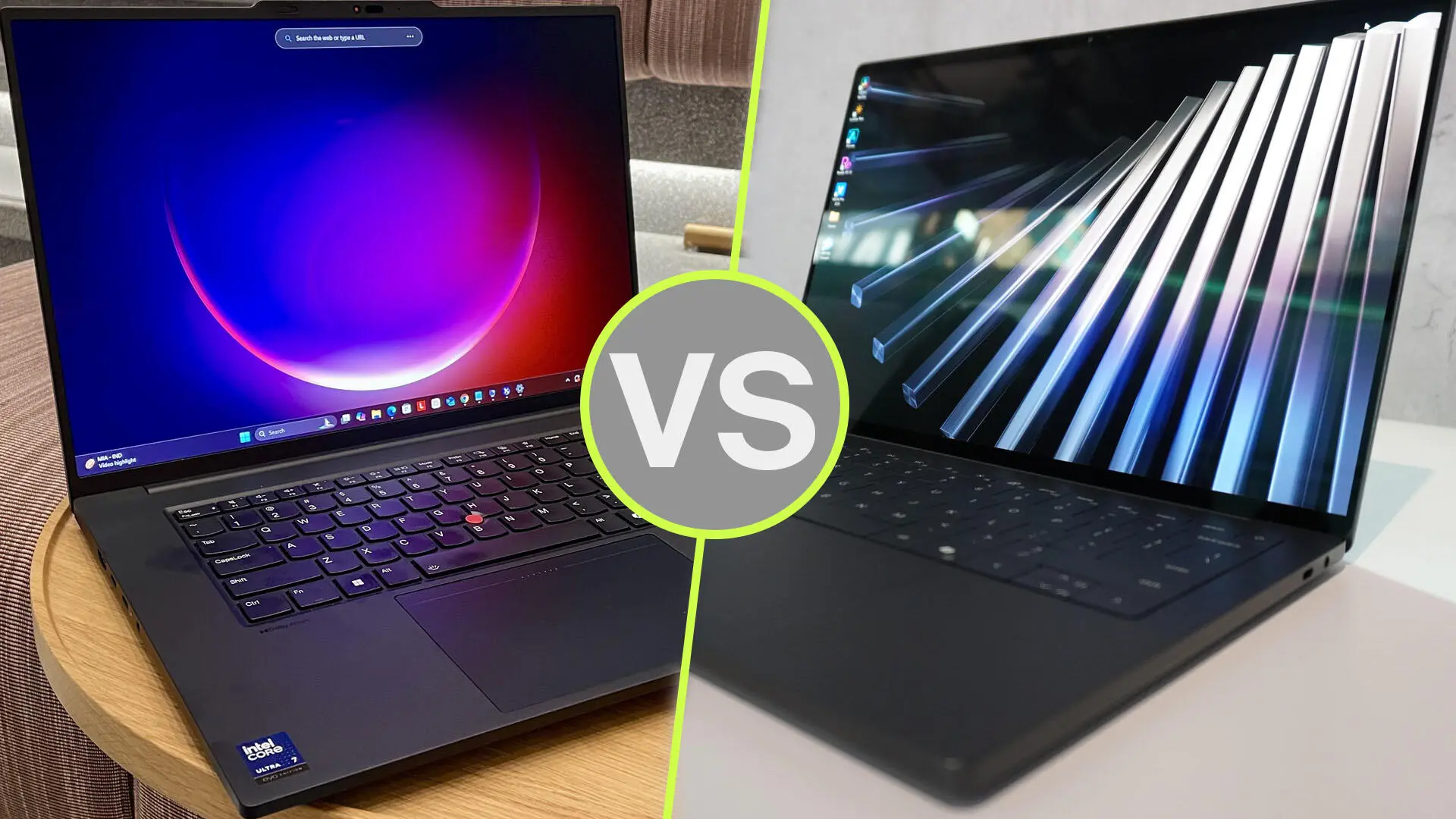
Choosing a mobile workstation in Dubai starts with one question: what work must it handle without slowing you down? An architect reviewing drawings between meetings has different needs from a visualisation artist rendering detailed interiors.
The Dell Pro Precision 7 vs Lenovo ThinkPad P16 Gen 3 comparison reflects that difference. The Dell configuration discussed here offers a compact 14-inch format. The ThinkPad provides a larger workspace and dedicated NVIDIA RTX PRO graphics options.
Our buying recommendation: shortlist the ThinkPad P16 Gen 3 for demanding graphics workflows and memory expansion. Choose the Dell Pro Precision 7 14 when carrying convenience and a compact working setup matter more. This is a specification-based assessment, not a hands-on benchmark comparison.
“Dell Pro Precision 7” does not identify one fixed configuration. This guide focuses on the Dell Pro Precision 7 14 PW714260 listed by UAE Tech Dubai, with a Core Ultra X7 368H vPro processor, 64GB RAM, 2TB SSD and Intel Arc B390 graphics.
That distinction matters. You should not assume this particular Dell includes a dedicated NVIDIA GPU simply because it belongs to a workstation range. Dell documents Arc B390 and Arc Pro B390 as integrated graphics using shared system memory.
On the Lenovo side, the ThinkPad P16 Gen 3 offers several processor, display and RTX PRO combinations. Compare the complete specifications on your quotation before choosing either brand.
| Buying consideration | Dell Pro Precision 7 14 compared here | Lenovo ThinkPad P16 Gen 3 |
| Screen size | 14 inches | 16 inches |
| Graphics | Integrated Intel Arc B390; shared memory | Dedicated NVIDIA RTX PRO Blackwell options |
| Memory | Listed with 64GB; onboard and not upgradeable | Four memory slots; up to 192GB non-ECC on supported configurations |
| Storage | Listed with a 2TB SSD | Capacity depends on the selected configuration |
| Main buying appeal | Compact format for a mobile working day | Expansion and dedicated graphics for heavier projects |
| Key check | Confirm software support for Intel graphics | Confirm the exact RTX PRO model and VRAM |
These differences describe configurations and platform capabilities. They do not establish a measured speed advantage in every application.
For primarily 2D drafting, drawing markups and client presentations, start with your software requirements and typical file sizes. Paying for a higher GPU tier may bring little value if most of your day involves documents and modest drawings.
The Dell deserves consideration for this workflow because of its compact format. Before purchase, ask to test a representative project with your preferred graphics driver and application version.
For a Dubai consultant travelling between offices, being able to carry the laptop comfortably can matter as much as a benchmark score.
If you are comparing the best laptop for Revit or SolidWorks, move beyond processor branding. Ask how much memory your largest project uses, whether the application benefits from a certified graphics configuration, and how demanding your viewport becomes.
The ThinkPad is the more suitable starting point when dedicated graphics and future memory expansion are priorities. However, an entry RTX PRO configuration and a higher-tier version will not deliver identical results.
For professional applications, check certification for the actual GPU, driver and software release. NVIDIA’s certification resources are useful for this check; a workstation label alone should not replace it.
The key distinction is the graphics platform. The Dell’s integrated Arc graphics share system memory. The ThinkPad’s RTX PRO options have dedicated video memory, with Lenovo listing configurations from RTX PRO 1000 through RTX PRO 5000 Blackwell.
For GPU rendering, verify which acceleration methods your rendering engine supports. If your workflow specifically requires NVIDIA CUDA, choose a compatible NVIDIA configuration. Do not assume that a different graphics platform can run the same acceleration path.
For local AI, start with the model and software you intend to use. Check memory requirements, supported frameworks and driver compatibility before comparing marketing claims about AI performance.
The right amount depends on your scenes, textures, model size and application. Buying the largest available GPU is not automatically the best use of your budget.
A practical approach is to measure the memory used by a real project, allow room for growth, and request a suitable configuration. If projects exceed the GPU’s available memory, behaviour varies by application: performance may fall, or the workload may fail to run.
For demanding 3D work, prioritise software compatibility and adequate VRAM before spending on cosmetic features.
Dell’s documentation states that the PW714260 uses onboard LPDDR5x memory, with a maximum of 64GB. It cannot be upgraded later. Buy sufficient memory at the outset.
The ThinkPad P16 Gen 3 has four memory slots. Lenovo lists support for up to 192GB non-ECC memory or 128GB ECC memory, depending on configuration. Those are platform limits, not the amount installed in every unit.
That expansion potential is useful if you expect larger datasets, additional virtual machines or more demanding projects over the laptop’s working life.
For storage, estimate the space needed for applications, active projects, asset libraries and temporary files. A larger SSD can reduce file juggling, but it does not replace a backup.
The Dell’s 14-inch screen favours a compact setup. The ThinkPad’s 16-inch screen offers more physical room for drawings, timelines and application panels.
Neither screen size is universally better. If you spend most days at a desk with an external monitor, the smaller laptop may suit you well. If you regularly work directly on the laptop display, the larger screen may be worth carrying.
Check the exact panel specification. Resolution, brightness, colour coverage and surface finish vary between configurations. A high-resolution display also requires suitable scaling so text and controls remain comfortable.
For buyers searching for a mobile workstation in Dubai, compare the complete travel setup: laptop, charger, adapters and bag. Avoid choosing solely from the laptop’s weight or an unverified battery-life claim.
At the research check, UAE Tech Dubai displayed the Dell Pro Precision 7 14 PW714260 at AED 12,999. Its ThinkPad P16 Gen 3 21RQ000PGR listing displayed AED 29,900.
These are different configurations, so the price gap is not a like-for-like brand comparison. Prices and availability can change.
Before ordering the Lenovo listing, confirm the supplied GPU: its title states RTX PRO 4000 16GB, while one specifications entry states RTX PRO 3000 12GB. Ask for the confirmed GPU and VRAM on your quotation.
For either laptop, also confirm the keyboard layout, warranty provider, UAE service coverage, delivery date and final payable total.
If your work mainly involves office applications, compare the wider business laptops available in Dubai before committing to a workstation.
Choose the GPU tier around your applications and projects. The highest-priced configuration is only worthwhile when its additional resources address a real need.
For the configurations discussed, the ThinkPad P16 Gen 3 is our preferred starting point for demanding graphics work and expansion, while the Dell Pro Precision 7 14 suits buyers who prioritise a compact workstation.
Explore both products at UAE Tech Dubai (Berjaya Electronics). Share your software list, project sizes and budget with the team, request a confirmed configuration and current UAE quotation, then buy the workstation that fits your working day.
Is the ThinkPad P16 Gen 3 Better for 3D Rendering?
It is the stronger shortlist candidate when your renderer benefits from a supported NVIDIA RTX PRO GPU. The actual result depends on the GPU configuration, scene, rendering engine and power settings. No direct performance percentage is claimed here.
Can I Upgrade the Dell Pro Precision 7 14 RAM?
No. Dell specifies onboard, non-upgradeable memory for the PW714260. Select the required capacity when buying.
Is a Mobile Workstation Necessary for Every Engineer?
No. Choose around your software and project complexity. Drawing reviews and office work may need less hardware than large assemblies, simulations or GPU rendering.
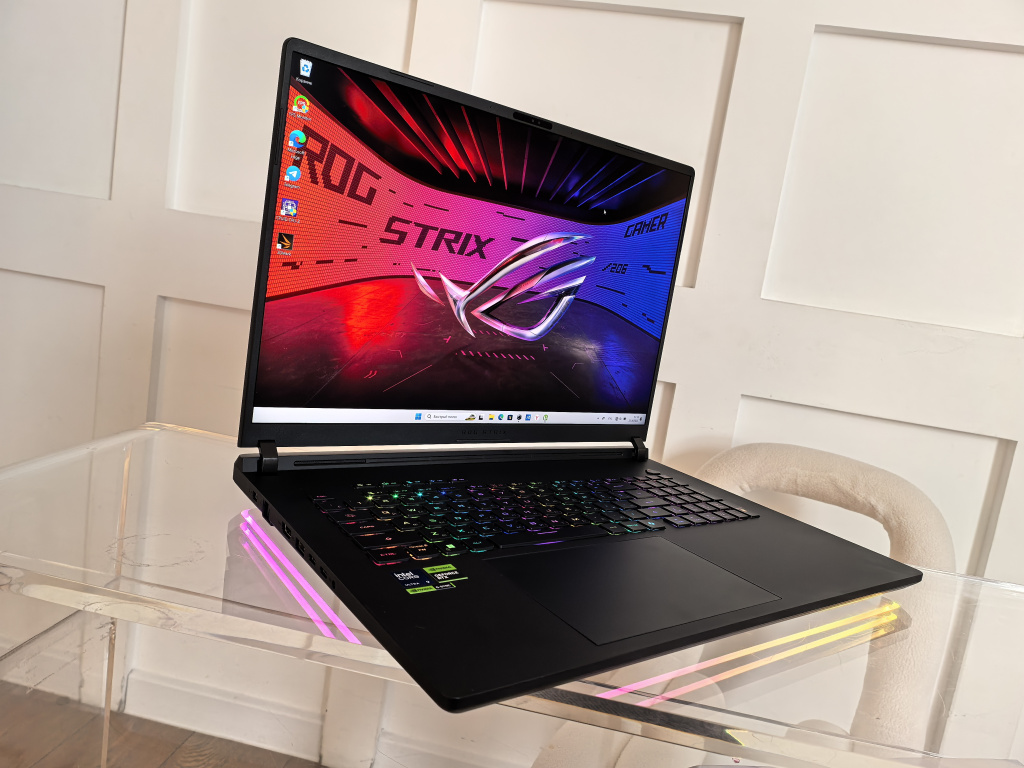
For most buyers focused on gaming value, the RTX 5080 is the sensible starting point. The RTX 5090 becomes more attractive when you need 24GB of graphics memory, want maximum performance, or find a small price gap between otherwise matching configurations.
If you are shopping for an ASUS ROG Strix SCAR 18 in Dubai, compare more than the GPU badge. The model year, screen, RAM, storage, operating system and warranty can all change what you get for your money.
This guide compares the laptop GPUs using manufacturer specifications and published reviews. It is a buying analysis, not a claim of hands-on testing.
Both GPUs belong to NVIDIA’s Blackwell generation. Here are the specifications that matter when comparing equivalent SCAR 18 configurations:
| Feature | RTX 5080 Laptop GPU | RTX 5090 Laptop GPU |
| Graphics memory | 16GB GDDR7 | 24GB GDDR7 |
| CUDA cores | 7,680 | 10,496 |
| Memory bandwidth | 896GB/s | 896GB/s |
| ASUS-listed maximum GPU power | Up to 175W with Dynamic Boost | Up to 175W with Dynamic Boost |
| Buyer priority | Gaming value | Maximum performance and more VRAM |
The RTX 5090 has 50% more graphics memory, but that does not mean 50% more gaming performance. More processing cores do not translate directly into the same percentage increase in frame rates, either.
These are Laptop GPUs. Desktop RTX 5090 and RTX 5080 reviews are not a reliable guide to the performance gap inside a gaming laptop.
A laptop sold in 2026 is not necessarily the 2026 model. This distinction matters when comparing ASUS ROG Strix SCAR 18 prices in the UAE.
ASUS lists the 2025 SCAR 18 with an Intel Core Ultra 9 275HX and an 18-inch 2560 × 1600 Mini LED display at 240Hz. Its 2026 specifications list a Core Ultra 9 290HX Plus and a 3840 × 2400 display, with 240Hz available through the specified GPU mode.
That means a discounted 2025 RTX 5090 model and a 2026 RTX 5080 model are not a simple GPU comparison. You are also comparing processors, screens and potentially other components.
Match the full product code and specifications before deciding which deal is better.
For buyers considering the 2025 model’s native resolution, the RTX 5080 deserves serious attention. Paying a large premium for the RTX 5090 only makes sense if its advantage matters in the games and settings you use.
Windows Central’s 2025 SCAR 18 review recommended the RTX 5080 configuration on value grounds. Its gaming comparison included a different RTX 5080 laptop, so the findings should not be presented as a controlled test of two identical SCAR 18 machines.
The practical lesson is to avoid assuming that the highest GPU number guarantees the best purchase. Look for benchmarks that match the laptop’s power settings, resolution and memory configuration.
A higher resolution and demanding visual effects give you stronger reasons to consider the RTX 5090. However, the flagship GPU is not a promise of smooth native-resolution gaming with every setting maximised.
For example, Tom’s Hardware recorded 21 FPS in Cyberpunk 2077 at its 4K ray-tracing Ultra test settings on the 2026 RTX 5090 SCAR 18. That is one specific test, not a prediction for every game, but it shows why settings and upscaling still matter.
If you plan to use a 4K external monitor or buy the newer high-resolution model, check results for your favourite games before spending extra.
Both GPUs support NVIDIA’s DLSS feature family, including Multi Frame Generation in supported games. You do not need the RTX 5090 simply to access that feature.
When reading benchmark charts, separate native rendering, upscaling and frame generation results. A high displayed FPS figure with generated frames is not the same measurement as native FPS or input responsiveness.
The RTX 5080’s 16GB and RTX 5090’s 24GB refer to dedicated graphics memory, separate from the laptop’s system RAM.
Extra VRAM becomes useful when a workload approaches the smaller GPU’s capacity. High-resolution textures, large mod packs and demanding graphics settings can increase memory use, but requirements vary by game.
Do not buy solely on a vague promise of being “future-proof.” Check whether the games you actually play need the additional capacity at your chosen settings.
The stronger argument for 24GB can be professional work. If a GPU-rendered scene or local AI workload exceeds 16GB but fits within 24GB, the larger memory pool may change what you can run comfortably.
That is a capacity advantage, not a guaranteed speed increase across every application. Software support, model size, project complexity and system RAM still matter.
For paid creative work, compare the upgrade cost against measurable time saved or projects enabled. For routine editing and occasional creative tasks, establish a real bottleneck before paying for the flagship.
At the time of research, UAE Tech Dubai listed the ASUS ROG Strix SCAR 18 G835LX-SA114 RTX 5090 at AED 24,999 with:
The page also listed a 12-month warranty and estimated UAE delivery of two to three days. Confirm the current price, stock, delivery estimate and warranty coverage before ordering.
DOS matters: do not assume that a licensed copy of Windows is included. Ask about the cost and availability of Windows installation if you need it.
A matching SCAR 18 RTX 5080 listing was not verified during research. Request a current quotation rather than comparing this product with an unrelated overseas price.
Calculate the premium using:
(RTX 5090 price − RTX 5080 price) ÷ RTX 5080 price × 100
As a hypothetical example, AED 20,000 versus AED 25,000 means paying 25% more. These figures illustrate the calculation; they are not store quotations.
If matching benchmarks showed only 10% more performance in your games, that hypothetical purchase would offer worse gaming performance per dirham. You might still choose it for the extra VRAM, but you would understand what the premium buys.
Equalise RAM, SSD capacity, operating system and warranty before applying this comparison.
ASUS specifies up to 175W GPU power for both configurations discussed here. That shared ceiling helps explain why hardware specifications alone cannot predict the performance gap. Actual power allocation also depends on operating conditions.
Treat the SCAR 18 as a machine for a desk-based setup. For long gaming sessions in Dubai, keep its vents clear, use a hard surface and avoid operating it in excessive ambient heat.
Compare performance using the supplied power adapter and equivalent performance profiles. Silent-mode results should not be compared with another machine running its most aggressive settings.
If portability matters more than screen size, browse other gaming laptops in Dubai and the UAE before committing to an 18-inch system.
Your main goal is gaming, you want strong value, and the RTX 5090 carries a substantial premium. It is also the more practical starting point when you have no identified need for more than 16GB VRAM.
You have a workload that benefits from 24GB VRAM, value every available performance gain, or receive a competitive quotation for an otherwise equivalent configuration. Buy it because the added capability serves your needs, not simply because it tops the range.
The RTX 5080 is the value-focused choice; the RTX 5090 is easier to justify when you need its larger VRAM capacity or can obtain it at a modest premium.
Ready to buy? Explore the ASUS ROG Strix SCAR 18 RTX 5090 at UAE Tech Dubai, or contact UAE Tech Dubai (Berjaya Electronics) for a matching RTX 5080 quotation. Compare the complete specification, confirm warranty and Windows requirements, and choose the configuration that makes sense for your gaming or creative work.
Is the RTX 5090 laptop GPU much faster than the RTX 5080?
There is no single percentage that applies to every game or laptop. Compare matching systems, settings and power profiles. More cores and VRAM do not guarantee proportionate FPS gains.
Can I upgrade an RTX 5080 SCAR 18 to an RTX 5090 later?
Do not plan on a conventional GPU upgrade. Choose the graphics configuration when buying; ASUS lists RAM and SSD expansion options separately.
Does the listed SCAR 18 RTX 5090 come with Windows?
The G835LX-SA114 listing checked at UAE Tech Dubai specifies DOS. Confirm an appropriate Windows licence and installation arrangement before purchase.
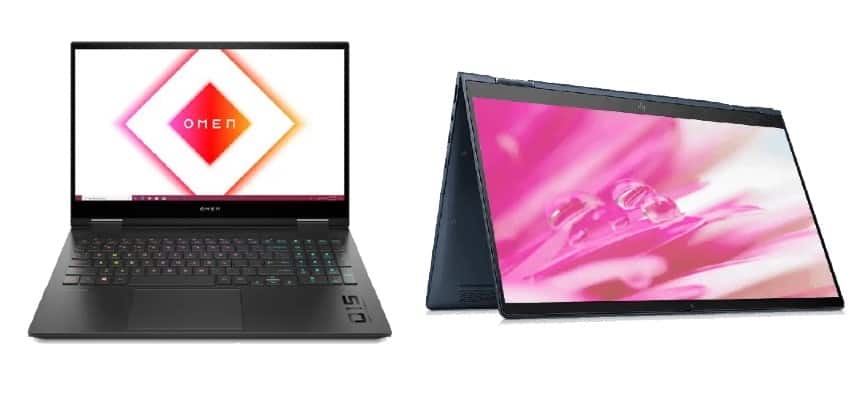
Choosing between a gaming laptop and a business laptop is one of the most common questions UAE buyers ask before making a purchase. Whether you’re a student in Dubai, a remote professional in Abu Dhabi, or a content creator across the Emirates, picking the wrong category can mean overpaying for power you don’t need – or under-buying performance you can’t do without.
This guide breaks down the real differences between gaming laptops and business laptops, compares pricing in AED, and helps you decide which one fits your lifestyle in the UAE.
| Factor | Gaming Laptop | Business Laptop |
| Processor & GPU | High-end CPU + dedicated GPU (RTX series) | Efficient CPU, integrated graphics |
| Battery Life | 3–5 hours (heavy load) | 8–15 hours |
| Weight & Portability | Heavier (2.2kg–3.5kg) | Lightweight (1kg–1.8kg) |
| Build Quality | Gaming-focused chassis, RGB lighting | Reinforced, professional-grade build |
| Best For | Gaming, video editing, 3D rendering | Office work, travel, presentations |
| Price in UAE | AED 3,500 – AED 12,000+ | AED 2,500 – AED 9,000+ |
A gaming laptop is built around raw performance. It’s engineered to run demanding games and graphics-heavy applications smoothly, using a dedicated graphics processor rather than relying on integrated graphics.
If you’re a gamer, streamer, or someone doing video editing and 3D design in Dubai, a gaming laptop delivers the horsepower to match.
A business laptop is designed around reliability, portability, and security rather than raw graphical power. These machines are built for professionals who move between meetings, travel frequently, or rely on their device for daily productivity.
Gaming laptops pair powerful multi-core processors with discrete GPUs, making them ideal for gaming, rendering, and multitasking under heavy loads. Business laptops use efficient processors tuned for productivity apps, video calls, and office software – plenty for day-to-day tasks, but not built for GPU-intensive workloads.
This is where business laptops clearly win. Because gaming laptops run power-hungry components, their battery life drops significantly under load, and their larger cooling systems add weight. Business laptops are optimized for all-day use and easy commuting.
Business laptops typically use reinforced frames and understated designs suited for corporate environments. Gaming laptops favor bold aesthetics and larger cooling vents, prioritizing thermal performance over subtlety.
Gaming laptops offer higher refresh rates and stronger GPU-driven visuals – great for gaming and creative work. Business laptops usually prioritize color accuracy and anti-glare screens for extended screen-time comfort.
Business laptops often include fingerprint sensors, IR cameras for facial recognition, TPM 2.0 chips, and enterprise-grade encryption – essential for companies handling sensitive data across the UAE.
Entry-level gaming laptops in the UAE start around AED 3,500, while high-performance models with RTX 4070/4080 GPUs can exceed AED 10,000. Business laptops range from AED 2,500 for basic models to AED 8,000+ for premium ultrabooks with top-tier security features.
Popular gaming brands in the UAE market include ASUS ROG, MSI, Acer Predator, and Lenovo Legion – all offering RTX-powered options suited to Dubai’s gaming community. For business use, the Dell XPS and Latitude series, Lenovo ThinkPad and P-series (including the Lenovo P16 Gen 2), and HP EliteBook lineups remain top choices for UAE professionals.
Once you’ve decided which category suits you, the next step is buying from a trusted source. UAE Tech Dubai (Berjaya Electronics) offers genuine, warranty-backed laptops across both categories, with fast delivery across Dubai and the wider UAE:
Both gaming and business laptops serve very different needs – one is built for performance and visuals, the other for portability and reliability. The right choice comes down to how you’ll actually use the machine day to day.
Ready to buy? Visit UAE Tech Dubai (Berjaya Electronics) today to explore our full range of genuine gaming and business laptops in Dubai and across the UAE, backed by expert advice, fast delivery, and unbeatable local pricing. Shop now and get the right laptop for your work, your play, and your budget.
Is a gaming laptop good for office work?
Yes – gaming laptops can handle office tasks easily, but expect shorter battery life and a bulkier design compared to a dedicated business laptop.
Which laptop is better value in the UAE: gaming or business?
It depends on your use case. Gaming laptops offer more raw performance per dirham; business laptops offer better portability, battery life, and security per dirham.
Can a business laptop run games?
Most business laptops use integrated graphics and can only run light or older games – they’re not built for modern AAA titles.
A black spot on your laptop screen usually appears without warning. One day you open the lid, and a dark dot or patch is sitting over your work. It will not wipe away, and it will not move when you drag a window across it.
The good news is that some black spots are harmless dirt. The bad news is that others are physically damage inside the panel, and a few of them grow. This guide shows you how to tell the difference in about two minutes, what you can safely fix yourself, and what it means for laptop owners in Dubai and across the UAE.
A black spot is any dark dot, blotch or patch on your display that stays in place regardless of what is on the screen. People also call it a black dot on the laptop screen, a dark spot, or a black patch.
The word “spot” covers five very different faults. Four of them live inside the LCD panel and cannot be cleaned off. Only one of them is good news.
Dust, dried water marks, sunscreen, or sticky residue can look exactly like a defect. The tell is simple: surface dirt looks the same whether the screen shows white or black, because it sits on top of the image rather than inside it.
A dead pixel is a single pinpoint dot where all three subpixels have stopped lighting up. Dell’s own documentation describes a dark subpixel as one that stays permanently off, showing as a black dot on a white background. A stuck pixel is the coloured version, locked on red, green or blue.
One dead pixel rarely spreads. A cluster that keeps gaining members means the panel is failing.
This is the most common cause we see in the UAE. Close a laptop lid on earbuds, a pen, a charging cable, or a car key, and the liquid crystal layer gets crushed at that point. The result is a soft-edged dark blotch, often the size of a coin. Overstuffed backpacks cause the same damage slowly, over weeks.
If the dark area has irregular edges, sometimes with a rainbow halo or thin lines radiating outward, liquid crystal is leaking from a cracked inner layer. This type always spreads. Photograph it today and compare it to next week. If it grew, plan for a replacement.
A grey, cloudy patch rather than a true black one, most visible on a white page and usually near an edge, points to the LED backlight or its diffuser sheet. The panel image is fine; the light behind it is not.
Liquid crystal is temperature-sensitive, and the Gulf climate is unforgiving. A laptop left on a car seat in a Dubai summer can reach internal temperatures far above every manufacturer’s stated storage limit, and extreme heat both accelerates existing crystal damage and stresses the adhesive layers in the panel stack. Fine dust from shamal winds adds a second problem: it settles between the lid and the screen, then grinds into the coating when the lid closes.
Never leave a laptop in a parked car here. It is the single most common preventable cause of screen and battery failure in the region.
Open a plain white page, then a plain black one, and compare what you see.
| What you see | On white | On black | Edges | Most likely cause |
| Speck that looks like it is on the glass | Visible | Visible, unchanged | Sharp, sits on top | Dirt – clean it |
| Pinpoint dot, one pixel wide | Visible | Invisible | Perfectly square | Dead pixel |
| Coloured pinpoint dot | Faint | Visible | Perfectly square | Stuck pixel |
| Coin-sized blotch, soft edges | Visible | Faint or invisible | Soft, sometimes ringed | Pressure mark |
| Dark area with ragged edges or a halo | Visible | Faint outline | Irregular, inky | Spreading LCD damage |
| Grey cloudy patch near an edge | Visible | Invisible | Fuzzy, no edge | Backlight or diffuser fault |
The rule to remember: dirt ignores what is on the screen, while damage changes with the image behind it.
Power the laptop off. Wipe the spot gently with a dry microfibre cloth. If it does not move, dampen the cloth very slightly with distilled water and try again. Apple, Dell and HP all advise the same thing in their care documentation: never spray liquid directly onto the display, and never use household glass cleaner. Ammonia strips the anti-glare coating and turns a cleaning job into permanent haze.
If the spot lifts, you are done. If it does not, it is inside the panel.
Cycle the screen through solid white, black, red, green and blue at full screen. A free browser-based dead pixel test does this in seconds. Count the dots and note their positions; you will need this if you claim warranty.
Tools such as JScreenFix flash rapid colours over the affected area to revive a stuck pixel. This works on some stuck pixels. It will not revive a genuinely dead pixel, and it does nothing for pressure marks. Run it for around ten minutes before giving up.
Connect an external monitor. If the spot appears on the external display too, the problem is your graphics driver or GPU, not the panel. Update your display driver first. If the external screen is clean, the fault is in the laptop panel or its ribbon cable. A discoloured or tinted display instead of a spot points somewhere different – our guide on why a laptop screen turns green covers that case.
You will find advice online telling you to rub or press black spots out with a cloth or an eraser. Do not do it. That trick dates from thick desktop LCDs and stuck pixels. On a modern laptop panel, pressing on damaged liquid crystal pushes the damage outward, so a coin-sized mark becomes a palm-sized one. Repair shops see this constantly.
It depends entirely on which fault you have.
Pixel defects are sometimes covered. Every manufacturer allows a set number of defective subpixels before a panel counts as faulty. Dell publishes the clearest thresholds: for laptop screens at HD+ (1600 × 900) resolution and above, zero bright subpixels are allowed and up to five dark subpixels are tolerated. On HD (1366 × 768) panels, up to two bright and five dark subpixels are permitted. Exceed the limit within the warranty period and you are entitled to a replacement panel. HP and Apple publish similar defect policies.
Pressure marks and cracks are not covered. Manufacturers classify these as customer-induced physical damage, excluded from standard warranty. Only an accidental-damage plan purchased with the machine covers them.
In the UAE, keep your original tax invoice. Consumer protection rules under the Ministry of Economy require the seller to honour the stated warranty terms, and regional service centres will ask for proof of purchase and the serial number before authorising a panel swap.
An in-panel black spot cannot be repaired at the spot level. The only fix is a new panel, matched exactly to your model by size, resolution, connector type, refresh rate and touch capability.
Replacement makes sense when the laptop is under three years old, still fast, and otherwise healthy. It stops making sense when:
In that second case, the money is better spent on a machine that will last another four years. Browse current laptops to compare, or jump straight to business laptops,gaming laptops and MacBooks. If you want to keep the damaged laptop running as a desktop in the meantime, an external monitor is the cheapest short-term fix.
A black spot on a laptop screen is worth two minutes of diagnosis before you spend a dirham. Clean it first. Run a pixel test. Check an external monitor. If the spot is inside the panel and sitting over your working area, no home remedy will bring it back, and no amount of pressing will help.
When replacement is the sensible call, buy from a supplier that knows the local market. UAE Tech Dubai (Berjaya Electronics) supplies genuine, warranty-backed laptops and displays to businesses and home users across the Emirates, at wholesale-competitive pricing.
Can a black spot on a laptop screen spread?
Dead pixels and pressure marks usually stay the same size. A dark area with irregular edges or a rainbow halo is leaking liquid crystal and will keep growing. Photograph it and compare after a week.
Can a black spot be fixed at home?
Only if it is surface dirt, which wipes off with a dry microfibre cloth. Dead pixels, pressure marks and LCD damage sit inside the panel and cannot be repaired at home. A stuck pixel is the one partial exception, and pixel-flashing software occasionally revives it.
Is a black spot the same as a dead pixel?
No. A dead pixel is a single pinpoint dot with perfectly sharp edges. A black spot in everyday use is larger and softer-edged, caused by pressure or a crack in the liquid crystal layer rather than one failed pixel.
Does screen replacement erase my data?
No. A panel swap does not touch your storage drive. That said, always back up before any hardware service. If you are planning a clean start on a new machine, our guide on reformatting a laptop walks through it, and you can add capacity with a RAM or component upgrade.
Where can I buy a replacement laptop in Dubai?
UAE Tech Dubai stocks Dell, HP, Lenovo, Apple, ASUS, Alienware and Microsoft Surface models with free delivery across Dubai, Abu Dhabi, Sharjah and the wider UAE, plus shipping to Saudi Arabia, Qatar, Oman, Kuwait and Bahrain.
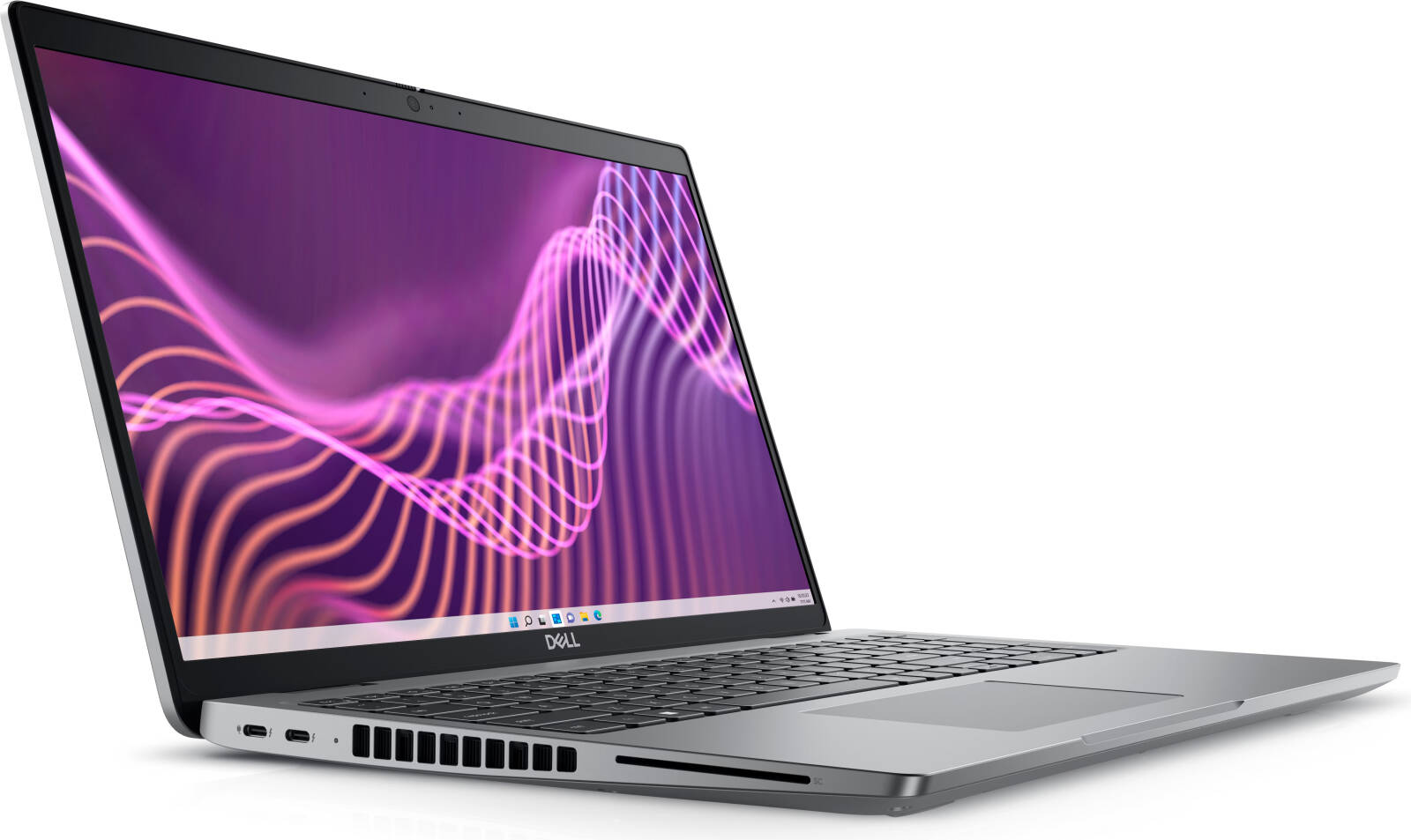
Searching for the Dell laptop price in UAE usually returns a wall of product tiles and no straight answer. This guide gives you the actual price bands, explains why two laptops with the same screen size can differ by AED 8,000, and shows what you should pay in Dubai today.
Across UAE retailers, Dell laptops sell for roughly AED 1,100 to AED 22,000. Sharaf DG quotes a Dell range of about AED 899 to AED 18,900, while Jumbo Electronics lists most of its Dell stock between AED 2,000 and AED 10,000. The wide spread is not retailer margin – it reflects five very different product families sold under one badge.
Here is how the Dell laptop price in Dubai breaks down by series:
| Dell series | Typical UAE price (AED) | Best for |
| Inspiron | 1,100 – 3,500 | Students, home use, office basics |
| Vostro | 1,800 – 4,500 | Small business, SME fleets |
| Latitude | 2,500 – 8,000 | Corporate, managed IT, travel |
| XPS | 5,500 – 18,500 | Designers, executives, creators |
| G Series | 3,500 – 7,500 | Mainstream gaming |
| Alienware | 8,000 – 22,000 | Enthusiast gaming, esports |
| Precision | 9,000 – 25,000 | CAD, 3D, engineering workloads |
Prices move with configuration, exchange rates and promotions, so treat these as bands rather than fixed quotes.
Processor choice is the single largest cost driver. A Core i3 or Core 5 Inspiron sits at the bottom of the range, while an Intel Core Ultra 7 or Ultra 9 configuration can double the price of an otherwise identical chassis. Last-generation chips often deliver 90% of the performance for far less money.
Stepping from 8GB to 32GB of RAM, or from a 512GB SSD to 2TB, adds thousands of dirhams. A discrete NVIDIA GeForce RTX GPU is the other big jump – it is what separates a AED 3,000 Inspiron from a AED 13,500 XPS with the same 16-inch footprint. If you only need more memory later, our laptop RAM upgrade guide explains what is and is not user-serviceable.
A suspiciously cheap Dell laptop price in Dubai usually means parallel-imported stock with no regional warranty. Legitimate UAE pricing includes 5% VAT and a manufacturer or authorised-dealer warranty. Always confirm warranty terms and the return window before paying – ours are set out in our returns and exchange policy.
Inspiron is Dell’s volume line and the entry point for most UAE buyers. Expect AED 1,100 to AED 3,500 depending on processor and memory. It handles browsing, Office, online classes and video calls comfortably. Browse the current stock in our laptops collection.
Vostro targets small businesses; Latitude is the corporate workhorse with better build quality, security features and docking support. Latitude typically runs AED 2,500 to AED 8,000. For fleet buyers comparing options across brands, see our business laptops range.
XPS is the premium ultrabook family, and pricing reflects OLED panels, aluminium and carbon-fibre construction, and high-end silicon. At the time of writing, our in-stock examples include the Dell XPS 16 9640 with Core Ultra 7 155H, 64GB RAM, 2TB SSD and RTX 4070 at AED 13,500, the XPS 16 9640 Platinum with Core Ultra 9 185H and 4TB SSD at AED 18,500, and the Dell XPS 17 9730 with Core i9-13900H, 64GB RAM and 2TB SSD reduced to AED 15,800.
The G15 and G16 deliver solid frame rates in the AED 3,500 to AED 7,500 band, making them the sensible choice for students who game. Alienware sits above it, with liquid-cooled, RTX 50-series flagship configurations reaching beyond AED 20,000. Compare both in our gaming laptops category and dedicated Alienware collection.
Precision mobile workstations carry ISV certification for CAD, BIM and simulation software – the reason architects and engineers in Dubai pay a premium. Our Dell Pro Precision 7 14 with Core Ultra X7 368H vPro, 64GB RAM and 2TB SSD is currently AED 12,999, down from AED 18,599.
The Dell i5 laptop price in UAE generally sits AED 700 to AED 1,500 below the equivalent i7 model. For Office work, browsing and light photo editing, an i5 or Core 5 is enough. Choose i7, Core 7 or Core Ultra 7 only if you compile code, edit video, run virtual machines or work in large spreadsheets and CAD files.
Retail prices are broadly uniform across the UAE because VAT and import duties are federal. What actually varies is delivery cost and speed. We ship free across Dubai, Abu Dhabi, Sharjah, Ajman, Fujairah, Ras Al Khaimah and Umm Al Quwain, and also deliver to Saudi Arabia, Qatar, Oman, Bahrain and Kuwait – full terms are on our payments and shipping page.
If you want the real Dell laptop price in UAE rather than a placeholder range, buy from a UAE-based specialist. UAE Tech Dubai (Berjaya Electronics) has supplied Dell, Lenovo, HP, Apple and Alienware hardware to end users and wholesale computer dealers across the Emirates, with free delivery nationwide, a 7-day return guarantee, secure payment, and support available around the clock.
What is the cheapest Dell laptop price in UAE?
Entry-level Inspiron models start near AED 1,100, though realistic configurations with 8GB RAM and a 512GB SSD begin closer to AED 1,800.
Is it cheaper to buy a Dell laptop in Dubai than online from abroad?
Usually yes, once you account for shipping, 5% VAT, customs handling and the loss of regional warranty coverage. Local purchase also gives you an in-country service path.
Which Dell series offers the best value in the UAE?
For most buyers, Latitude. It brings business-grade chassis quality, serviceability and security at a mid-range price, and it holds resale value better than Inspiron.
Do Dell laptop prices in UAE include VAT?
Prices from UAE-registered retailers are quoted inclusive of 5% VAT. If a price looks far below market, verify VAT registration and warranty documentation.
If your laptop screen has suddenly turned green, patchy, or has a green tint over black areas, you’re not alone. This is one of the most common display complaints reported by laptop owners in Dubai and across the UAE, and it can stem from something as simple as a loose cable or as serious as a failing graphics card. This guide breaks down every likely cause, how to test for it yourself, and when it’s time to call in a professional.
A green laptop screen usually points to one of two things: a hardware fault in the display panel, cable, or graphics chip, or a software glitch related to drivers or color settings. In rare cases, it can also resemble the “Green Screen of Death” (GSOD) – a Windows-specific crash screen similar to the Blue Screen of Death, which signals a deeper system or driver failure rather than a physical hardware issue. Knowing which category your problem falls into is the first step to fixing it correctly instead of wasting time (or money) on the wrong repair.
The display cable (often called the LVDS or eDP cable) connects your laptop’s screen to the motherboard. Repeated opening and closing of the lid, drops, or general wear can loosen or fray this cable, causing a green tint, flickering, or discoloration – especially when you tilt the screen.
If your integrated or dedicated GPU is overheating or degrading, it may struggle to render colors correctly, producing a persistent green cast across the display. This is more common in older laptops or units that run hot during gaming or heavy multitasking – a problem closely linked to poor thermal management, which we cover in our guide on fixing laptop overheating in Dubai and the UAE.
Graphics drivers manage how your operating system communicates with the display. When they’re outdated, corrupted, or conflicting with a recent Windows update, colors can shift, distort, or take on a green hue – even though the hardware itself is fine.
A cracked screen, pressure damage, or liquid exposure can damage the LCD panel’s internal layers. Even a small hairline crack can disrupt color rendering and cause a dominant green or discolored patch.
Occasionally, the fix is far simpler than expected. Incorrect color calibration, a misconfigured graphics control panel (Intel, AMD, or NVIDIA), or a faulty color profile can all produce a green tint that has nothing to do with hardware failure.
Before attempting any repair, run this simple test:
This one test narrows down whether you’re dealing with a display panel problem or a graphics/software issue, saving time and unnecessary repair costs.
If none of these steps resolve the green tint, the issue is almost certainly internal hardware damage – the display cable, LCD panel, or GPU – and requires professional attention rather than further DIY troubleshooting.
Hardware-level green screen issues – a damaged cable, cracked panel, or failing GPU – cannot be fixed through settings or driver updates. Attempting to open and repair a laptop display without the right tools can void your warranty or cause further damage. If your laptop is still under warranty, or if diagnostics point to a cable, panel, or GPU fault, it’s best to have it inspected by a qualified technician. Our team at UAE Tech Dubai can help diagnose the issue accurately – get in touch with our support team for a proper assessment before deciding between a repair or replacement.
Green screen problems are far more common in aging laptops with worn-out display cables or GPUs nearing end-of-life. If repair costs are approaching the price of a new machine, or your current laptop is several years old, upgrading is usually the smarter long-term choice.
At UAE Tech Dubai (Berjaya Electronics), we stock a wide range of reliable laptops built with durable displays and stable graphics performance, including:
A green laptop screen is almost always traceable to one of five causes: a loose cable, a failing GPU, outdated drivers, panel damage, or a simple settings glitch. Running the external monitor test will quickly tell you whether you’re facing a software fix or a hardware repair. If your laptop is old, frequently overheating, or the repair cost is climbing too high, it may be time to invest in a new one.
Browse our full range of laptops at UAE Tech Dubai (Berjaya Electronics), or contact our team for expert advice on repairs, upgrades, or your next laptop purchase – with fast delivery across Dubai and the wider UAE.
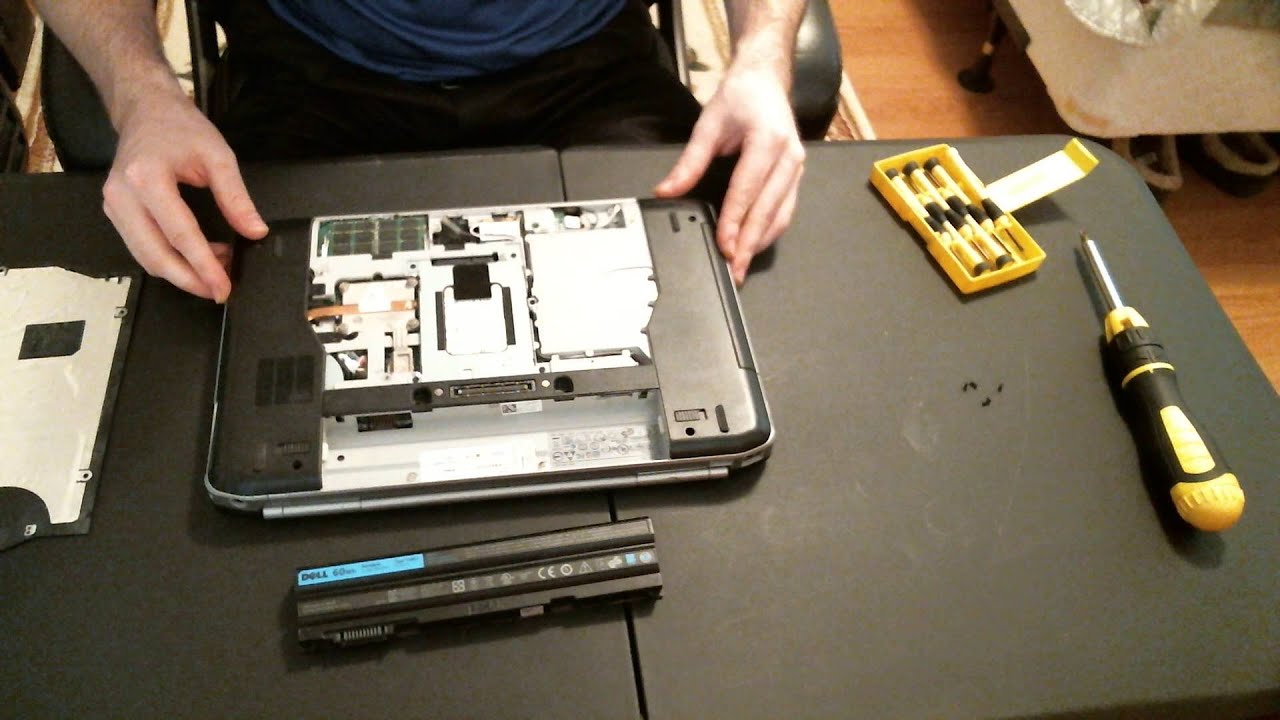
If your laptop has started lagging when you open too many browser tabs, run Excel alongside Zoom, or edit photos and videos, the fix is often simpler than buying a new machine. Installing memory (RAM) in a laptop is one of the fastest, most affordable upgrades you can make, and in most cases it takes less than 15 minutes with no technical background required. This guide walks you through the entire process – from checking compatibility to fitting the new module – with tips specific to shoppers in Dubai and across the UAE.
RAM (Random Access Memory) is your laptop’s short-term workspace. The more RAM you have, the more programs and browser tabs your system can juggle without slowing down. Upgrading RAM is usually cheaper than replacing a processor or buying a new laptop, and it delivers a noticeable, immediate speed boost for multitasking, video calls, gaming, and creative work like editing or rendering.
Before opening your laptop, look for these common symptoms of low memory:
If any of these sound familiar, a memory upgrade is worth doing before you spend money on a new device.
Laptops use small memory modules called SO-DIMMs, available mainly in DDR4 and DDR5 standards. These are not interchangeable – a DDR5 slot will not accept DDR4 memory. Check your laptop’s specification sheet, or use a free tool like CPU-Z, to confirm which type your model supports before ordering.
Every laptop motherboard has a memory ceiling – commonly 16GB, 32GB, or 64GB. Installing more than your system supports won’t work, so confirm the maximum capacity in your manufacturer’s documentation first.
Most laptops have two RAM slots. Installing two matching modules (for example, two 8GB sticks instead of one 16GB stick) enables dual-channel mode, which noticeably improves performance for gaming and multitasking.
Shut down your laptop completely and unplug the charger. If your laptop has a removable battery, take it out. Press and hold the power button for 10 seconds to discharge any residual electricity, then touch an unpainted metal surface to ground yourself and prevent static damage to the components.
Flip the laptop over and locate the memory access panel, usually secured with a few small screws on the underside. Some ultrabooks require removing the entire base cover instead of a dedicated panel – check your model’s manual if you’re unsure.
If you’re replacing existing RAM rather than adding to an empty slot, gently push the small retaining clips on either side of the module outward. The RAM will pop up at a 30-degree angle – pull it out carefully by the edges, avoiding contact with the gold connectors.
Align the notch on the new module with the notch in the slot – it only fits one way. Insert it at roughly a 30-degree angle, then press down firmly and evenly until the side clips click into place and the module lies flat.
Replace the access panel, reinsert the battery if removed, and reconnect the charger. Turn the laptop on – it should boot normally, with no beeps or errors.
Once your laptop boots, confirm the new memory is recognized:
If the total RAM doesn’t match what you installed, power down and reseat the module – it’s usually a seating issue, not a defective part.
| Problem | Likely Cause | Fix |
| Laptop won’t turn on | Module not fully seated | Reopen the panel and press down firmly until clips lock |
| RAM not detected | Wrong RAM type or speed | Confirm DDR4 vs DDR5 and speed rating match your laptop |
| System still slow | RAM installed in wrong slot | Check the motherboard manual for the recommended primary slot |
| Laptop overheats after upgrade | Poor airflow, unrelated to RAM | Read our guide on laptop overheating |
Buying the correct, genuine memory module is the most important part of this entire process – mismatched or counterfeit RAM is the number one cause of failed upgrades. UAE Tech Dubai (Berjaya Electronics) stocks genuine, warranty-backed laptop memory in Dubai from trusted brands, with fast delivery across Dubai, Abu Dhabi, Sharjah, and the wider UAE.
Gamers and creative professionals commonly choose the Kingston 32GB DDR5-5600 SODIMM, while everyday multitaskers and business users often prefer the Dell 16GB DDR5-5600 SODIMM.
If you’re upgrading a work machine, it’s worth pairing extra memory with a laptop built for heavier workloads, such as one of our business laptops, or if gaming performance is the goal, one of our gaming laptops, many of which support easy RAM upgrades out of the box.
Not sure which module fits your exact model? Get in touch with our Dubai support team to confirm compatibility before you order.
Installing memory in a laptop is one of the simplest, most cost-effective upgrades available, and it can add years of usable life to a machine that’s started to feel slow. The key steps are straightforward: confirm your RAM type and maximum capacity, power down safely, fit the module correctly, and verify it in your system settings.
If you’re in Dubai or anywhere in the UAE and want a hassle-free upgrade, UAE Tech Dubai (Berjaya Electronics) offers genuine, warranty-backed laptop RAM with fast local delivery and expert guidance to make sure you order the right module the first time, giving your laptop the performance boost it deserves.
Can I install RAM myself, or do I need a technician?
Most laptops are designed for user-serviceable memory upgrades, and the process takes under 15 minutes. If your laptop has RAM soldered to the motherboard (common on some ultra-thin models), upgrading isn’t possible – check your specs first.
Do I need to reinstall Windows after adding RAM?
No. Your operating system automatically detects and uses new memory without reinstallation or activation.
Can I mix different RAM brands or speeds?
It’s technically possible, but not recommended. Mismatched modules run at the speed of the slowest stick and can cause instability. For best results, use matching modules of the same brand, capacity, and speed.
How much RAM do I actually need?
8GB is the minimum for basic browsing and office work, 16GB comfortably handles multitasking and light creative work, and 32GB or more suits gaming, video editing, and professional workloads.
A laptop that suddenly sounds like a jet engine is one of the most common tech complaints in the UAE. Between Dubai’s outdoor heat, fine desert dust, and the constant temperature swing between air-conditioned rooms and the outside world, laptops here work harder to stay cool than almost anywhere else. That extra strain is exactly why fan noise shows up faster and louder for users in the UAE than in cooler climates.
The good news: in most cases, you can stop laptop fan noise yourself in under 30 minutes, without opening the laptop or paying for a repair. This guide walks through the real causes and the fixes that actually work, based on how laptops behave in Dubai’s environment specifically.
Your laptop fan spins faster whenever internal temperatures rise. It’s not a fault – it’s the cooling system doing its job to protect the processor and graphics card from heat damage. The problem starts when the fan has to run at high speed constantly, even during light tasks like browsing or typing.
A healthy laptop should stay near silent when idle and only get audible during heavy workloads such as gaming, video editing, or multiple browser tabs. If the noise never settles down, something is forcing the system to overheat.
Power off and unplug your laptop. Locate the vents, usually on the sides or underside, and use short bursts of compressed air to dislodge dust. Do this every 2–3 months in Dubai’s climate – more frequently than the 6-month interval recommended in cooler countries, since dust accumulates faster here.
A cooling pad sits under the laptop and adds extra airflow beneath the chassis, which is especially useful in the UAE where ambient heat already raises baseline temperatures. This is one of the fastest ways to reduce fan noise without touching any settings. UAE Tech Dubai stocks a range of laptop cooling pads and accessories suited for both everyday and gaming laptops.
In Windows, go to Settings > Power & Battery and choose “Balanced” or “Best Power Efficiency” instead of “Best Performance.” This limits peak processor load, which lowers heat generation and, in turn, fan speed – with only a small trade-off in performance for everyday tasks.
Open Task Manager (Ctrl + Shift + Esc), sort by CPU usage, and close anything you don’t need running. Then check for GPU and chipset driver updates, since outdated drivers often mismanage thermal behavior and keep fans spinning longer than necessary.
Placing a laptop directly on a bed, sofa, or lap blocks the bottom intake vents completely. A stand or riser that lifts the laptop even a few centimeters allows air to circulate freely underneath, noticeably reducing fan effort.
If the noise includes grinding, rattling, or buzzing rather than a steady whir, the fan bearing may be wearing out. Thermal paste between the processor and heatsink also dries out after 2–3 years, reducing heat transfer efficiency. Both issues require opening the laptop and are best handled by a technician, especially if the device is still under warranty.
If cleaning, cooling pads, and software fixes don’t reduce the noise, the fan hardware itself may be failing. Warning signs include constant loud noise even at idle, grinding or clicking sounds, and a laptop that feels hot to the touch on the base. At this point, professional inspection is safer than DIY disassembly, particularly for laptops still under manufacturer warranty. For an overheating laptop that’s also affecting performance and battery life, our detailed laptop overheating guide for Dubai and the UAE covers diagnosis in more depth.
Loud laptop fan noise in Dubai and across the UAE is almost always tied to heat, dust, and airflow – all of which are manageable with regular cleaning, the right power settings, and a good cooling pad. If your laptop’s fan noise doesn’t improve after trying these fixes, the hardware itself may need attention.
At UAE Tech Dubai (Berjaya Electronics), we stock a wide range of laptop cooling pads and accessories built to handle the UAE’s heat, along with gaming laptops and everyday laptops with stronger built-in cooling systems. Browse our laptop accessories collection to keep your device running quiet and cool, or contact our support team for personalized advice on the right cooling solution for your laptop model.
Why is my laptop fan so loud even when I’m not doing anything demanding?
This usually points to dust-blocked vents, a background process consuming CPU, or a laptop placed on a soft surface that blocks airflow – all more common in Dubai’s dusty, hot climate.
How often should I clean my laptop’s fan in the UAE?
Every 2–3 months is recommended in the UAE, compared to 6 months in milder climates, due to finer airborne dust and higher heat load.
Do laptop cooling pads really reduce fan noise?
Yes, in most cases. Cooling pads improve airflow beneath the laptop, lowering internal temperatures so the built-in fan doesn’t need to run at maximum speed as often.
Can I stop my laptop fan from running completely?
No – the fan is essential for protecting internal components from heat damage. The goal is to reduce how often and how loudly it runs, not eliminate it.
When does laptop fan noise mean I need a repair?
If you hear grinding, rattling, or buzzing, or if the laptop stays hot and loud even during idle use after cleaning and software fixes, it’s time for a professional check or fan replacement.