
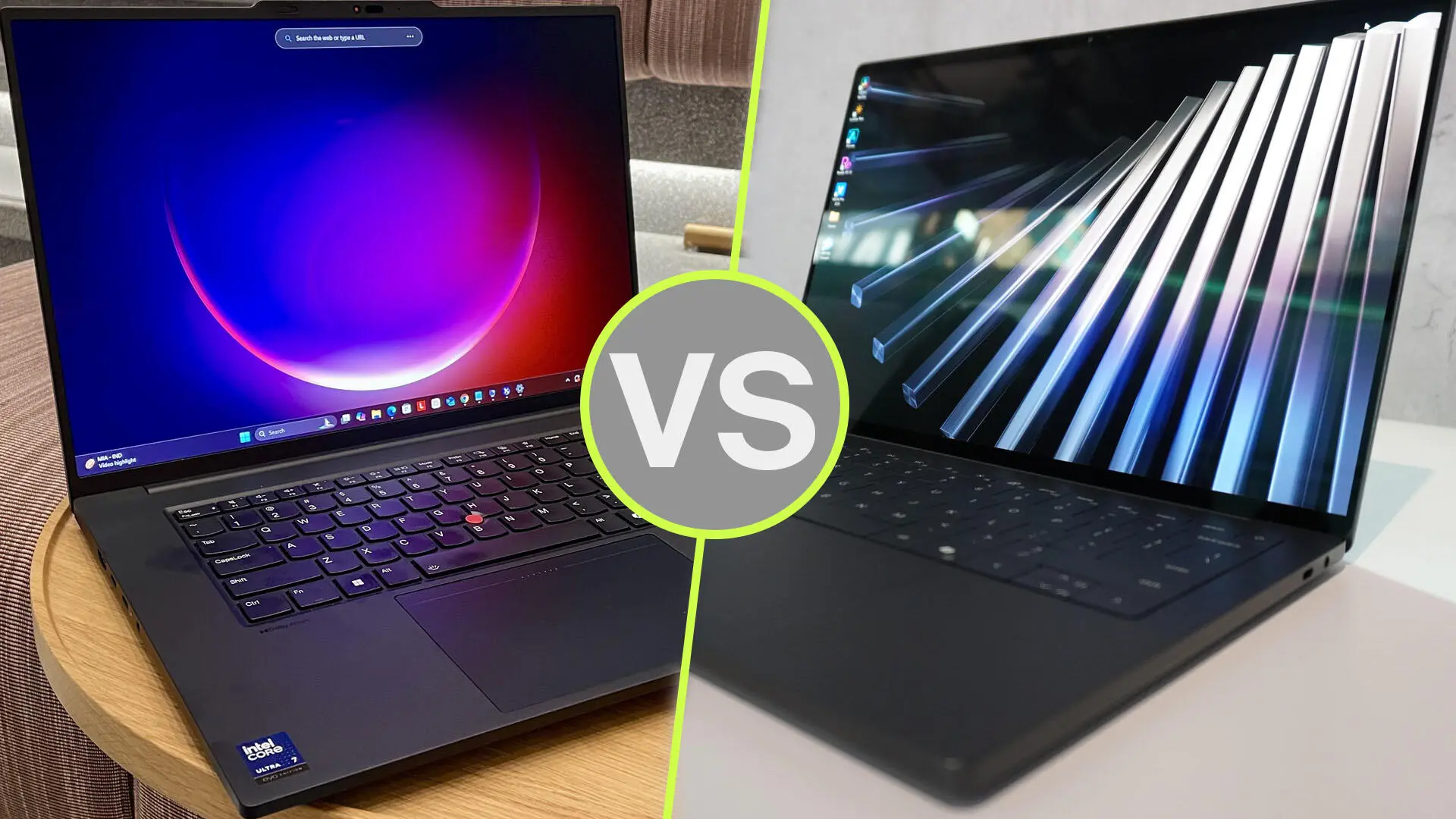
Dell Pro Precision 7 vs Lenovo ThinkPad P16 Gen 3: Best Mobile Workstation?
Choosing a mobile workstation in Dubai starts with one question: what work must it handle without slowing you down? An architect reviewing drawings between meetings has different needs from a visualisation artist rendering detailed interiors.
The Dell Pro Precision 7 vs Lenovo ThinkPad P16 Gen 3 comparison reflects that difference. The Dell configuration discussed here offers a compact 14-inch format. The ThinkPad provides a larger workspace and dedicated NVIDIA RTX PRO graphics options.
Our buying recommendation: shortlist the ThinkPad P16 Gen 3 for demanding graphics workflows and memory expansion. Choose the Dell Pro Precision 7 14 when carrying convenience and a compact working setup matter more. This is a specification-based assessment, not a hands-on benchmark comparison.
Which Dell Pro Precision 7 Are We Comparing?
“Dell Pro Precision 7” does not identify one fixed configuration. This guide focuses on the Dell Pro Precision 7 14 PW714260 listed by UAE Tech Dubai, with a Core Ultra X7 368H vPro processor, 64GB RAM, 2TB SSD and Intel Arc B390 graphics.
That distinction matters. You should not assume this particular Dell includes a dedicated NVIDIA GPU simply because it belongs to a workstation range. Dell documents Arc B390 and Arc Pro B390 as integrated graphics using shared system memory.
On the Lenovo side, the ThinkPad P16 Gen 3 offers several processor, display and RTX PRO combinations. Compare the complete specifications on your quotation before choosing either brand.
Dell vs Lenovo Workstation: Key Differences
| Buying consideration | Dell Pro Precision 7 14 compared here | Lenovo ThinkPad P16 Gen 3 |
| Screen size | 14 inches | 16 inches |
| Graphics | Integrated Intel Arc B390; shared memory | Dedicated NVIDIA RTX PRO Blackwell options |
| Memory | Listed with 64GB; onboard and not upgradeable | Four memory slots; up to 192GB non-ECC on supported configurations |
| Storage | Listed with a 2TB SSD | Capacity depends on the selected configuration |
| Main buying appeal | Compact format for a mobile working day | Expansion and dedicated graphics for heavier projects |
| Key check | Confirm software support for Intel graphics | Confirm the exact RTX PRO model and VRAM |
These differences describe configurations and platform capabilities. They do not establish a measured speed advantage in every application.
Performance for CAD, BIM and Engineering
AutoCAD and Drawing Reviews
For primarily 2D drafting, drawing markups and client presentations, start with your software requirements and typical file sizes. Paying for a higher GPU tier may bring little value if most of your day involves documents and modest drawings.
The Dell deserves consideration for this workflow because of its compact format. Before purchase, ask to test a representative project with your preferred graphics driver and application version.
For a Dubai consultant travelling between offices, being able to carry the laptop comfortably can matter as much as a benchmark score.
Revit, SolidWorks and Complex Models
If you are comparing the best laptop for Revit or SolidWorks, move beyond processor branding. Ask how much memory your largest project uses, whether the application benefits from a certified graphics configuration, and how demanding your viewport becomes.
The ThinkPad is the more suitable starting point when dedicated graphics and future memory expansion are priorities. However, an entry RTX PRO configuration and a higher-tier version will not deliver identical results.
For professional applications, check certification for the actual GPU, driver and software release. NVIDIA’s certification resources are useful for this check; a workstation label alone should not replace it.
Graphics for 3D Rendering and Local AI
Intel Arc vs NVIDIA RTX PRO
The key distinction is the graphics platform. The Dell’s integrated Arc graphics share system memory. The ThinkPad’s RTX PRO options have dedicated video memory, with Lenovo listing configurations from RTX PRO 1000 through RTX PRO 5000 Blackwell.
For GPU rendering, verify which acceleration methods your rendering engine supports. If your workflow specifically requires NVIDIA CUDA, choose a compatible NVIDIA configuration. Do not assume that a different graphics platform can run the same acceleration path.
For local AI, start with the model and software you intend to use. Check memory requirements, supported frameworks and driver compatibility before comparing marketing claims about AI performance.
How Much VRAM Do You Need?
The right amount depends on your scenes, textures, model size and application. Buying the largest available GPU is not automatically the best use of your budget.
A practical approach is to measure the memory used by a real project, allow room for growth, and request a suitable configuration. If projects exceed the GPU’s available memory, behaviour varies by application: performance may fall, or the workload may fail to run.
For demanding 3D work, prioritise software compatibility and adequate VRAM before spending on cosmetic features.
RAM, Storage and Long-Term Value
Dell’s documentation states that the PW714260 uses onboard LPDDR5x memory, with a maximum of 64GB. It cannot be upgraded later. Buy sufficient memory at the outset.
The ThinkPad P16 Gen 3 has four memory slots. Lenovo lists support for up to 192GB non-ECC memory or 128GB ECC memory, depending on configuration. Those are platform limits, not the amount installed in every unit.
That expansion potential is useful if you expect larger datasets, additional virtual machines or more demanding projects over the laptop’s working life.
For storage, estimate the space needed for applications, active projects, asset libraries and temporary files. A larger SSD can reduce file juggling, but it does not replace a backup.
Display, Portability and Working Comfort
The Dell’s 14-inch screen favours a compact setup. The ThinkPad’s 16-inch screen offers more physical room for drawings, timelines and application panels.
Neither screen size is universally better. If you spend most days at a desk with an external monitor, the smaller laptop may suit you well. If you regularly work directly on the laptop display, the larger screen may be worth carrying.
Check the exact panel specification. Resolution, brightness, colour coverage and surface finish vary between configurations. A high-resolution display also requires suitable scaling so text and controls remain comfortable.
For buyers searching for a mobile workstation in Dubai, compare the complete travel setup: laptop, charger, adapters and bag. Avoid choosing solely from the laptop’s weight or an unverified battery-life claim.
Dell Pro Precision 7 and ThinkPad P16 Gen 3 Price in UAE
At the research check, UAE Tech Dubai displayed the Dell Pro Precision 7 14 PW714260 at AED 12,999. Its ThinkPad P16 Gen 3 21RQ000PGR listing displayed AED 29,900.
These are different configurations, so the price gap is not a like-for-like brand comparison. Prices and availability can change.
Before ordering the Lenovo listing, confirm the supplied GPU: its title states RTX PRO 4000 16GB, while one specifications entry states RTX PRO 3000 12GB. Ask for the confirmed GPU and VRAM on your quotation.
For either laptop, also confirm the keyboard layout, warranty provider, UAE service coverage, delivery date and final payable total.
Which Workstation Should You Buy?
Choose the Dell Pro Precision 7 14 If:
- You want a compact laptop for meetings, travel and technical office work.
- Your applications support its Intel graphics configuration.
- The installed 64GB memory meets your expected future needs.
- You value the listed 2TB storage capacity and lower purchase price.
If your work mainly involves office applications, compare the wider business laptops available in Dubai before committing to a workstation.
Choose the Lenovo ThinkPad P16 Gen 3 If:
- Your workflow needs compatible dedicated NVIDIA graphics.
- You work with demanding models, rendering projects or local AI tools.
- You want more memory expansion options.
- You prefer a larger screen for sustained technical work.
Choose the GPU tier around your applications and projects. The highest-priced configuration is only worthwhile when its additional resources address a real need.
Buy Your Mobile Workstation from UAE Tech Dubai
For the configurations discussed, the ThinkPad P16 Gen 3 is our preferred starting point for demanding graphics work and expansion, while the Dell Pro Precision 7 14 suits buyers who prioritise a compact workstation.
Explore both products at UAE Tech Dubai (Berjaya Electronics). Share your software list, project sizes and budget with the team, request a confirmed configuration and current UAE quotation, then buy the workstation that fits your working day.
Is the ThinkPad P16 Gen 3 Better for 3D Rendering?
It is the stronger shortlist candidate when your renderer benefits from a supported NVIDIA RTX PRO GPU. The actual result depends on the GPU configuration, scene, rendering engine and power settings. No direct performance percentage is claimed here.
Can I Upgrade the Dell Pro Precision 7 14 RAM?
No. Dell specifies onboard, non-upgradeable memory for the PW714260. Select the required capacity when buying.
Is a Mobile Workstation Necessary for Every Engineer?
No. Choose around your software and project complexity. Drawing reviews and office work may need less hardware than large assemblies, simulations or GPU rendering.