Lenovo - Berjaya Electronics Trading LLC
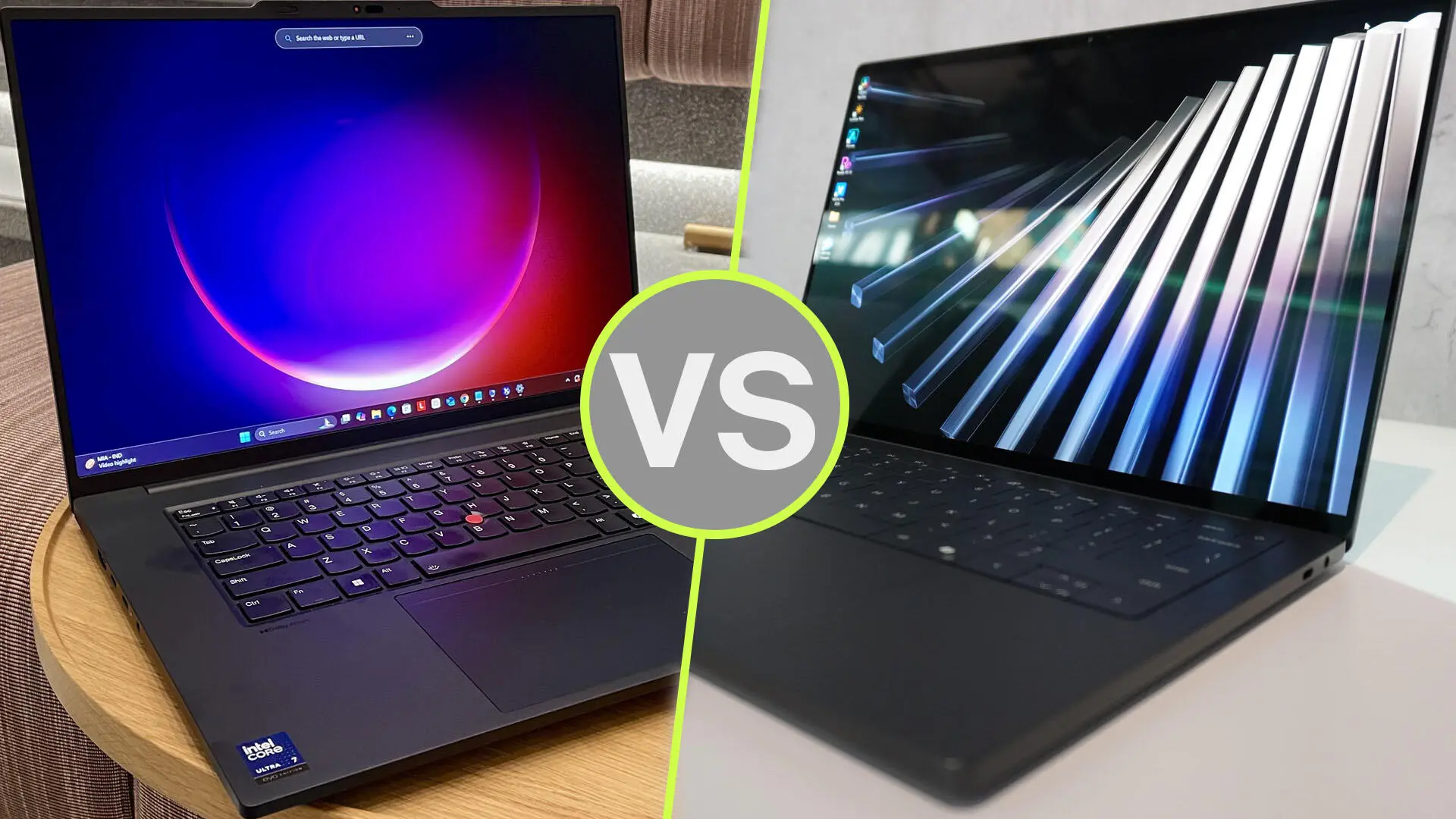
Dell Pro Precision 7 vs Lenovo ThinkPad P16 Gen 3: Best Mobile Workstation

Dell Pro Precision 7 vs Lenovo ThinkPad P16 Gen 3: Best Mobile Workstation?

Choosing a mobile workstation in Dubai starts with one question: what work must it handle without slowing you down? An architect reviewing drawings between meetings has different needs from a visualisation artist rendering detailed interiors.

The Dell Pro Precision 7 vs Lenovo ThinkPad P16 Gen 3 comparison reflects that difference. The Dell configuration discussed here offers a compact 14-inch format. The ThinkPad provides a larger workspace and dedicated NVIDIA RTX PRO graphics options.

Our buying recommendation: shortlist the ThinkPad P16 Gen 3 for demanding graphics workflows and memory expansion. Choose the Dell Pro Precision 7 14 when carrying convenience and a compact working setup matter more. This is a specification-based assessment, not a hands-on benchmark comparison.

Which Dell Pro Precision 7 Are We Comparing?

β€œDell Pro Precision 7” does not identify one fixed configuration. This guide focuses on the Dell Pro Precision 7 14 PW714260 listed by UAE Tech Dubai, with a Core Ultra X7 368H vPro processor, 64GB RAM, 2TB SSD and Intel Arc B390 graphics.

That distinction matters. You should not assume this particular Dell includes a dedicated NVIDIA GPU simply because it belongs to a workstation range. Dell documents Arc B390 and Arc Pro B390 as integrated graphics using shared system memory.

On the Lenovo side, the ThinkPad P16 Gen 3 offers several processor, display and RTX PRO combinations. Compare the complete specifications on your quotation before choosing either brand.

Dell vs Lenovo Workstation: Key Differences

Buying considerationDell Pro Precision 7 14 compared hereLenovo ThinkPad P16 Gen 3
Screen size14 inches16 inches
GraphicsIntegrated Intel Arc B390; shared memoryDedicated NVIDIA RTX PRO Blackwell options
MemoryListed with 64GB; onboard and not upgradeableFour memory slots; up to 192GB non-ECC on supported configurations
StorageListed with a 2TB SSDCapacity depends on the selected configuration
Main buying appealCompact format for a mobile working dayExpansion and dedicated graphics for heavier projects
Key checkConfirm software support for Intel graphicsConfirm the exact RTX PRO model and VRAM

These differences describe configurations and platform capabilities. They do not establish a measured speed advantage in every application.

Performance for CAD, BIM and Engineering

AutoCAD and Drawing Reviews

For primarily 2D drafting, drawing markups and client presentations, start with your software requirements and typical file sizes. Paying for a higher GPU tier may bring little value if most of your day involves documents and modest drawings.

The Dell deserves consideration for this workflow because of its compact format. Before purchase, ask to test a representative project with your preferred graphics driver and application version.

For a Dubai consultant travelling between offices, being able to carry the laptop comfortably can matter as much as a benchmark score.

Revit, SolidWorks and Complex Models

If you are comparing the best laptop for Revit or SolidWorks, move beyond processor branding. Ask how much memory your largest project uses, whether the application benefits from a certified graphics configuration, and how demanding your viewport becomes.

The ThinkPad is the more suitable starting point when dedicated graphics and future memory expansion are priorities. However, an entry RTX PRO configuration and a higher-tier version will not deliver identical results.

For professional applications, check certification for the actual GPU, driver and software release. NVIDIA’s certification resources are useful for this check; a workstation label alone should not replace it.

Graphics for 3D Rendering and Local AI

Intel Arc vs NVIDIA RTX PRO

The key distinction is the graphics platform. The Dell’s integrated Arc graphics share system memory. The ThinkPad’s RTX PRO options have dedicated video memory, with Lenovo listing configurations from RTX PRO 1000 through RTX PRO 5000 Blackwell.

For GPU rendering, verify which acceleration methods your rendering engine supports. If your workflow specifically requires NVIDIA CUDA, choose a compatible NVIDIA configuration. Do not assume that a different graphics platform can run the same acceleration path.

For local AI, start with the model and software you intend to use. Check memory requirements, supported frameworks and driver compatibility before comparing marketing claims about AI performance.

How Much VRAM Do You Need?

The right amount depends on your scenes, textures, model size and application. Buying the largest available GPU is not automatically the best use of your budget.

A practical approach is to measure the memory used by a real project, allow room for growth, and request a suitable configuration. If projects exceed the GPU’s available memory, behaviour varies by application: performance may fall, or the workload may fail to run.

For demanding 3D work, prioritise software compatibility and adequate VRAM before spending on cosmetic features.

RAM, Storage and Long-Term Value

Dell’s documentation states that the PW714260 uses onboard LPDDR5x memory, with a maximum of 64GB. It cannot be upgraded later. Buy sufficient memory at the outset.

The ThinkPad P16 Gen 3 has four memory slots. Lenovo lists support for up to 192GB non-ECC memory or 128GB ECC memory, depending on configuration. Those are platform limits, not the amount installed in every unit.

That expansion potential is useful if you expect larger datasets, additional virtual machines or more demanding projects over the laptop’s working life.

For storage, estimate the space needed for applications, active projects, asset libraries and temporary files. A larger SSD can reduce file juggling, but it does not replace a backup.

Display, Portability and Working Comfort

The Dell’s 14-inch screen favours a compact setup. The ThinkPad’s 16-inch screen offers more physical room for drawings, timelines and application panels.

Neither screen size is universally better. If you spend most days at a desk with an external monitor, the smaller laptop may suit you well. If you regularly work directly on the laptop display, the larger screen may be worth carrying.

Check the exact panel specification. Resolution, brightness, colour coverage and surface finish vary between configurations. A high-resolution display also requires suitable scaling so text and controls remain comfortable.

For buyers searching for a mobile workstation in Dubai, compare the complete travel setup: laptop, charger, adapters and bag. Avoid choosing solely from the laptop’s weight or an unverified battery-life claim.

Dell Pro Precision 7 and ThinkPad P16 Gen 3 Price in UAE

At the research check, UAE Tech Dubai displayed the Dell Pro Precision 7 14 PW714260 at AED 12,999. Its ThinkPad P16 Gen 3 21RQ000PGR listing displayed AED 29,900.

These are different configurations, so the price gap is not a like-for-like brand comparison. Prices and availability can change.

Before ordering the Lenovo listing, confirm the supplied GPU: its title states RTX PRO 4000 16GB, while one specifications entry states RTX PRO 3000 12GB. Ask for the confirmed GPU and VRAM on your quotation.

For either laptop, also confirm the keyboard layout, warranty provider, UAE service coverage, delivery date and final payable total.

Which Workstation Should You Buy?

Choose the Dell Pro Precision 7 14 If:

  • You want a compact laptop for meetings, travel and technical office work.
  • Your applications support its Intel graphics configuration.
  • The installed 64GB memory meets your expected future needs.
  • You value the listed 2TB storage capacity and lower purchase price.

If your work mainly involves office applications, compare the wider business laptops available in Dubai before committing to a workstation.

Choose the Lenovo ThinkPad P16 Gen 3 If:

  • Your workflow needs compatible dedicated NVIDIA graphics.
  • You work with demanding models, rendering projects or local AI tools.
  • You want more memory expansion options.
  • You prefer a larger screen for sustained technical work.

Choose the GPU tier around your applications and projects. The highest-priced configuration is only worthwhile when its additional resources address a real need.

Buy Your Mobile Workstation from UAE Tech Dubai

For the configurations discussed, the ThinkPad P16 Gen 3 is our preferred starting point for demanding graphics work and expansion, while the Dell Pro Precision 7 14 suits buyers who prioritise a compact workstation.

Explore both products at UAE Tech Dubai (Berjaya Electronics). Share your software list, project sizes and budget with the team, request a confirmed configuration and current UAE quotation, then buy the workstation that fits your working day.

Is the ThinkPad P16 Gen 3 Better for 3D Rendering?

It is the stronger shortlist candidate when your renderer benefits from a supported NVIDIA RTX PRO GPU. The actual result depends on the GPU configuration, scene, rendering engine and power settings. No direct performance percentage is claimed here.

Can I Upgrade the Dell Pro Precision 7 14 RAM?

No. Dell specifies onboard, non-upgradeable memory for the PW714260. Select the required capacity when buying.

Is a Mobile Workstation Necessary for Every Engineer?

No. Choose around your software and project complexity. Drawing reviews and office work may need less hardware than large assemblies, simulations or GPU rendering.
Lenovo ThinkPad X1 Carbon Gen 14 vs Dell XPS 14

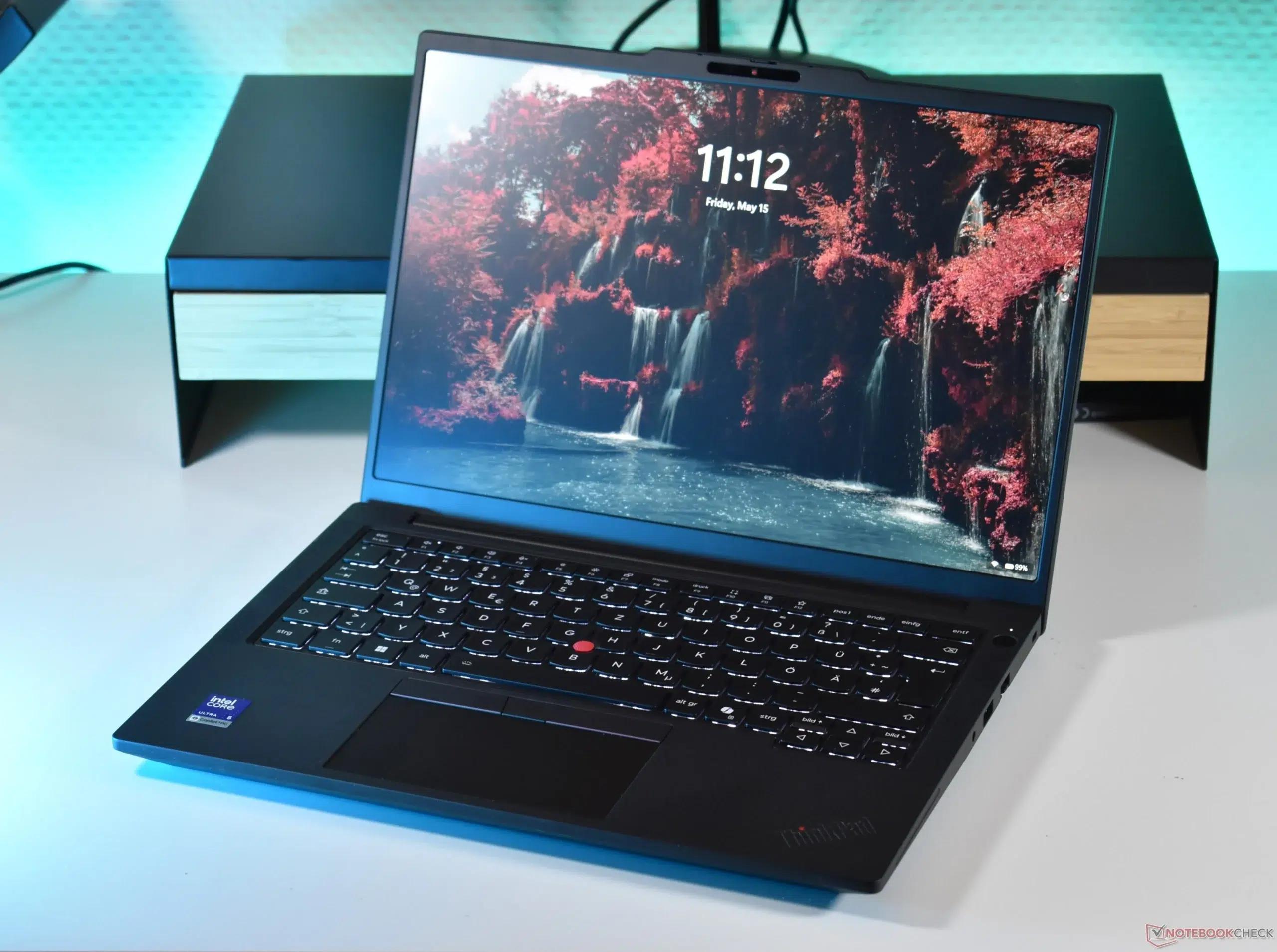
Lenovo ThinkPad X1 Carbon Gen 14 vs Dell XPS 14: Best Premium Business Laptop?

Choosing between the Lenovo ThinkPad X1 Carbon Gen 14 and Dell XPS 14 comes down to how you work. Do you carry your laptop between meetings across Dubai, or spend most of your day at a desk with a monitor and dock?

Our recommendation: choose the ThinkPad X1 Carbon Gen 14 for frequent travel and convenient business connectivity. Choose the Dell XPS 14 if its screen, design and exact configuration suit your needs at a better total price. Neither brand wins every comparison.

This guide compares the ThinkPad X1 Carbon Gen 14 Aura Edition with the 2026 Dell XPS 14, model DA14260. The older XPS 14 9440 also appears in UAE stores, but it is a different laptop. We explain that distinction below.

ThinkPad X1 Carbon Gen 14 vs Dell XPS 14: Quick Comparison

FeatureThinkPad X1 Carbon Gen 14Dell XPS 14 (2026)
Processor familyIntel Core Ultra Series 3Intel Core Ultra Series 3
Screen options14-inch WUXGA IPS or 2.8K OLED14-inch 2K LCD or 2.8K OLED
Starting weightApproximately 1kg1.36kg OLED; 1.38kg LCD
Battery capacity58Wh70Wh
Thunderbolt 4Three portsThree ports
Built-in USB-A and HDMIYesNo
Best fit in this guideMobile professionals using varied office equipmentBuyers comfortable with a USB-C setup

Specifications vary by configuration and region. Starting weights do not describe every unit. Compare the full model number before ordering.

Design and Portability: Which Is Easier to Carry?

ThinkPad X1 Carbon: The Travel-Focused Choice

The ThinkPad’s lower starting weight gives it a practical advantage if your laptop travels with you every day. That matters when your bag also contains a charger, documents, phone accessories and other work equipment.

For a consultant moving between Business Bay and DIFC, or a sales professional visiting customers across the UAE, carrying less can be more useful than buying the highest processor tier.

Consider your complete travel setup. A lightweight laptop loses some of its advantage if you also need several adapters and a heavy charger.

Dell XPS 14: Consider Your Usual Work Setup

The XPS remains a portable option, but the ThinkPad has the weight advantage on the listed starting configurations. If you mostly drive to one office and connect to a dock, that difference may matter less.

Before deciding, check the actual unit’s weight and handle both laptops if possible. Screen finish, palm-rest comfort and how easily the device fits into your bag are personal preferences that a specification table cannot settle.

Performance: Compare Configurations, Not Brand Names

Both product families offer current Intel Core Ultra processors, but sharing a processor family does not mean every configuration performs equally. CPU tier, cooling, power settings and memory all affect the result.

For email, Microsoft 365, browser-based tools and video meetings, start by choosing enough memory for your workload. There is little value in paying for a faster processor while leaving yourself short of RAM.

How Much RAM and Storage Should You Choose?

  • 16GB RAM: A reasonable starting point for routine office work and moderate multitasking.
  • 32GB RAM: A sensible target for heavier spreadsheets, development tools and many browser tabs.
  • 64GB RAM: Consider it for workloads you know need substantial memory; check configuration availability.
  • 512GB SSD: Suitable when most documents live in managed cloud storage.
  • 1TB SSD: More comfortable for large local projects, downloads and media files.

These are buying guidelines, not application-specific requirements. Check your software’s needs and leave room for future projects.

If you work with demanding 3D models, GPU rendering or large AI workloads, assess a workstation separately. A premium business laptop is not automatically the right tool for every professional application.

Display: IPS, LCD or OLED for Business Work?

Screen choice deserves as much attention as the processor. Think about what you look at for eight hours, where you work and whether you use an external monitor.

For Documents, Spreadsheets and Office Lighting

A lower-resolution, non-OLED configuration can be a sensible choice for office work. Check brightness, reflections and text clarity rather than assuming the most expensive panel will be the most comfortable.

In a bright Dubai office, screen placement also matters. A window directly behind you can make reflections distracting even on an otherwise excellent display.

For Creative Work and Presentations

OLED is worth considering when contrast and rich colour matter. Lenovo offers a 2.8K OLED option with a 120Hz variable refresh rate, while Dell also lists a 2.8K OLED configuration.

However, a panel label alone does not establish suitability for colour-critical work. Check the exact panel specifications and calibration requirements. If you mainly work on a separate monitor, spending more on laptop memory may be the better investment.

Keyboard and Ports: Small Details That Affect Every Workday

The ThinkPad includes a TrackPoint and offers conventional or haptic touchpad configurations. Try the exact version you intend to buy, especially if you write reports, proposals or code for long periods.

Keyboard preference is personal. Check the layout, key spacing and shortcut placement instead of choosing solely on brand reputation.

Connectivity is a clearer distinction. The ThinkPad’s USB-A and HDMI ports can simplify connecting office peripherals and presentation screens. The XPS’s Thunderbolt ports support a USB-C-based setup, but HDMI displays and USB-A accessories require suitable adapters or a dock.

For a fixed desk, a dock can be convenient. For meetings in unfamiliar rooms, built-in connections reduce the equipment you need to remember.

Battery Life: Capacity Is Only Part of the Answer

The XPS has the larger rated battery, but capacity alone cannot establish which laptop lasts longer in your working day.

Display choice, brightness, video calls, background apps and processor load all change power use. A light document-editing session is very different from an afternoon of Teams calls and screen sharing.

Compare battery tests only when the configurations and test conditions are similar. Manufacturer video-playback claims should not be treated as guaranteed office runtime.

For travel around Dubai or between emirates, choose a configuration that meets your performance needs without paying for features you rarely use. Check charger compatibility and include the charger in your portability comparison.

Business Security and Support in the UAE

Security requirements should come from your organisation’s IT team. Lenovo lists a discrete TPM 2.0, a fingerprint reader and camera privacy features for the X1 Carbon family, with some capabilities dependent on configuration.

Do not assume every premium laptop includes the same enterprise management options or Windows edition. Ask the seller to confirm your requirements in writing.

Before buying either model, check:

  1. The exact model and part number on the quotation.
  2. Windows edition and compatibility with company software.
  3. English or Arabic-English keyboard layout.
  4. Warranty duration, service provider and UAE coverage.
  5. Whether support is onsite or requires sending the laptop away.
  6. Supplied charger, plug type and accessories.

A lower purchase price may be less attractive if the support arrangement does not meet your business needs.

Dubai Buying Alert: XPS 14 9440 Is a Different Generation

When searching for Dell XPS 14 Dubai, check the model number carefully. The XPS 14 9440 is not the 2026 DA14260 compared above.

UAE Tech Dubai lists a Dell XPS 14 9440 with RTX 4050 graphics. This older configuration has its own specifications and should be assessed separately. Do not apply the 2026 model’s weight, screen or battery details to that listing.

If you need NVIDIA-specific software support, the older RTX-equipped model may deserve consideration. Confirm application compatibility and compare its price with suitable workstation alternatives.

For the ThinkPad X1 Carbon Gen 14 price in UAE, request a quotation for the exact processor, memory, display and warranty you want. Compare AED totals on the same basis, including whether VAT, delivery and required accessories are included.

Conclusion: Which Premium Business Laptop Should You Buy?

The ThinkPad X1 Carbon Gen 14 is our stronger recommendation for professionals who travel frequently and need flexible connectivity. The Dell XPS 14 is worth choosing when its exact configuration, display and total cost better match your working day.

Ready to choose your next business laptop? Browse business laptops in Dubai from UAE Tech Dubai (Berjaya Electronics). Ask our team for current ThinkPad X1 Carbon Gen 14 availability or help choosing the right Dell XPS 14 generation.

Visit UAE Tech Dubai to confirm your preferred configuration, latest AED price and warranty, then place your order with the details agreed.

Which Is Better for Frequent Business Travel?

The ThinkPad X1 Carbon Gen 14 is our pick for its lower starting weight and useful built-in connections. Your preferred screen and final configuration still matter.

Is the Dell XPS 14 Suitable for Office Work?

Yes, a correctly configured XPS 14 can suit office work. Confirm memory, Windows edition, docking needs and company software compatibility before ordering.

Should I Choose 16GB or 32GB RAM?

Choose 16GB for moderate office workloads. Consider 32GB if you regularly combine large spreadsheets, many browser tabs, development tools and video meetings.

Product has been added to your cart