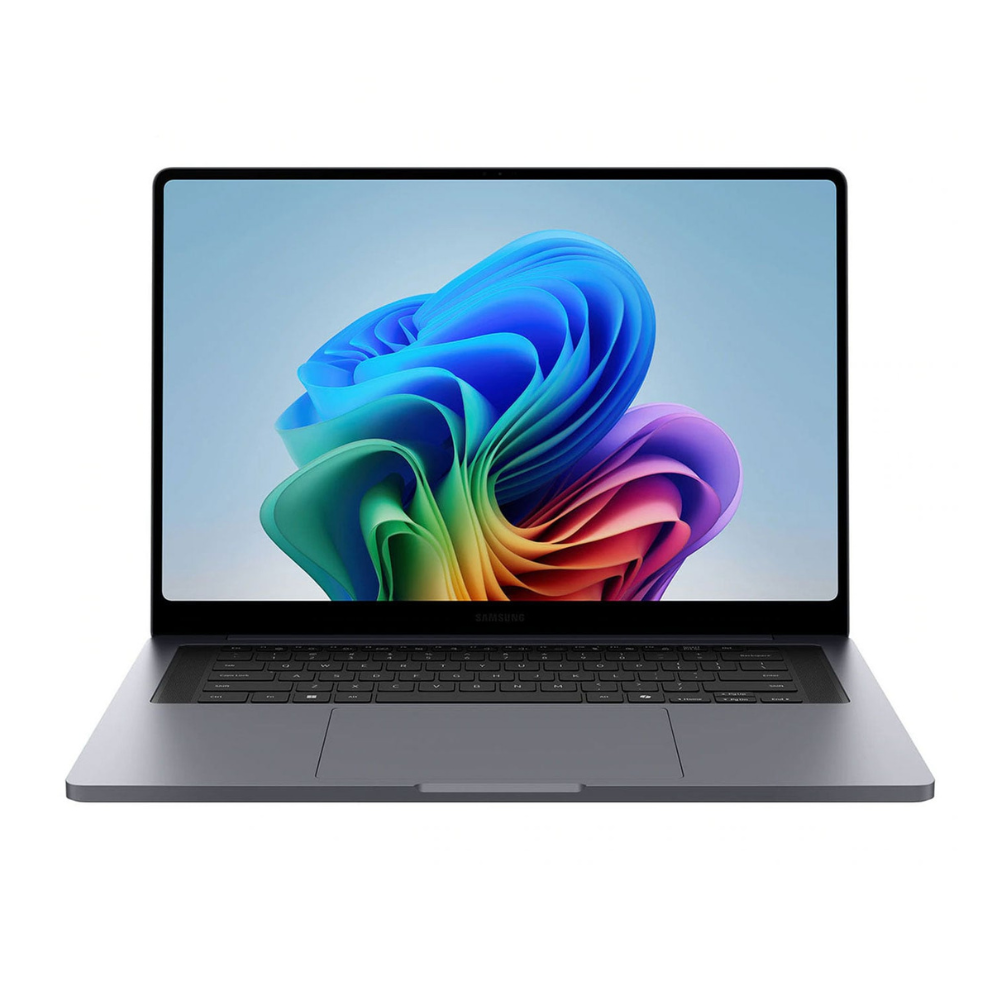
HP EliteBook 6 vs EliteBook 8: Which Business Laptop Should You Buy in the UAE?
HP EliteBook 6 vs EliteBook 8: Which model is the better business laptop for your team in the UAE? The EliteBook 6 G1i 13 is lighter and offers SODIMM memory, while the EliteBook 8 G1i 14 has a larger screen, stronger integrated graphics and a more capable AI engine. Compare the exact UAE configurations, warranty and live stock before you order.
Choose the HP EliteBook 6 G1i 13 if you want a compact business laptop, replaceable SODIMM memory and dependable performance for Microsoft 365, browser-based work, calls and travel. Choose the HP EliteBook 8 G1i 14 if you prefer a larger display and stronger integrated graphics for multitasking, creative tasks and local AI features. Neither is a gaming or CAD workstation; select a system with a dedicated GPU for demanding 3D work.
HP EliteBook 6 vs EliteBook 8: key specifications
| Feature | EliteBook 6 G1i 13 listing | EliteBook 8 G1i 14 listing |
|---|---|---|
| Processor | Intel Core Ultra 7 265U, 12 cores / 14 threads | Intel Core Ultra 7 268V, 8 cores / 8 threads |
| Graphics | Integrated Intel Graphics | Integrated Intel Arc 140V |
| Memory | 32GB DDR5-5600 SODIMM | 32GB LPDDR5x-8533, soldered |
| Storage | 512GB NVMe SSD | 512GB NVMe SSD |
| Display | 13.3-inch WUXGA touch IPS, 300 nits | 14-inch WUXGA touch IPS, 300 nits |
| Battery / weight | 48Wh / about 1.3kg | 62Wh / about 1.46kg |
These details describe the UAE Tech Dubai configurations linked above, not every possible model in each family. HP sells EliteBooks with different processors, panels and memory options, so compare the model code and product specifications rather than relying on the family name alone.
Performance and AI features
The Core Ultra 7 265U in this EliteBook 6 configuration has more CPU cores and threads than the 268V in the EliteBook 8. That can help with conventional office multitasking and workloads that scale across CPU threads. The 268V takes a different approach: its integrated Arc 140V graphics and 48-TOPS NPU are designed for stronger graphics efficiency and on-device AI features. The EliteBook 8 is marketed as a Copilot+ PC; actual features depend on software, region and Windows updates.
For email, spreadsheets, video meetings, accounting software and many browser tabs, both configurations have 32GB RAM and ample everyday responsiveness. The EliteBook 6’s memory uses SODIMM modules, which gives service and upgrade flexibility. The EliteBook 8’s 32GB is soldered, so choose the capacity you expect to need for the laptop’s full working life.
Display, portability and battery
The EliteBook 8’s 14-inch screen gives documents and split-screen apps more room, while the EliteBook 6’s 13.3-inch format is easier to carry between home, office and meetings. Both listed panels are touch-enabled WUXGA IPS displays rated at 300 nits. They suit productivity and indoor office use; professionals who need precise colour for print or design should verify the exact panel’s colour-gamut specification before buying.
The 6 G1i listing is lighter at roughly 1.3kg, while the 8 G1i has a larger 62Wh battery compared with 48Wh in the 6. Battery capacity alone does not predict runtime: screen brightness, meeting time, wireless use and background apps all matter. Treat manufacturer battery claims as test-condition estimates and check return terms before relying on a runtime target for travel.
Which EliteBook is better value in the UAE?
The EliteBook 6 is the practical value choice when portability, memory serviceability and standard business work matter most. The EliteBook 8 is worth the premium when the 14-inch workspace, Arc graphics and stronger NPU align with your workload. Compare the live AED price, stock status, delivery, warranty coverage and included accessories on each UAE product listing; pricing and availability can change.
For procurement teams, also check whether your company needs a specific Windows Pro configuration, docking setup, fingerprint or smart-card option, and fleet-management features. Confirm these against the exact SKU rather than assuming every regional configuration includes them.
Who should buy each one?
Buy the HP EliteBook 6 G1i 13 if: you travel often, prefer a lighter 13-inch business laptop, want SODIMM memory, and mainly use productivity, communication and business applications.
Buy the HP EliteBook 8 G1i 14 if: a larger screen matters, you want better integrated graphics and Copilot+ class AI hardware, and you are comfortable choosing a fixed 32GB memory configuration.
Is the EliteBook 8 faster in every task?
No. The 268V’s graphics and NPU are stronger features, while the 265U has more CPU cores and threads. Performance depends on the application and the exact workload.
Can either laptop run CAD?
They can handle light 2D work, but neither listing has a dedicated workstation GPU. For large Revit models, rendering or professional 3D, consider a ZBook or another mobile workstation with certified graphics.
What should I verify before ordering in Dubai?
Check the exact SKU, keyboard layout, display, memory type, warranty terms, return policy, stock and delivery details on the live product page.
For most mobile office users, the EliteBook 6 G1i 13 is the sensible everyday choice. The EliteBook 8 G1i 14 is the better fit when screen space, graphics capability and on-device AI matter more than upgradeable memory and minimum weight.