Blog - Berjaya Electronics Trading LLC
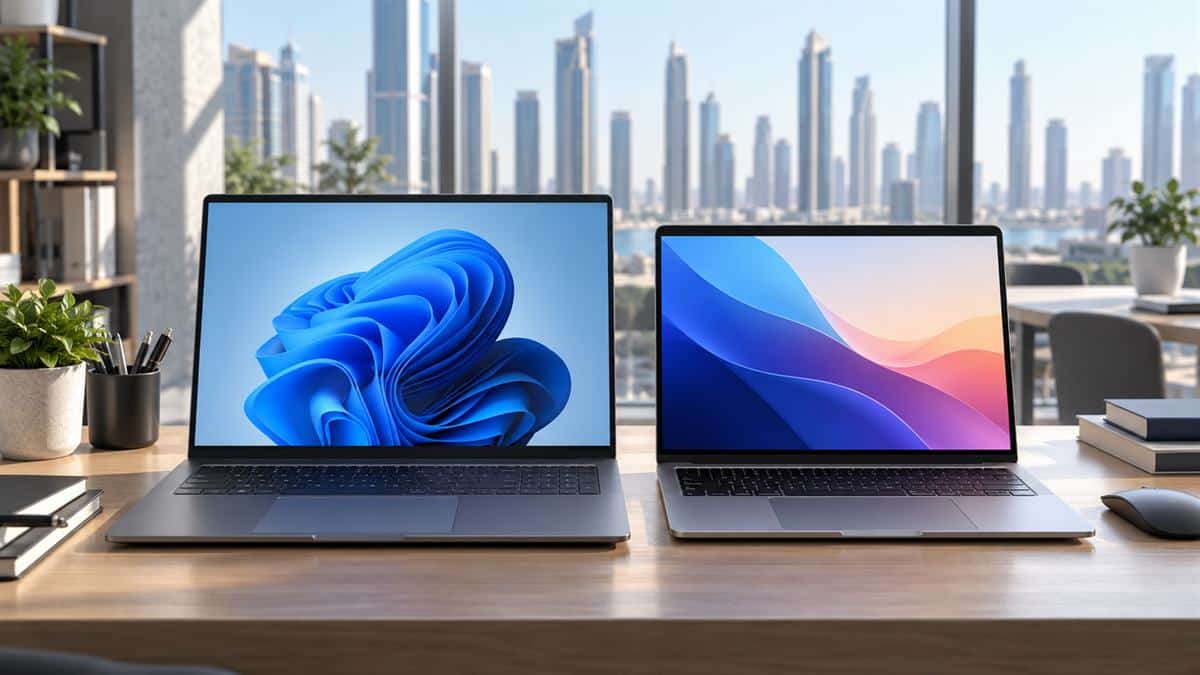
Dell 16 Plus and MacBook Air laptops side by side for students and office workers in Dubai

Dell 16 Plus vs MacBook Air: Which Should UAE Students and Office Workers Buy?

Dell 16 Plus vs MacBook Air UAE: Which one should Dubai students and office workers buy? The right choice depends on how you study or work. The Dell offers a 16-inch touch display, Windows 11, 32GB memory and a 1TB SSD. The MacBook Air is lighter, has a sharper display and is known for long battery life, but the UAE Tech Dubai listing compared here has 8GB memory and 256GB storage.

To make the choice practical, this guide compares the specific Dell 16 Plus DB16255 and 15.3-inch MacBook Air M3 configurations listed by UAE Tech Dubai. Prices and stock can change, so check each product page before ordering.

Quick comparison: Dell 16 Plus vs MacBook Air

Feature Dell 16 Plus DB16255 MacBook Air M3, 15.3-inch
Current UAE Tech Dubai listing price AED 5,950 AED 5,290
Processor AMD Ryzen AI 7 350, 8 cores Apple M3, 8-core CPU
Memory and storage 32GB LPDDR5X, 1TB SSD 8GB unified memory, 256GB SSD
Display 16-inch, 1920 × 1200, touch, 300 nits 15.3-inch Liquid Retina, 2880 × 1864, 500 nits
Operating system Windows 11 Home macOS
Graphics Integrated AMD Radeon graphics Integrated Apple GPU
Weight About 1.83 kg About 1.51 kg
Touchscreen Yes No

The Dell costs AED 660 more in the listed configurations, but comes with four times the memory and storage capacity, plus a touchscreen and a larger display. The MacBook Air counters with a brighter, higher-resolution screen and a lighter body.

What you get with the Dell 16 Plus DB16255

The Dell 16 Plus DB16255 is the better fit if your workload benefits from Windows and more room to multitask. Its AMD Ryzen AI 7 350 processor has 8 cores and an NPU rated up to 50 TOPS. With 32GB LPDDR5X memory and a 1TB NVMe SSD, it gives you more headroom for large spreadsheets, browser tabs, research files, coding tools, and several office apps open at once.

The 16-inch 16:10 touchscreen is useful for reading long documents, comparing spreadsheets, and navigating presentations. Its 1920 × 1200 resolution is practical for everyday work, although the MacBook Air panel is sharper and brighter. The Dell’s integrated Radeon graphics suit video playback, everyday photo editing, and light creative work; this configuration is not a substitute for a laptop with a dedicated graphics card for demanding 3D or modern high-end gaming.

Connectivity is a strong point for office desks and classrooms: the listed configuration includes two USB-C ports with DisplayPort and power delivery, USB-A, HDMI 1.4, and a headset jack. That can reduce the need for adapters when you connect a presentation screen or older USB accessory. The Dell weighs about 1.83 kg, so it is the less convenient choice if you carry your laptop between campus, home, and the office every day.

See the live Dell 16 Plus price and specifications in UAE before buying. At the time this guide was prepared, the page showed AED 5,950, in-stock status, 2–3 day estimated UAE delivery, and a 12-month warranty.

What you get with the 15.3-inch MacBook Air M3

The MacBook Air M3 prioritizes portability, display quality, and a quiet macOS experience. Apple’s 15.3-inch Liquid Retina display has a native 2880 × 1864 resolution and a published brightness rating of 500 nits. Text and photos look crisp, and the screen is a comfortable size for classes, email, documents, and video calls without making the laptop as large as a 16-inch Windows model.

The M3 chip handles everyday productivity smoothly, including web research, presentations, video meetings, and light-to-moderate creative tasks. Apple rates the 15-inch M3 Air for up to 15 hours of wireless web use under its test conditions. Real battery life varies with screen brightness, apps, calls, and Wi-Fi, so treat that figure as a manufacturer estimate rather than a guarantee for every workday.

At about 1.51 kg, the Air is easier to carry. It also fits naturally into an Apple setup: iPhone users can benefit from familiar services such as AirDrop and continuity features. Its trade-offs are the particular UAE Tech Dubai stock configuration’s 8GB unified memory and 256GB SSD, and the smaller port selection: MagSafe charging, two Thunderbolt/USB-C ports, and a headphone jack. You may need a hub for HDMI or USB-A devices.

Buying context: the linked MacBook Air listing is an M3 model, not Apple’s newest generation. Apple has since introduced the M5 MacBook Air. If you want the latest MacBook Air or more than 8GB of memory, compare current UAE availability and pricing before purchasing this older stock configuration.

Check the MacBook Air M3 listing in Dubai for today’s price, color, stock, and warranty details. The page showed AED 5,290 and a 12-month warranty when researched.

Which laptop is better for UAE students?

For business, accounting, data analysis, and general university work, both laptops can handle notes, online classes, Office documents, presentations, and research. The deciding question is whether your course or campus requires Windows-only software. Some engineering, architecture, and technical courses rely on Windows versions of specialist applications. Confirm the required operating system with your university before choosing macOS.

Choose the Dell if your course requires Windows, you use specialist Windows software, you want a touchscreen, or you keep many demanding apps open. Its 32GB RAM and 1TB SSD offer more breathing room for projects, downloaded lecture material, and local files.

Choose the MacBook Air if your work is browser- and document-focused, you value a lighter bag and longer unplugged use, and your apps are fully supported on macOS. Before buying, consider whether 8GB memory and 256GB storage are enough for your degree and how long you plan to keep the laptop.

Which is better for office workers?

The Dell makes more sense for teams standardized on Windows, Microsoft business tools, Windows VPN or security software, and office peripherals that connect through USB-A or HDMI. Its 16-inch touch screen can also be useful for reviewing reports side by side. Ask your IT team about required applications, device management, and external monitors before ordering.

The MacBook Air suits people who work primarily in cloud apps, use macOS already, or want a compact machine for meetings and travel. Microsoft 365 apps are available for Mac, but specialized workflows and company tools can differ from their Windows versions. Confirm compatibility with your employer before switching platforms.

Battery, display, and portability: the practical trade-off

Apple publishes up to 15 hours of wireless web use for the 15-inch M3 Air, while Dell lists a 64Wh integrated battery for the DB16255. Those figures describe different things, and a battery capacity alone does not tell you how many hours you will get. Screen brightness, video calls, background apps, and performance mode all change runtime. If you need a laptop away from a charger for long classes, the Air has the clearer published web-browsing estimate; if the 16-inch touch screen and higher memory capacity matter more, the Dell may be worth carrying.

For reading and spreadsheets, the Dell’s larger touch display gives more physical workspace. The MacBook Air’s 500-nit panel has greater resolution and brightness, which is helpful for sharp text and media. Neither screen should be judged by size alone: the right choice depends on whether you value workspace or pixel density and portability.

Verdict: Dell 16 Plus or MacBook Air?

For most students and office workers who need Windows, multitasking capacity, and storage, the Dell 16 Plus DB16255 is the stronger specification-per-dirham choice: it costs AED 660 more than the listed M3 Air but includes 32GB RAM, a 1TB SSD, a 16-inch touchscreen, and Windows 11.

Pick the MacBook Air M3 if portability, its sharper display, Apple ecosystem, and macOS are your priorities—and if the listed 8GB/256GB configuration suits your workload. Because this is an older M3 stock model and Apple’s M5 Air is now available globally, compare newer local MacBook prices before placing an order.

UAE Tech Dubai, registered as Berjaya Electronics Trading LLC, serves customers in Dubai and across the UAE. Check each product page for current stock, delivery, warranty, and price before checkout.

Is Dell 16 Plus better than MacBook Air for students?
It is better for students who need Windows software, a touchscreen, and more memory and storage. The MacBook Air is a better match for students who prioritize a lighter laptop and macOS-compatible coursework.

Can a MacBook Air replace a Dell laptop for office work?
Yes, if your employer’s apps and security tools support macOS. Check Windows-only business software, VPN requirements, and external monitor support with your IT team first.

Which is lighter, Dell 16 Plus or 15-inch MacBook Air?
The 15-inch M3 MacBook Air is lighter at about 1.51 kg; Dell lists the 16 Plus DB16255 from about 1.83 kg.
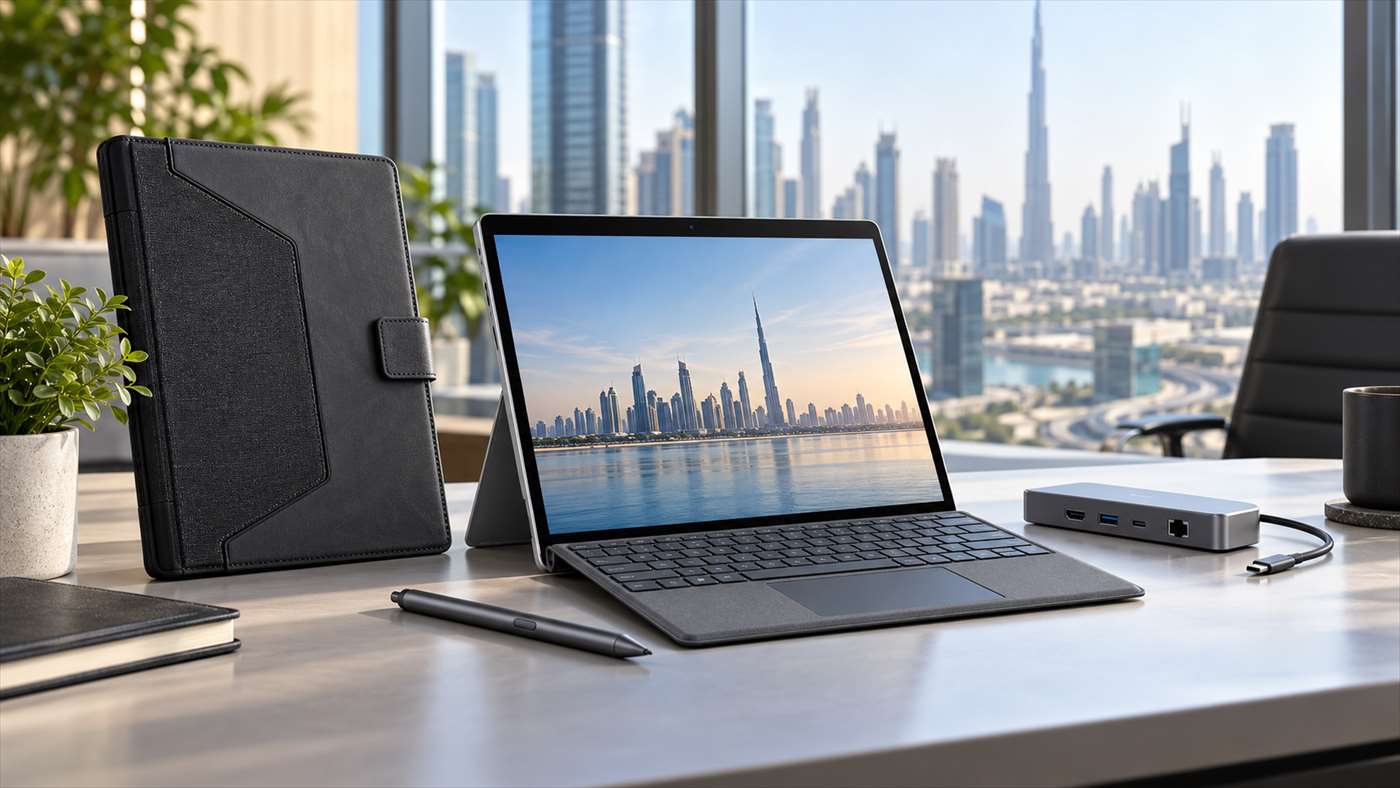
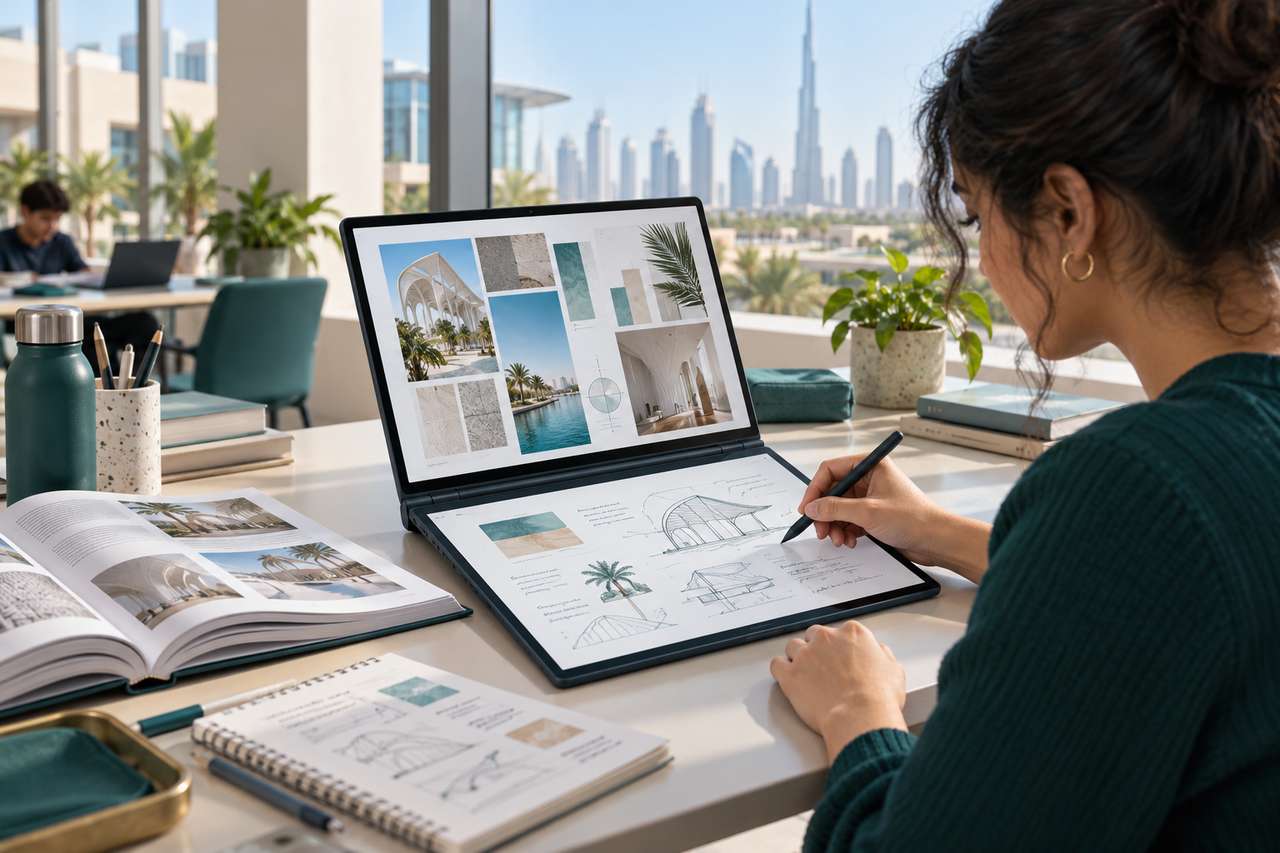
Lenovo Yoga Book 9 dual-screen OLED laptop for student notes and design work

Lenovo Yoga Book 9 for Students, Designers and Note-Takers: Pen, OLED and Battery

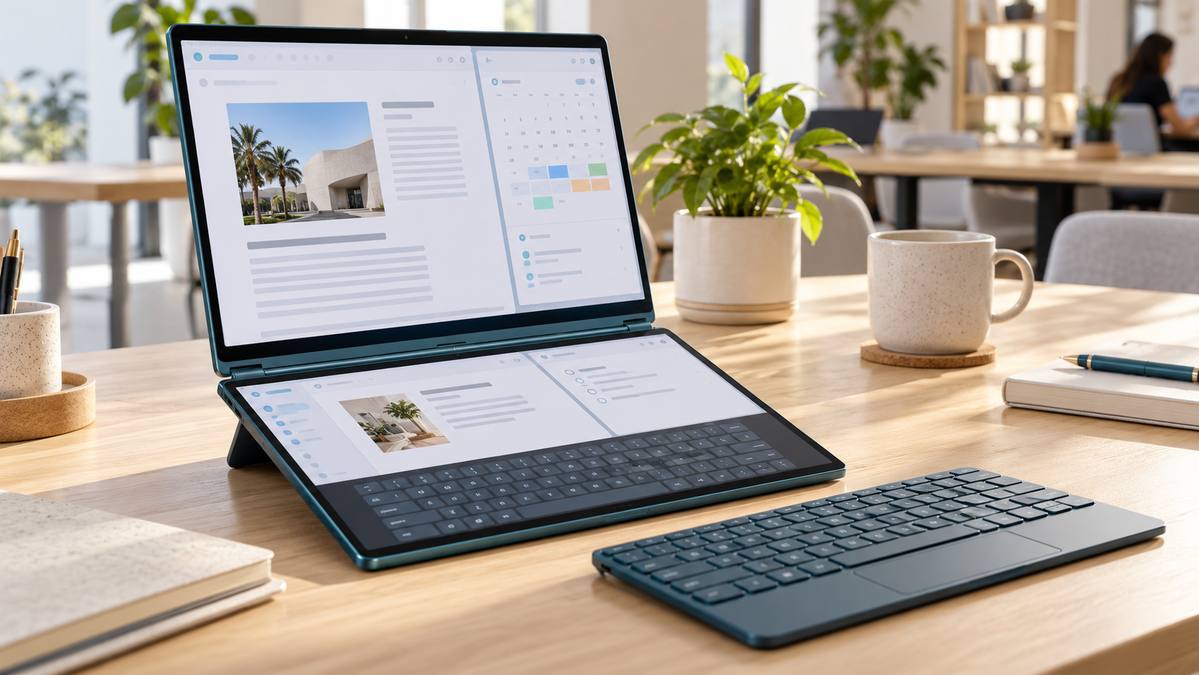
Lenovo Yoga Book 9 for students who move between lectures, research and handwritten notes offers a different approach to a standard laptop: two touch OLED screens, a rechargeable Yoga Pen and a separate Bluetooth keyboard. That extra workspace is useful for reading and writing side by side, though the second screen affects battery life and requires some adjustment.

This guide looks at the UAE Tech Dubai-listed Lenovo Yoga Book 9 14IAH10 (83KJ0001US), with Intel Core Ultra 7 255H, 32GB memory and 1TB SSD. It is a practical buying guide based on the listed configuration, Lenovo’s published specifications and independent reviews; it is not a claim that UAE Tech Dubai ran its own battery or performance tests.

Lenovo Yoga Book 9 specifications at a glance

  • Processor: Intel Core Ultra 7 255H, 16 cores
  • Memory and storage: 32GB LPDDR5x memory and 1TB PCIe 4.0 SSD
  • Displays: Two 14-inch 2.8K (2880 × 1800) OLED touchscreens, up to 120Hz
  • Pen: Lenovo Yoga Pen with 4,096 pressure levels and tilt detection
  • Graphics: Integrated Intel Arc 140T graphics
  • Battery: 88Wh
  • Weight: Starting at about 1.219kg
  • Wireless and ports: Wi-Fi 7 and three Thunderbolt 4 ports

These are the specifications for the 14IAH10 family and the configuration listed in the UAE Tech Dubai Lenovo Yoga Book 9 product page. Lenovo’s PSREF notes that configurations and battery results can vary by region and usage.

Why two OLED screens can help with study and research

Each screen is a 14-inch 2.8K OLED touchscreen with a 16:10 aspect ratio, a maximum 120Hz refresh rate and specified 100% DCI-P3 colour coverage. In book mode, keep lecture slides, a browser or an e-book on the upper panel while placing notes, a document or a reference image below. In notebook mode, the screens can be extended as a larger vertical workspace.

That split can reduce constant app switching during research: read a brief on one display, draft on the other, and use touch or the pen to mark up material. Lenovo’s User Center also supports window transfer and cross-screen browsing. For the setup steps, see our Lenovo Yoga Book 9 dual-screen modes and productivity guide.

There is a learning curve. A two-panel layout is most useful at a desk, library table or study space where the included stand and keyboard can be positioned comfortably. For quick typing on a crowded lecture-room desk, a regular laptop with a built-in keyboard and touchpad may feel simpler.

Is the Yoga Pen useful for note-taking?

The Yoga Pen is more than a finger-operated stylus: Lenovo specifies 4,096 pressure levels and tilt detection, which can make handwritten notes, PDF markups, diagrams and rough sketches feel more natural in compatible apps. Students can keep a reading or lecture window open while writing on the second display. Designers can sketch ideas, annotate mock-ups or collect visual references without carrying a separate tablet.

The 14IAH10 specification sheet describes the pen as rechargeable. The UAE Tech Dubai listing for this configuration lists the Yoga Pen and Bluetooth keyboard; check the product page and box contents for the exact package before ordering, since regional bundles can differ. The keyboard is separate and wireless, and the PSREF lists no physical touchpad. You can use the on-screen touchpad or add a mouse if your workflow depends on pointer control.

What can students, designers and creators expect from performance?

The Core Ultra 7 255H and 32GB of memory are a strong fit for everyday study and office work: research with many browser tabs, presentations, spreadsheets, video calls, programming coursework and creative applications. The 1TB SSD leaves room for class files, project assets and a local photo library.

For design, the dual OLED panels and their wide specified colour gamut are useful for reviewing layouts, references and images. The integrated Arc 140T graphics can handle general creative work and lighter GPU tasks, but this is not a workstation with a discrete graphics processor. If your course or studio relies on demanding 3D rendering, large simulations or GPU-heavy professional effects, compare it with a laptop built around a discrete GPU before buying.

Memory is soldered, so choose the capacity you expect to need over the laptop’s lifetime. The listed 32GB configuration is generous for multitasking, but it cannot be upgraded later.

Lenovo Yoga Book 9 battery life: rated figures versus real use

The 88Wh battery is sizeable for a 14-inch device, but both OLED panels use power when active. Lenovo’s published maximum figures for the 14IAH10 are up to 9.95 hours in dual-screen book mode on MobileMark 30 at 250 nits, or up to 11.4 hours of local 1080p video playback at 150 nits. Lenovo also lists higher results in single-screen notebook mode. These are controlled benchmark or playback conditions, not a promise of a full day of mixed study or design work.

Independent results give a more grounded picture. Notebookcheck recorded about 6 hours 7 minutes in its Wi-Fi browsing test with both screens active on a Core Ultra 7 255H review unit. Tom’s Hardware measured 6 hours 49 minutes in its own mixed browsing, video and graphics battery test at 150 nits. Their protocols differ from Lenovo’s tests, so the figures are not direct comparisons, but they show why a dual-screen workflow can run shorter than the manufacturer’s maximum rating.

For longer campus days in Dubai, use one screen when you do not need both, lower brightness to a comfortable level, and carry a compatible USB-C charger if you expect extended note-taking, video calls or creative work. Actual runtime changes with brightness, refresh rate, apps, wireless use and power settings.

Who should buy the Lenovo Yoga Book 9 in Dubai?

  • Good fit: students who read and take notes side by side; researchers who work from multiple references; designers who value touch, pen input and colour-rich displays; frequent multitaskers who want a portable two-screen setup.
  • Think carefully: buyers who need long battery endurance with both screens on, prefer a built-in keyboard and touchpad, or often work away from a desk.
  • Choose another class of laptop: creators whose main workload depends on a discrete GPU, upgradeable memory or workstation-grade graphics.

Its appeal is the way it changes the workspace: two OLED panels and pen input in a portable device. The trade-offs are equally clear—battery life depends heavily on how many screens are lit, there is no physical touchpad, and the RAM is fixed. If that balance suits your classes or design workflow, check the Lenovo Yoga Book 9 14IAH10 price, stock and delivery details in the UAE before ordering.

Is the Lenovo Yoga Book 9 good for university students?

It can suit students who read, research and write at the same time, especially when handwritten notes or PDF markup are part of their routine. It is less convenient if you mainly need a traditional laptop posture for fast typing in small spaces.

Does the Lenovo Yoga Book 9 include a pen?

The UAE Tech Dubai listing for the 83KJ0001US configuration lists the Lenovo Yoga Pen and a Bluetooth keyboard. Confirm the exact included accessories and regional warranty on the product page before purchase.

How long does the Yoga Book 9 battery last?

Lenovo lists up to 9.95 hours in a dual-screen MobileMark test and 11.4 hours of local 1080p video playback under specified conditions. Independent Wi-Fi and mixed-use tests have reported around six to seven hours, depending on the test and configuration. Your results will vary with brightness, apps and screen use.

Can the Yoga Book 9 replace a drawing tablet?

It can be convenient for handwritten notes, annotations, concept sketches and lighter illustration tasks. Artists who need a specialised pen display, extensive shortcut controls or dedicated graphics for complex projects may prefer a dedicated tablet or a workstation laptop.

Lenovo Yoga Book 9 dual-screen laptop on a bright workspace in notebook mode

How to Use Lenovo Yoga Book 9 Dual Screens: Modes, Shortcuts and Productivity Setups

To get the most from Lenovo Yoga Book 9 dual screens, set them up as separate Windows displays: keep one app on each panel, move windows with Lenovo’s transfer controls, and choose the physical setup that fits the task. This guide covers the current 14IAH10, with two 14-inch 2.8K OLED touchscreens. Menu labels can change after software updates, so install current Lenovo support updates if your controls look different.

Start with the right dual-screen settings

For most work, set the displays to Extend so each screen has its own desktop. In Windows, open Settings → System → Display and choose “Extend these displays.” You can also press Windows + P and select Extend. If the screens are set to Duplicate, both panels mirror the same content and some Yoga Book features—including the virtual keyboard—are unavailable.

Next, open Lenovo User Center from Windows Search. On the supplied Bluetooth keyboard or Lenovo virtual keyboard, F12 is the User Center hotkey. This app controls the window-transfer assistant, cross-screen browsing, virtual keyboard and touchpad triggers, dual-screen wallpaper, and separate brightness levels. For the 14IAH10, Lenovo also provides YogaBook9 Solutions for Windows 11; keep Lenovo software and Windows up to date.

Choose a Yoga Book 9 setup for the job

Notebook mode: type on one screen, work on the other

In the familiar stacked-screen position, place the Bluetooth keyboard on the lower display when you need a conventional typing posture. Keep email, a video call, or a reference document on the upper screen while you write on the lower one. Without the physical keyboard, the lower panel can show Lenovo’s virtual keyboard and floating touchpad. The virtual keyboard has traditional, floating, and mini layouts, so choose the traditional layout for longer typing and a movable layout for short replies.

Book mode: compare documents side by side

Turn the device into a side-by-side reading setup with the supported folio arrangement. This works well for comparing a brief with a spreadsheet, reading a PDF while taking notes, or keeping a browser beside a writing app. When enabled in User Center, cross-screen browsing can extend a supported webpage or document across both panels. Lenovo notes that some apps do not support this feature, so use two separate windows if a page splits awkwardly.

Smart Folio stand: work at a desk or share a screen

The Yoga Book 9 14IAH10 supports two Smart Folio stand arrangements: one for notebook or book positioning with the Bluetooth keyboard, and another for notebook positioning when you prefer the virtual keyboard. Check the exact product listing for the accessories included with your UAE configuration. A stand setup is useful for a video call or presentation; use a paired Bluetooth keyboard when you need to take notes. Lenovo says cross-screen browsing is available in notebook and book modes, not stand or tablet mode.

Useful Yoga Book 9 shortcuts and touch gestures

  • F12: Open Lenovo User Center from the supplied Bluetooth keyboard or virtual keyboard.
  • F10: Show the floating virtual touchpad on the lower screen.
  • Three-finger tap: Open the floating touchpad after enabling this trigger in User Center.
  • Eight-finger tap on the lower screen: Open the Lenovo virtual keyboard if that activation option is enabled.
  • Five-finger touch on the other screen: Extend a supported window across both displays after enabling Cross-screen Browsing. Use notebook or book mode.
  • Drag a window’s title bar: Hold and drag until Lenovo’s transfer arrows appear, then drop the window on the arrow for the destination screen. Enable mouse or touch transfer in User Center if the arrows do not appear.
  • Windows + P / Windows + Z: Open Windows display modes / Snap Layouts for standard display and window arrangement options.

Three practical productivity layouts

  • Research and writing: Keep source material in the browser above and your notes or document below. Use separate windows for quick switching; try cross-screen browsing for long pages or PDFs.
  • Meetings: Put the call on the upper panel and your agenda, calendar, or notes on the lower panel. A physical Bluetooth keyboard is more comfortable for typing minutes.
  • Spreadsheets and creative work: Keep the main file on one screen and a reference, chat, or asset folder on the other. Use the window-transfer arrows to move an app instead of repeatedly minimizing it.

Fix common dual-screen problems

If an app will not move or span both panels, first confirm that Windows is using Extend, then check that the relevant option is enabled in User Center. Cross-screen browsing is limited to notebook and book mode, and individual apps may not support it. If the virtual touchpad or keyboard does not appear, enable its trigger in User Center or use the system-tray control. Lenovo’s Yoga Book 9 14IAH10 User Guide has model-specific steps and troubleshooting notes.

Is the Yoga Book 9 right for your workflow?

The dual-screen design is most useful if your day involves comparing information, writing while researching, or keeping a meeting and notes visible together. The key is to set Windows to Extend, learn the F12 and F10 shortcuts, and keep a Bluetooth keyboard handy for longer sessions. See the Lenovo Yoga Book 9 14IAH10 product listing at UAE Tech Dubai for the current configuration and availability in Dubai, UAE.

Three laptops on a Dubai workspace for a guide to laptops under AED 5,000

Best Laptops Under 5000 AED: Top Budget Picks for Professionals and Students

The best laptops under 5000 AED in Dubai cover everything from low-cost study notebooks to capable Windows Pro machines and compact 32GB systems. Your right choice depends on the software you run, the size you are comfortable carrying, and whether memory or storage can be upgraded later.

We compared six laptops currently listed by UAE Tech Dubai (Berjaya Electronics) and checked their product pages on 27 October 2026. Prices and availability can change, so confirm the live listing before ordering. These are configuration-based recommendations; we have not run lab battery tests or independent benchmarks on these units.

Best laptops under AED 5,000 at a glance

  • Best budget student laptop: ASUS Vivobook Go 15 OLED — AED 1,260; Ryzen 5, OLED screen, 512GB SSD.
  • Best low-cost 16GB option: HP 15-dy2073dx — AED 2,650; 16GB RAM and touch display.
  • Best large-screen work laptop: Lenovo ThinkPad E16 Gen 1 — AED 3,100; Ryzen 7, 16GB, Windows 11 Pro.
  • Best portable professional pick: Lenovo ThinkBook 13x Gen 2 — AED 3,650; 13.3-inch 2.5K display and 16GB memory.
  • Best current-generation business laptop: Dell Latitude 5550 — AED 3,850; Core Ultra 5, 16GB DDR5, Windows 11 Pro.
  • Best premium all-rounder below AED 5,000: Acer Swift 14 AI — AED 4,699; Core Ultra 7, 32GB RAM, 1TB SSD.

Our top budget laptop picks for work and study

1. ASUS Vivobook Go 15 OLED — best for a tight student budget

At AED 1,260, the ASUS Vivobook Go 15 OLED E1504FA-NJ287 is the lowest-cost pick here with a 15.6-inch Full HD OLED panel and a 512GB NVMe SSD. Its AMD Ryzen 5 7520U and Windows 11 Pro suit lecture notes, web research, Office documents, video calls and streaming.

The trade-off is its 8GB of onboard memory. That is adequate for everyday tasks, but limits heavier multitasking and memory-intensive creative apps; choose a 16GB model if you routinely keep many demanding apps open. It is a practical first laptop for school or university when the budget matters more than upgrade headroom.

2. HP 15-dy2073dx — best value with 16GB and a touchscreen

The HP 15-dy2073dx is listed at AED 2,650 with a 15.6-inch Full HD IPS touchscreen, Intel Core i7-1165G7, 16GB DDR4 and a 512GB SSD. It gives students and home-office users comfortable memory and storage for browser tabs, assignments, spreadsheets and video meetings without spending close to the AED 5,000 ceiling.

Keep the processor generation in mind: this is an 11th-generation Core i7, so the “i7” label alone does not make it faster than newer Core Ultra laptops. Pick it for its price, 16GB configuration and touch display, rather than for the newest platform.

3. Lenovo ThinkPad E16 Gen 1 — best large-screen laptop for office work

For AED 3,100, the Lenovo ThinkPad E16 Gen 1 pairs an AMD Ryzen 7 7730U with 16GB RAM, a 512GB SSD and Windows 11 Pro. Its 16-inch WUXGA (1920 × 1200) anti-glare IPS display gives spreadsheets and side-by-side documents more room than a typical 15.6-inch FHD screen.

This configuration makes sense for business users, remote workers and students who prefer a larger workspace and a numeric keypad. Integrated Radeon graphics are designed for everyday productivity; choose a laptop with a dedicated GPU for demanding 3D rendering, advanced CAD or high-end gaming.

4. Lenovo ThinkBook 13x Gen 2 — best for commuting and portability

The Lenovo ThinkBook 13x Gen 2 IAP is listed at AED 3,650. It combines a 12th-generation Intel Core i7-1255U, 16GB LPDDR5 memory, a 512GB SSD and Windows 11 Pro in a 13.3-inch laptop. Its 2560 × 1600 IPS display and 2.65 lb listed weight make it an attractive option for professionals and university students who carry a laptop between home, campus and meetings.

Its 16GB RAM is soldered, so it cannot be expanded later. The processor is an older generation than the Core Ultra choices in this guide; the appeal is the compact design, high-resolution screen and business-oriented configuration at this price.

5. Dell Latitude 5550 — best balanced business laptop

At AED 3,850, the Dell Latitude 5550 offers an Intel Core Ultra 5 125U, 16GB DDR5, 512GB SSD and Windows 11 Pro. Its 15.6-inch anti-glare Full HD screen, number pad and business-focused port selection suit office desks, hybrid work and company deployments.

This is a well-balanced choice if you want a recent processor platform and Windows Pro without paying for a premium ultrabook. The listed display is Full HD rather than high resolution, which is a reasonable productivity trade-off at this price.

6. Acer Swift 14 AI — best premium specification under AED 5,000

The Acer Swift 14 AI SF14-51T-75AF is listed at AED 4,699. It has an Intel Core Ultra 7 258V, 32GB LPDDR5x RAM, 1TB SSD and a 14-inch WUXGA IPS touchscreen. That generous memory and storage make it the strongest on-paper option here for heavy browser use, large Office projects, coding coursework and light content creation.

Its integrated Intel Arc 140V graphics are not a replacement for a high-power discrete GPU in demanding 3D workloads. Windows 11 Home is installed, so check whether your employer or university requires specific Windows Pro features before you buy.

How to choose a laptop under AED 5,000

  • For everyday study: 8GB can handle light tasks, but 16GB is the more comfortable target if your budget allows it. Confirm whether RAM is soldered or upgradeable.
  • For office work: Prioritise 16GB RAM, a 512GB SSD, a comfortable keyboard, anti-glare display and the Windows edition your workplace needs.
  • For carrying every day: Compare screen size and weight as well as price. A 13–14-inch model is easier to carry; a 15–16-inch model gives more room for documents.
  • For photos or video: Look at panel resolution and colour coverage, and choose at least 16GB RAM. Integrated graphics are suitable for light editing, while sustained GPU-heavy work needs a suitable dedicated GPU.
  • Before checkout in Dubai: Confirm the exact processor, memory, storage, keyboard layout, operating system, warranty terms, delivery estimate and current stock on the product page.

Need a broader shortlist? Browse laptops at UAE Tech Dubai or compare the business laptop range. UAE Tech Dubai, operated by Berjaya Electronics, lists delivery estimates and product details on each page for customers in Dubai and across the UAE.

Frequently asked questions

Which laptop is best under AED 5,000 for professionals?

For a business-focused Windows Pro configuration, start with the Dell Latitude 5550 or Lenovo ThinkPad E16. If portability and a high-resolution display matter more, compare the Lenovo ThinkBook 13x; if you want 32GB RAM and 1TB storage, the Acer Swift 14 AI fits under the current AED 5,000 budget.

Is 8GB RAM enough for a student laptop?

It can be enough for notes, browsing, streaming and basic Office work. For multitasking, programming tools or keeping a laptop for several years, 16GB is a safer target. The ASUS Vivobook Go listed here has 8GB onboard, so check that limitation before ordering.

Can I get a laptop with 32GB RAM under AED 5,000 in Dubai?

Yes. The Acer Swift 14 AI listing includes 32GB RAM and a 1TB SSD at AED 4,699 when checked on 27 October 2026. Verify the live price and availability on its product page because store offers can change.

Are these laptops suitable for gaming or engineering software?

The ASUS Vivobook Go, HP 15, ThinkPad E16, ThinkBook 13x, Dell Latitude 5550 and Acer Swift 14 AI use integrated graphics in the listed configurations. They suit everyday productivity and light creative work; demanding games, 3D design and GPU-accelerated engineering projects call for a laptop with an appropriate dedicated GPU and software-certified hardware.

Product has been added to your cart