
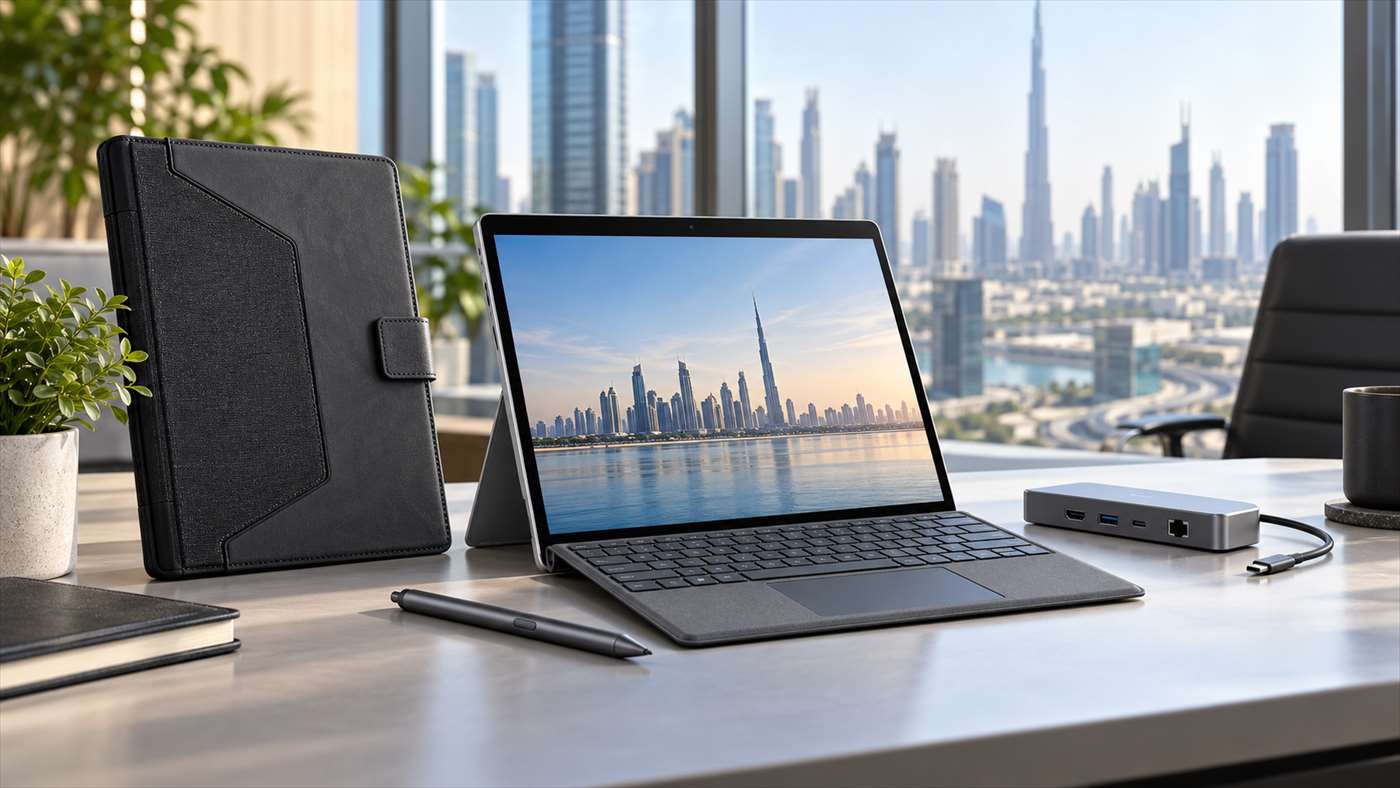
Choosing the right Dell Latitude 7350 accessories starts with one question: do you own the standard Latitude 7350 laptop or the Latitude 7350 Detachable? The detachable is a tablet with a separate keyboard, active pen support and two Thunderbolt 4 ports. Its pen and fitted folio case are not automatically compatible with every Latitude 7350 laptop or 2-in-1.
This Dell Latitude 7350 accessories guide compares practical docks, pen and case options for UAE buyers, with compatibility checks to help you avoid ordering an accessory that fits the wrong chassis.
Dell Latitude 7350 accessories: quick recommendations
- Best desk setup: a Thunderbolt 4 dock such as Dell WD22TB4 for one-cable access to monitors, Ethernet, USB devices and charging. Confirm the dock’s power and display limits for your exact configuration.
- Value USB-C dock: the Dell WD19S USB-C Dock for a straightforward office workstation.
- Multi-display flexibility: the Dell Universal Dock D6000; check its driver requirements and supported resolution for your monitor arrangement.
- Handwriting and markup: Dell’s Latitude 7350 Detachable Active Pen, listed with the Latitude 7350 Detachable Collaboration Keyboard and Active Pen.
- Travel protection: the Dell EcoLoop Protective Case made for the Latitude 7350 Detachable, or a sleeve selected by the device’s actual dimensions.
First, identify your Latitude 7350
Dell uses the Latitude 7350 name for different form factors. The standard Latitude 7350 laptop or 2-in-1 has a built-in keyboard and its own chassis dimensions. The Latitude 7350 Detachable is a 13-inch touchscreen tablet that connects to a separate collaboration keyboard. The Latitude 7350 Detachable with keyboard listing on UAE Tech Dubai is a useful reference when checking which configuration you have.
Dell lists two Thunderbolt 4 ports on the Detachable, with USB-C, USB4, DisplayPort and Power Delivery support. Its screen supports active pen input. See Dell’s official Latitude 7350 Detachable specifications for configuration details. USB-C and Thunderbolt docks are a natural fit, while the pen, magnetic keyboard and custom folio are model-specific. Before buying, compare your model name with the accessory’s supported models.
Best docks for a Latitude 7350 desk setup
Thunderbolt 4 dock: best for a one-cable office
For desk-based Dell Latitude 7350 accessories, a Thunderbolt 4 dock is the most complete choice if you connect external monitors, wired network, keyboard, mouse, headset and storage every day. Dell’s WD22TB4 provides a single-cable host connection and a broad selection of display and USB ports. It is a strong match for a Latitude 7350 with Thunderbolt 4, but the number of displays and charging power depend on the dock, computer configuration, cables and monitor resolution. Check Dell’s docking compatibility guide before you buy.
Dell WD19S: a practical USB-C option
The Dell WD19S dock is a sensible pick for a home office or shared desk when you need USB peripherals, wired Ethernet and external displays over USB-C. It can reduce daily cable changes, but check the included power adapter and your display requirements. A dock’s maximum charging wattage or multi-monitor capability may differ from the laptop’s own limits.
Dell D6000: useful for a flexible peripheral mix
The Dell D6000 Universal Dock is another option if you want several display outputs and USB connections in one place. Review the product specifications and current driver guidance for the Latitude 7350 and the number of screens you plan to use. For a simple single-monitor desk, a compact USB-C hub may be all you need; for a permanent multi-screen station, choose a dock based on the exact monitor resolution and refresh rate rather than the port count alone.
Which pen works with the Latitude 7350?
For the Latitude 7350 Detachable, look for the Dell Latitude 7350 Detachable Active Pen (PN7350A). Dell describes it as a compatible accessory for that detachable system. It is designed for writing notes, signing PDFs, annotating documents and sketching on the touch display. The detachable keyboard’s pen garage can store and charge the matching pen on supported configurations.
Check what is included before ordering: some bundles already include the collaboration keyboard and pen, while a tablet-only package may not. UAE Tech Dubai lists a keyboard and active pen bundle for the Latitude 7350 Detachable. A touchscreen by itself does not guarantee pen compatibility, so do not assume PN7350A works with the regular Latitude 7350 laptop or another Dell model.
Cases and sleeves: prioritize a model-specific fit
For travel, Dell Latitude 7350 accessories should match the exact chassis. Dell’s EcoLoop Protective Case (CG7325L) for the Latitude 7350 Detachable is designed around the detachable tablet. It has shock-absorbing corner protection, a built-in kickstand, a hand strap, a removable shoulder strap and an elastic pen holder. Dell specifies that it can be used with or without the detachable keyboard. This is the best direction if you regularly carry the tablet between meetings or use it on the move.
For the standard Latitude 7350 laptop or 2-in-1, choose a sleeve or briefcase for that exact laptop chassis. A 13-inch label alone is not enough to guarantee fit: check the accessory’s internal length, width and depth, and whether you intend to carry the charger and mouse in the same bag. Browse UAE Tech Dubai’s laptop bags and carrying accessories and compare the dimensions before checkout.
UAE buyer checklist
- Confirm whether your device is the Latitude 7350 Detachable, standard laptop or 2-in-1.
- Match the accessory’s exact model or part number to Dell’s compatibility information.
- For a dock, check host connection, charging wattage, display count, resolution and cable requirements.
- For a pen, confirm active-pen support for your exact display and check if the pen is already bundled.
- For a case, compare the device’s physical dimensions and decide whether it must fit with the keyboard attached.
- Check the live AED price, stock status, included items and warranty on the product page before ordering.
For many Dubai professionals, comparing Dell Latitude 7350 accessories starts with the setup: a compatible USB-C dock for a desk, the correct detachable pen for notes and a fitted case for travel. Shop by exact model at UAE Tech Dubai’s Dell Latitude 7350 Detachable listing, then confirm which accessories are included in your chosen configuration. UAE Tech Dubai is operated by Berjaya Electronics Trading LLC and serves customers in Dubai and across the UAE.
Which dock should I buy for the Dell Latitude 7350?
Choose a Thunderbolt 4 dock for a permanent, multi-device workstation. The WD19S is a practical USB-C alternative, while the D6000 offers a broader universal connection approach. Match power delivery and display support to your specific setup.
Does the Dell Latitude 7350 support an active pen?
The Latitude 7350 Detachable supports an active pen, and Dell lists PN7350A for that model. Check the exact model before buying; not every Latitude 7350 laptop or 2-in-1 has the same pen support.
Will a Latitude 7350 Detachable case fit the regular Latitude 7350?
No. A fitted detachable folio is shaped for the tablet and its keyboard arrangement. Buy a case made for your exact Latitude 7350 form factor and compare its physical dimensions.
Leave a Comment
Your email address will not be published. Required fields are marked *