
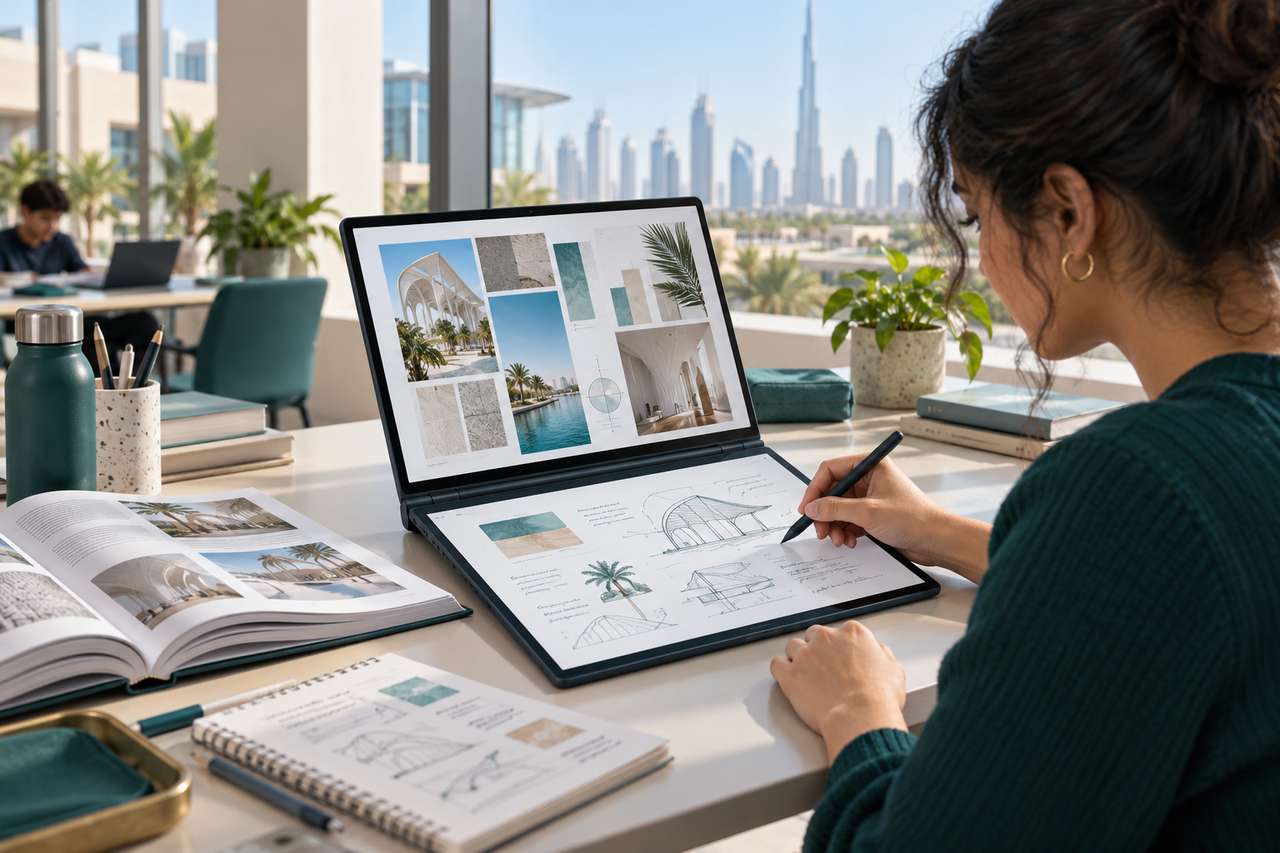
Lenovo Yoga Book 9 for students who move between lectures, research and handwritten notes offers a different approach to a standard laptop: two touch OLED screens, a rechargeable Yoga Pen and a separate Bluetooth keyboard. That extra workspace is useful for reading and writing side by side, though the second screen affects battery life and requires some adjustment.
This guide looks at the UAE Tech Dubai-listed Lenovo Yoga Book 9 14IAH10 (83KJ0001US), with Intel Core Ultra 7 255H, 32GB memory and 1TB SSD. It is a practical buying guide based on the listed configuration, Lenovo’s published specifications and independent reviews; it is not a claim that UAE Tech Dubai ran its own battery or performance tests.
Lenovo Yoga Book 9 specifications at a glance
- Processor: Intel Core Ultra 7 255H, 16 cores
- Memory and storage: 32GB LPDDR5x memory and 1TB PCIe 4.0 SSD
- Displays: Two 14-inch 2.8K (2880 × 1800) OLED touchscreens, up to 120Hz
- Pen: Lenovo Yoga Pen with 4,096 pressure levels and tilt detection
- Graphics: Integrated Intel Arc 140T graphics
- Battery: 88Wh
- Weight: Starting at about 1.219kg
- Wireless and ports: Wi-Fi 7 and three Thunderbolt 4 ports
These are the specifications for the 14IAH10 family and the configuration listed in the UAE Tech Dubai Lenovo Yoga Book 9 product page. Lenovo’s PSREF notes that configurations and battery results can vary by region and usage.
Why two OLED screens can help with study and research
Each screen is a 14-inch 2.8K OLED touchscreen with a 16:10 aspect ratio, a maximum 120Hz refresh rate and specified 100% DCI-P3 colour coverage. In book mode, keep lecture slides, a browser or an e-book on the upper panel while placing notes, a document or a reference image below. In notebook mode, the screens can be extended as a larger vertical workspace.
That split can reduce constant app switching during research: read a brief on one display, draft on the other, and use touch or the pen to mark up material. Lenovo’s User Center also supports window transfer and cross-screen browsing. For the setup steps, see our Lenovo Yoga Book 9 dual-screen modes and productivity guide.
There is a learning curve. A two-panel layout is most useful at a desk, library table or study space where the included stand and keyboard can be positioned comfortably. For quick typing on a crowded lecture-room desk, a regular laptop with a built-in keyboard and touchpad may feel simpler.
Is the Yoga Pen useful for note-taking?
The Yoga Pen is more than a finger-operated stylus: Lenovo specifies 4,096 pressure levels and tilt detection, which can make handwritten notes, PDF markups, diagrams and rough sketches feel more natural in compatible apps. Students can keep a reading or lecture window open while writing on the second display. Designers can sketch ideas, annotate mock-ups or collect visual references without carrying a separate tablet.
The 14IAH10 specification sheet describes the pen as rechargeable. The UAE Tech Dubai listing for this configuration lists the Yoga Pen and Bluetooth keyboard; check the product page and box contents for the exact package before ordering, since regional bundles can differ. The keyboard is separate and wireless, and the PSREF lists no physical touchpad. You can use the on-screen touchpad or add a mouse if your workflow depends on pointer control.
What can students, designers and creators expect from performance?
The Core Ultra 7 255H and 32GB of memory are a strong fit for everyday study and office work: research with many browser tabs, presentations, spreadsheets, video calls, programming coursework and creative applications. The 1TB SSD leaves room for class files, project assets and a local photo library.
For design, the dual OLED panels and their wide specified colour gamut are useful for reviewing layouts, references and images. The integrated Arc 140T graphics can handle general creative work and lighter GPU tasks, but this is not a workstation with a discrete graphics processor. If your course or studio relies on demanding 3D rendering, large simulations or GPU-heavy professional effects, compare it with a laptop built around a discrete GPU before buying.
Memory is soldered, so choose the capacity you expect to need over the laptop’s lifetime. The listed 32GB configuration is generous for multitasking, but it cannot be upgraded later.
Lenovo Yoga Book 9 battery life: rated figures versus real use
The 88Wh battery is sizeable for a 14-inch device, but both OLED panels use power when active. Lenovo’s published maximum figures for the 14IAH10 are up to 9.95 hours in dual-screen book mode on MobileMark 30 at 250 nits, or up to 11.4 hours of local 1080p video playback at 150 nits. Lenovo also lists higher results in single-screen notebook mode. These are controlled benchmark or playback conditions, not a promise of a full day of mixed study or design work.
Independent results give a more grounded picture. Notebookcheck recorded about 6 hours 7 minutes in its Wi-Fi browsing test with both screens active on a Core Ultra 7 255H review unit. Tom’s Hardware measured 6 hours 49 minutes in its own mixed browsing, video and graphics battery test at 150 nits. Their protocols differ from Lenovo’s tests, so the figures are not direct comparisons, but they show why a dual-screen workflow can run shorter than the manufacturer’s maximum rating.
For longer campus days in Dubai, use one screen when you do not need both, lower brightness to a comfortable level, and carry a compatible USB-C charger if you expect extended note-taking, video calls or creative work. Actual runtime changes with brightness, refresh rate, apps, wireless use and power settings.
Who should buy the Lenovo Yoga Book 9 in Dubai?
- Good fit: students who read and take notes side by side; researchers who work from multiple references; designers who value touch, pen input and colour-rich displays; frequent multitaskers who want a portable two-screen setup.
- Think carefully: buyers who need long battery endurance with both screens on, prefer a built-in keyboard and touchpad, or often work away from a desk.
- Choose another class of laptop: creators whose main workload depends on a discrete GPU, upgradeable memory or workstation-grade graphics.
Its appeal is the way it changes the workspace: two OLED panels and pen input in a portable device. The trade-offs are equally clear—battery life depends heavily on how many screens are lit, there is no physical touchpad, and the RAM is fixed. If that balance suits your classes or design workflow, check the Lenovo Yoga Book 9 14IAH10 price, stock and delivery details in the UAE before ordering.
Is the Lenovo Yoga Book 9 good for university students?
It can suit students who read, research and write at the same time, especially when handwritten notes or PDF markup are part of their routine. It is less convenient if you mainly need a traditional laptop posture for fast typing in small spaces.
Does the Lenovo Yoga Book 9 include a pen?
The UAE Tech Dubai listing for the 83KJ0001US configuration lists the Lenovo Yoga Pen and a Bluetooth keyboard. Confirm the exact included accessories and regional warranty on the product page before purchase.
How long does the Yoga Book 9 battery last?
Lenovo lists up to 9.95 hours in a dual-screen MobileMark test and 11.4 hours of local 1080p video playback under specified conditions. Independent Wi-Fi and mixed-use tests have reported around six to seven hours, depending on the test and configuration. Your results will vary with brightness, apps and screen use.
Can the Yoga Book 9 replace a drawing tablet?
It can be convenient for handwritten notes, annotations, concept sketches and lighter illustration tasks. Artists who need a specialised pen display, extensive shortcut controls or dedicated graphics for complex projects may prefer a dedicated tablet or a workstation laptop.


Leave a Comment
Your email address will not be published. Required fields are marked *