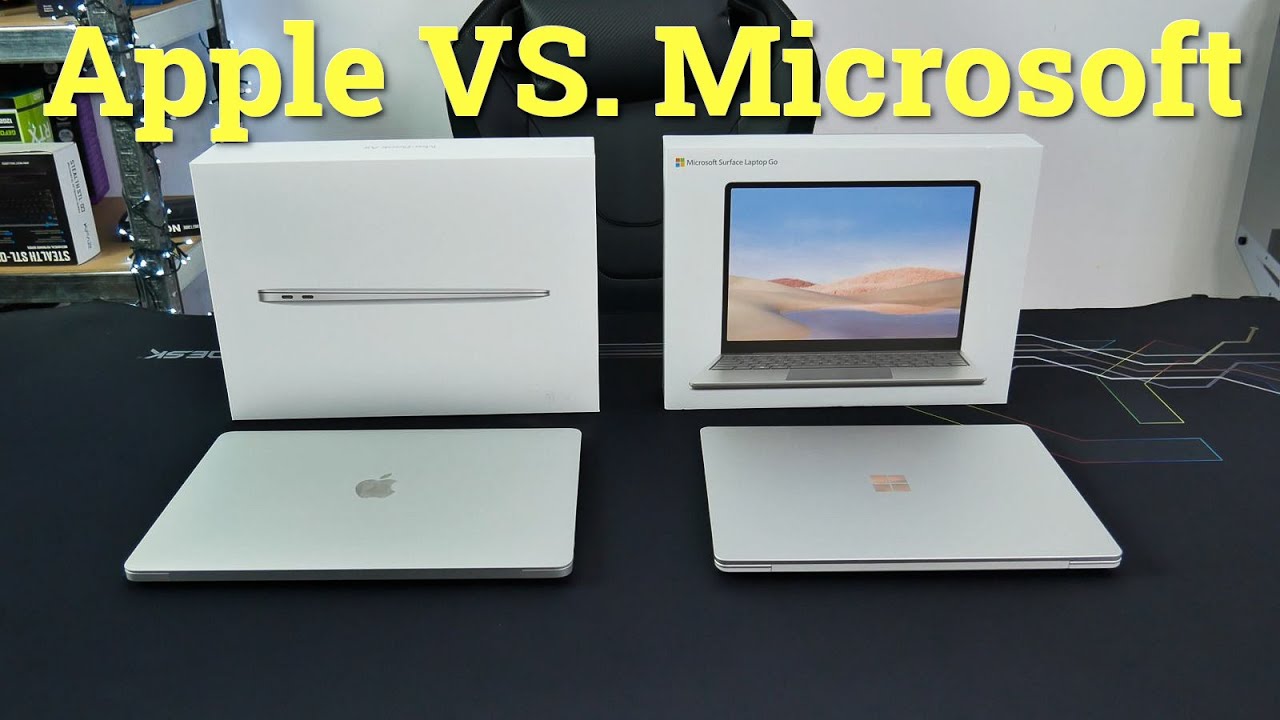
Choosing between the Microsoft Surface Laptop 8 and MacBook Air M5 comes down to the software you use, the screen you prefer and the full price of your chosen configuration. For buyers in Dubai, stock availability, keyboard layout and local warranty support also deserve attention.
Choose the Surface Laptop 8 if you want Windows and a touchscreen. Choose the MacBook Air M5 if you prefer macOS and silent, fanless operation. Before ordering either laptop, check the exact processor, memory and storage rather than relying on the model name alone.
This guide compares published specifications and practical buying considerations. It does not claim hands-on benchmark results.
Surface Laptop 8 vs MacBook Air M5: Key Differences
Microsoft offers Surface Laptop for Business 8th Edition models with Intel Core Ultra Series 3 or Snapdragon X2 processors. These are different platforms, so performance and compatibility advice must match the version you buy. Microsoft’s model specifications explain the available families.
UAE Tech Dubai’s Microsoft Surface Laptop 8th Edition listing identifies a Snapdragon X2 Elite model with 16GB RAM and a 1TB SSD. This is the local configuration referenced below.
Feature
Surface Laptop 8
MacBook Air M5
Processor
Intel or Snapdragon, depending on model; store listing specifies X2 Elite
Apple M5
Screen sizes
13.8-inch and 15-inch in the reviewed 8th Edition business range
13.6-inch and 15.3-inch
Touchscreen
Yes
No
Memory
Local listing: 16GB
16GB, 24GB or 32GB options
Storage
Local listing: 1TB
Starts at 512GB; configurable up to 4TB
Main buying advantage
Touch interaction and Windows workflow
Fanless operation and Apple ecosystem
Apple’s MacBook Air M5 specifications confirm its memory and storage options. Compare equivalent configurations before deciding which offers better value.
Performance for Work, Study and Creative Projects
Everyday office work and multitasking
For email, documents, browser dashboards and online classes, start with your working habits. How many apps stay open? Do you work with large spreadsheets? Will your employer install security software or a company VPN?
Our buying recommendation is to treat 16GB as a sensible starting point for general productivity. Consider more memory if you routinely combine large files, creative apps and heavy multitasking. Paying for capacity you will use is more helpful than choosing a processor simply because its name sounds newer.
Windows software and Snapdragon compatibility
The Snapdragon Surface runs Windows on Arm. Microsoft says most Windows applications can run, with native Arm applications offering the best performance and emulation supporting many others. However, peripherals and software that require drivers need compatible Arm drivers. Some games also face anti-cheat compatibility limits. See Microsoft’s Windows on Arm guidance.
Before buying, check your accounting package, VPN, printer and specialist plugins. If your organisation depends on older Windows tools, ask its IT team to approve the exact Surface configuration. An Intel model may be the more straightforward option for that environment, subject to the software vendor’s requirements.
Design, editing and development
The M5 includes hardware acceleration for formats such as H.264, HEVC and ProRes. That makes its media capabilities relevant when comparing editing workflows. However, a specification sheet alone cannot establish which laptop finishes your projects faster.
Ask for a demonstration using your own files where possible. For development, check your required tools, containers and deployment targets. For design, confirm plugin support and external-display requirements. The best laptop is the one that runs your complete workflow reliably.
Display and Portability
Surface for touch interaction
The Surface Laptop 8’s PixelSense Flow display supports touch and refresh rates up to 120Hz. Its 3:2 format provides a relatively tall workspace, useful when viewing documents and spreadsheets. Microsoft’s Intel model specification page details the display options.
Touch is useful for tapping controls or navigating a presentation. It does not mean this laptop is a pen tablet: Microsoft states that these Surface Laptop displays do not support Surface Pen input.
MacBook Air for a quiet workspace
Apple offers the M5 Air in two sizes with a fanless design. That is a practical benefit in quiet classrooms, shared offices and recording spaces. The smaller size is worth considering if you regularly carry your laptop between home, work and meetings.
Try the keyboard and screen in person if possible. A larger display can improve comfort at a desk, while a smaller machine may suit a crowded bag or frequent travel better.
Battery Life: Compare the Testing Conditions
Apple rates the MacBook Air M5 for up to 18 hours of video streaming or 15 hours of wireless web use. Microsoft’s 13.8-inch Snapdragon Surface Laptop for Business 8th Edition is rated for up to 20 hours of local video playback or 16 hours of active web use. These figures come from Apple and Microsoft.
Those are manufacturer estimates using different tests, not a direct endurance contest. They also do not guarantee the runtime of every retail configuration.
For a working day in Dubai, video calls, brightness, background apps and external devices will affect battery use. If endurance is your main priority, look for a controlled comparison of the exact models you are considering.
Ports, Accessories and AI Features
The MacBook Air M5 has two Thunderbolt 4 ports, MagSafe charging and a headphone connection. It supports up to two external displays. Surface configurations include USB-C and USB-A, but port capabilities vary by platform and model.
Make a list of your monitor, dock, mouse, storage drive and presentation cables. Include any required adapters in the purchase budget. Confirm the exact Surface SKU’s USB-C specification before ordering a Thunderbolt accessory.
For AI features, focus on a task you actually need: call effects, writing assistance or local processing, for example. Ask whether that feature is available in your language, region and software subscription. An AI badge should not outweigh software compatibility or sufficient memory.
Surface Laptop 8 and MacBook Air M5 Prices in Dubai
As checked on 3 October 2026, UAE Tech Dubai lists its Snapdragon X2 Elite Surface Laptop 8 with 16GB RAM and 1TB SSD at AED 7,830, with availability marked on backorder. Confirm the delivery date before paying.
For context, Apple’s UAE launch announcement priced the 13-inch MacBook Air M5 from AED 4,599 and the 15-inch from AED 5,499. These are March 2026 launch prices, not a current UAE Tech Dubai quotation.
The Surface listing and entry-level MacBook prices are not equivalent offers: storage, operating system and configuration differ. Request a current quote for matching memory and storage before comparing totals.
When checking the MacBook Air M5 price in Dubai or Surface Laptop 8 price in UAE, also confirm keyboard layout, charger inclusion, invoice total, warranty provider and return terms. Browse the store’s MacBook range and ask about the exact M5 model you want.
Which Laptop Should You Buy?
Your priority
Our recommendation
Windows workflow with touch controls
Surface Laptop 8, after checking application compatibility
Quiet operation and a preference for macOS
MacBook Air M5
Older company software or specialist peripherals
Have IT approve an Intel Surface or another suitable Windows model
University coursework
Follow the course’s software requirements first
A fixed purchase budget
Compare complete, equivalent local quotations
For business purchases, consider the cost of setup and support as well as hardware. Explore business laptops in UAE if neither configuration fits your organisation’s requirements.
Buy the Right Laptop from UAE Tech Dubai
The Surface Laptop 8 is a strong candidate for buyers who want Windows and touch. The MacBook Air M5 deserves consideration for buyers who prefer macOS and a silent laptop. Your software and final quotation should decide the purchase.
Ready to choose? Shop with UAE Tech Dubai (Berjaya Electronics). Share your budget, required apps and preferred screen size with the team, then confirm your configuration, warranty and delivery date before placing your order.
Is the Surface Laptop 8 better than the MacBook Air M5?
It is the better fit when you need its Windows environment and touchscreen. The MacBook Air is appealing when macOS suits your software and you value fanless operation. There is no universal winner across all configurations and workloads.
Which is better for students in Dubai?
Check your course requirements before choosing. A laptop for essays and browser research has different needs from one used for engineering software. Ask your university about required applications, then choose the screen size and memory that fit your budget.
Can I buy both models from UAE Tech Dubai?
The store has a Surface Laptop 8 product listing and a MacBook category. Ask the sales team to confirm the Surface backorder timeline and current MacBook Air M5 availability, configuration and price.
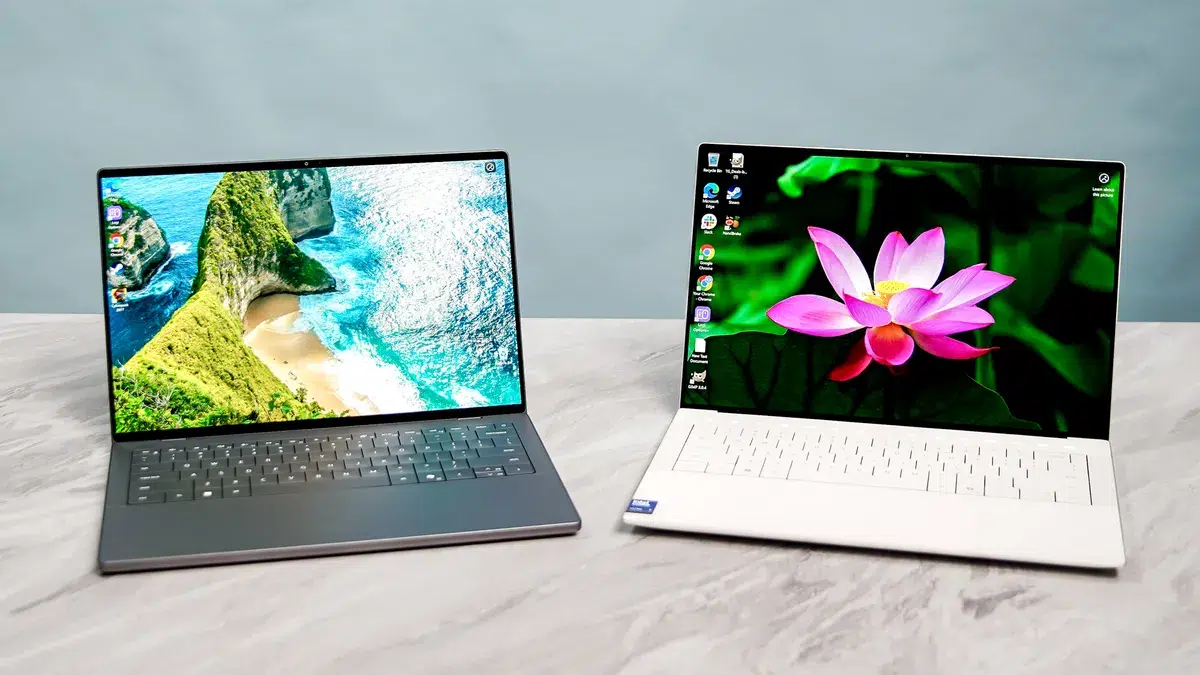
Choosing between the Dell 14S and Dell XPS 14 starts with a simple question: what will you actually do with your laptop?
For office work, studying, browser-based tools, and everyday multitasking, the Dell 14S deserves a place on your shortlist. For buyers who want a high-resolution OLED display and dedicated NVIDIA graphics, a suitably configured XPS 14 9440 offers a different set of benefits.
However, the model number matters. This guide focuses on the Dell 14S DS14260 and Dell XPS 14 9440 configurations listed by UAE Tech Dubai, helping buyers in Dubai and across the UAE choose based on their workload.
First, Check Which Dell XPS 14 You Are Comparing
The XPS 14 9440 appears on UAE Tech Dubai with Intel Core Ultra 7 155H configurations. The newer XPS 14 DA14260 is a separate model: Dell lists it with Series 3 processors and a 14-inch display. Its specifications should not be mixed with those of the 14.5-inch 9440.
The Dell 14S also needs a precise model reference. Here, that is DS14260.
Before comparing prices, match the full model number, processor, graphics, RAM, storage, and screen. A lower-priced listing may be a different configuration rather than a better deal.
Dell 14S vs Dell XPS 14: Key Specifications
The following comparison uses two specific configurations found on UAE Tech Dubai.
Feature
Dell 14S DS14260
Dell XPS 14 9440
Processor
Intel Core Ultra 9 386H
Intel Core Ultra 7 155H
RAM
32GB
32GB
Storage
512GB SSD
1TB SSD
Display
14-inch FHD+ touch
14.5-inch 3.2K OLED touch
Graphics
Intel Graphics
NVIDIA GeForce RTX 4050, 6GB
Operating system
Windows 11 Home
Windows 11 Pro
Main buying consideration
Productivity, connectivity, and overall value
OLED display, dedicated graphics, and larger SSD
These are individual store listings, not specifications shared by every Dell 14S or XPS 14. The store also lists XPS 14 configurations with integrated graphics.
Performance for Work, Study, and Creative Tasks
Office Work and Everyday Multitasking
If your day involves Excel, presentations, online meetings, accounting software, and browser tabs, the Dell 14S configuration is a sensible starting point.
Its listed 32GB memory gives you room for multitasking. For buyers who mainly use office applications, it is worth comparing the final price before paying extra for graphics hardware they may rarely use.
The XPS 14 configuration is also suitable for these tasks. However, its OLED screen and dedicated GPU are more relevant when your work benefits from those features.
You can explore other business laptops in the UAE if your purchase also needs specific company IT requirements.
Video Editing, Design, and Graphics Work
The listed XPS 14 9440 includes an RTX 4050 with dedicated graphics memory. That makes it the more relevant configuration to investigate for applications that benefit from NVIDIA GPU acceleration. The Dell 14S listing uses integrated Intel graphics.
This is a workload-based recommendation, not a claim that the XPS wins every performance test.
Check the requirements of your editing, rendering, or design software. Processor speed, cooling, graphics support, and available memory all affect the result. A Core Ultra 9 label alone does not settle a comparison against a laptop with dedicated graphics.
The selected XPS 14 has a 3200 × 2000 OLED touchscreen, while the selected Dell 14S listing specifies an FHD+ touchscreen. The XPS therefore offers a higher-resolution display in this particular comparison.
For photographers, designers, and people who enjoy films on their laptop, the screen may justify a meaningful part of the price difference. For spreadsheets, email, and document work, an FHD+ display may be sufficient.
Do not assume every Dell 14S has the same panel. Dell documents multiple DS14260 display options, including FHD+, QHD+, and OLED versions, with different brightness and colour specifications.
For Dubai buyers working near bright windows or in cafés, ask about brightness, screen coating, and reflections. “Touchscreen” describes an input feature; it does not tell you everything about image quality.
Portability and Battery Life
A laptop’s travel weight includes its charger and any adapters you need.
Dell lists the DS14260 at a minimum of approximately 1.45kg with a non-touch display or 1.50kg with touch, depending on configuration. Check the weight of the exact unit you intend to purchase.
Battery life needs similar care. A result from an XPS 14 DA14260 review should not be presented as a result for an XPS 14 9440.
Compare tests that identify the exact processor, screen, power settings, and workload. Video playback, Team calls, and editing projects place different demands on a laptop.
If you regularly move between university, home, and client meetings, prioritise realistic battery evidence over a headline claim of “all-day” use.
Ports, RAM, and Storage
Connections for Your Desk
The Dell 14S DS14260 includes two USB-A ports, two Thunderbolt 4 ports, HDMI, and a headset connection. This is useful when connecting existing office equipment or a meeting-room display.
The listed XPS 14 9440 provides three Thunderbolt 4 ports, a headset connection, and a microSD card reader. Check whether your HDMI monitor or USB-A accessories will need an adapter.
Include those accessories when comparing the total purchase cost.
Choose Enough Memory at Purchase
Dell states that the DS14260’s onboard RAM cannot be upgraded. Buy the memory capacity you expect to need over the laptop’s working life.
For general office use, 16GB can be a practical starting point. Consider 32GB for heavier multitasking, larger projects, or development tools.
Storage deserves separate attention. The selected XPS has twice the listed SSD capacity of the selected 14S. That difference matters if you keep videos, project files, or large photo libraries locally.
Dell 14S and Dell XPS 14 Prices in the UAE
Compare the final AED price for the exact configuration.
During research, retrieved Dell 14S category listings showed different prices. That makes a current quotation more dependable than repeating one figure as a fixed price.
When checking the Dell XPS 14 price in UAE, compare like-for-like specifications. An integrated-graphics version should not be priced against an RTX model without recognising the hardware difference.
Before paying, confirm:
The complete model number and specifications.
Whether the final quotation includes VAT and delivery.
Product condition and keyboard layout.
Warranty provider, duration, and coverage in the UAE.
Included charger and any required adapters.
Return terms and estimated delivery date.
A clear written quotation helps you assess the whole purchase.
Which Laptop Should You Buy?
Choose the Dell 14S for Productivity and Practical Connections
Shortlist the Dell 14S if you spend most of your time in office software, web applications, online classes, or coding tools.
Its built-in HDMI and USB-A connections are useful for existing accessories. The listed 32GB configuration is also worth considering if you keep several applications open throughout the day.
It becomes the stronger value choice when its confirmed price is meaningfully lower and you do not need the XPS configuration’s dedicated GPU or higher-resolution screen.
Choose the XPS 14 for Its Specific Display and Graphics Benefits
For a creative professional, those features may be worth paying for. For someone mainly answering email and editing documents, they may have less practical value.
Choose the configuration that solves your needs rather than assuming the XPS name automatically makes every version better.
Buy Your Dell Laptop from UAE Tech Dubai
For productivity and useful everyday connections, shortlist the Dell 14S DS14260. For the particular combination of OLED, RTX graphics, and larger storage discussed here, consider the Dell XPS 14 9440.
It depends on the configuration and your priorities. The 14S can be the more practical productivity purchase, while the selected XPS 14 9440 offers a higher-resolution OLED screen and dedicated NVIDIA graphics.
Does Every Dell XPS 14 Have an NVIDIA GPU?
No. UAE Tech Dubai lists an XPS 14 9440 with Intel Arc graphics, alongside NVIDIA-equipped configurations. Read the graphics specification before ordering.
Which Is Better for Students in Dubai?
Choose according to your course. General study and office tasks favour value and portability. Design, engineering, or media courses may need particular software and graphics capabilities, so check your university’s requirements first.
Should I Buy the Newer XPS 14 Instead?
Compare it separately. The XPS 14 DA14260 is a different generation from the 9440 discussed here. Request its exact specification and UAE price before deciding whether its features justify the cost.
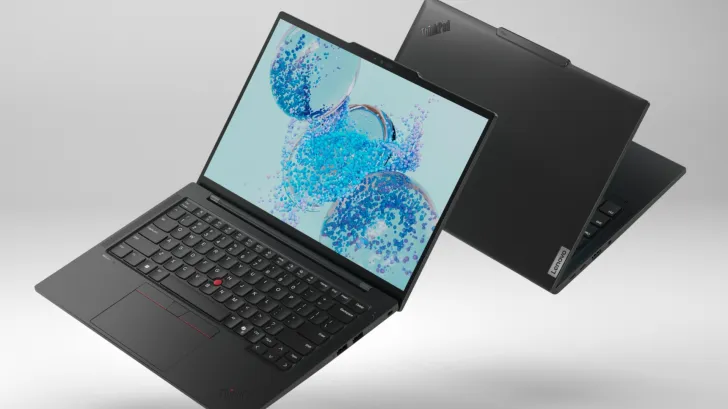
Choosing between the Lenovo Yoga Book 9 and the Lenovo ThinkPad T14s is one of the most common questions we get from customers across Dubai, Abu Dhabi, and Sharjah. Both are premium Lenovo laptops, but they’re built for completely different people. The Yoga Book 9 is a dual-screen, ultra-portable 2-in-1 designed for creators and multitaskers, while the ThinkPad T14s is a business-grade workhorse built for durability, security, and long working hours.
In this guide, we compare both laptops on design, display, performance, battery life, and price in the UAE – so you can decide which one is worth your money before you buy.
Lenovo Yoga Book 9 Vs ThinkPad T14s: Quick Comparison Table
Feature
Lenovo Yoga Book 9
Lenovo ThinkPad T14s
Form Factor
Dual-screen 2-in-1 convertible
Traditional business laptop
Display
2x 13.3″ 2.8K OLED touchscreens
14″ FHD/2.8K OLED (single screen)
Processor
Intel Core Ultra 7 (U-series)
Intel Core Ultra 5/7 or Snapdragon X Elite
RAM
Up to 32GB LPDDR5X
Up to 64GB LPDDR5X
Storage
Up to 1TB SSD
Up to 1TB SSD
Battery
80Wh, up to 14 hours
Up to 15+ hours
Weight
~1.34 kg
~1.2–1.3 kg
Best For
Creators, presenters, multitaskers
Business professionals, remote workers, IT teams
Starting Price (UAE)
Approx. AED 7,500+
Approx. AED 5,800+
What Is the Lenovo Yoga Book 9?
The Lenovo Yoga Book 9 is Lenovo’s flagship dual-screen 2-in-1 laptop, built around two 13.3-inch 2.8K OLED touchscreens joined by a 360-degree hinge. It’s less a “laptop” in the traditional sense and more a flexible productivity device that can switch between laptop, tablet, tent, and stacked-screen modes.
Key Features of the Yoga Book 9’s Dual-Screen Design
The standout feature is obviously the twin OLED displays. You can run one screen as your main workspace and the second as a secondary monitor, use one screen for video calls while the other shows notes, or fold it into “book mode” for reading and sketching with the included digital pen. It ships with a detachable Bluetooth keyboard and a Bluetooth mouse, plus Dolby Atmos audio tuned by Bowers & Wilkins for a genuinely premium multimedia experience.
Battery: 80Wh, rated up to 14 hours video playback
Ports: 3x Thunderbolt 4 / USB4
Weight: 1.34 kg
What Is the Lenovo ThinkPad T14s?
The Lenovo ThinkPad T14s is part of Lenovo’s legendary ThinkPad T-series, built specifically for business and enterprise users. It’s a single-screen, traditional-format laptop that prioritizes durability, security, keyboard comfort, and long battery life over flashy design.
Key Features of the ThinkPad T14s
The T14s carries MIL-SPEC durability testing, a spill-resistant keyboard with the classic ThinkPad TrackPoint, and enterprise-grade security features including a discrete TPM chip, IR camera with Windows Hello, and optional fingerprint reader. It’s also available with either Intel Core Ultra processors or a Snapdragon X Elite chip for Copilot+ PC AI features and exceptional battery efficiency – making it a strong pick for IT-managed fleets and remote teams.
Lenovo ThinkPad T14s Specifications
Display: 14″ WUXGA or 2.8K OLED, up to 400 nits
Processor: Intel Core Ultra 5/7 or Qualcomm Snapdragon X Elite
RAM: Up to 64GB LPDDR5X
Storage: Up to 1TB PCIe SSD
Battery: Multi-day battery life on Snapdragon models
Security: TPM 2.0, IR camera, optional fingerprint reader
Weight: Approx. 1.2–1.3 kg
Lenovo Yoga Book 9 Vs ThinkPad T14s: Detailed Comparison
Design and Portability
The Yoga Book 9 wins on sheer creativity of design – it’s thinner, lighter in feel, and doubles as a tablet or presentation tool. The ThinkPad T14s is more conventional but built to survive years of daily commuting, drops, and heavy office use, which matters if you’re carrying your laptop between meetings across Dubai daily.
Display Quality
Both use OLED panels, but the Yoga Book 9’s dual 2.8K displays give it a clear edge for multitasking, content creation, and presentations. The ThinkPad T14s’s single screen is sharp and color-accurate but built for focused, single-task productivity rather than visual flexibility.
Performance
The ThinkPad T14s can be configured with up to 64GB RAM, making it the stronger choice for heavy multitasking, virtual machines, and enterprise software. The Yoga Book 9 tops out at 32GB RAM and is tuned more for everyday productivity and creative work than intensive computing.
Battery Life
Both laptops perform well, but ThinkPad T14s configurations with the Snapdragon X Elite chip are known for multi-day battery life on light use, making it more travel-friendly for professionals who don’t always have access to a charger during long workdays.
Keyboard and Typing Experience
This is where the ThinkPad name matters most. The T14s has Lenovo’s award-winning keyboard with excellent key travel and the signature TrackPoint. The Yoga Book 9 relies on a detachable Bluetooth keyboard, which is good but not quite in the same league for long typing sessions.
Security and Business Features
The ThinkPad T14s is purpose-built for enterprise IT – TPM security chip, IR webcam, fingerprint options, and long-term driver/firmware support. The Yoga Book 9 has standard consumer-level security and is not primarily designed for corporate IT deployment.
Price in UAE and Dubai
In the UAE market, the ThinkPad T14s generally starts lower than the Yoga Book 9, since the dual-screen design of the Yoga Book 9 commands a premium price. If budget and business durability matter most, the T14s offers better value per dirham; if you want a unique, future-forward productivity device, the Yoga Book 9 justifies its higher price tag.
Which One Should You Buy in Dubai, UAE?
Choose the Lenovo Yoga Book 9 If:
You’re a content creator, consultant, or presenter who needs dual-screen flexibility
You want a device that also works as a tablet and sketchpad
Visual design and portability matter more than raw multitasking power
Choose the Lenovo ThinkPad T14s If:
You need a reliable business laptop for daily office or remote work in Dubai
Your company requires enterprise-grade security and IT manageability
You want the best keyboard and longest battery life for full workdays
Where to Buy Lenovo Yoga Book 9 and ThinkPad T14s in Dubai, UAE
If you’ve decided which model fits your workflow, you can buy both the Lenovo Yoga Book 9 and the Lenovo ThinkPad T14s in Dubai throughUAE Tech Dubai (Berjaya Electronics) – a trusted UAE tech retailer offering genuine Lenovo laptops with local warranty and fast delivery across Dubai and the wider Emirates.
Conclusion
Both the Lenovo Yoga Book 9 and Lenovo ThinkPad T14s are excellent laptops, but they serve different needs. Choose the Yoga Book 9 if you want a bold, dual-screen device for creativity and presentations. Choose the ThinkPad T14s if you need a dependable, secure business laptop built for daily productivity.
Whichever you choose, buy with confidence from UAE Tech Dubai (Berjaya Electronics) – your trusted source for genuine Lenovo laptops in Dubai, backed by local warranty support and fast UAE-wide delivery.Visit UAE Tech Dubai now to compare prices and place your order today.
Is the Lenovo Yoga Book 9 good for business use? It works well for presentations and creative multitasking, but the ThinkPad T14s is the better choice for enterprise security and IT management.
Which laptop has better battery life, Yoga Book 9 or ThinkPad T14s? The ThinkPad T14s, particularly Snapdragon X Elite configurations, generally offers longer real-world battery life than the dual-screen Yoga Book 9.
Is the Lenovo ThinkPad T14s worth buying in 2026? Yes – it remains one of the most reliable business laptops available in the UAE, combining strong security, a great keyboard, and solid performance for professionals.
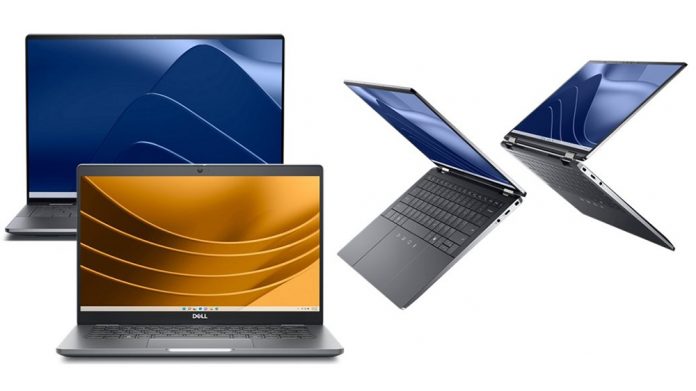
If you’re shopping for a new business laptop in Dubai or anywhere across the UAE, you’ve probably narrowed it down to two very different Dell machines: the Dell Pro Max 16 Premium and the Dell Latitude 7350. Both are 2026-generation Dell laptops built for professionals, but they’re designed for completely different types of work.
This guide breaks down every spec that actually matters – processor, display, battery, graphics, security, and price – so you can decide with confidence which one fits your workflow, budget, and lifestyle in the UAE.
Which Laptop Should You Buy?
If you don’t have time to read the full comparison, here’s the short version.
Choose Dell Pro Max 16 Premium If You Need Power
The Dell Pro Max 16 Premium is built for creative professionals, engineers, and anyone running demanding software – video editing, 3D rendering, CAD, or AI workloads. It packs an Intel Core Ultra 7/9 H-series processor, a dedicated NVIDIA RTX PRO graphics card, and up to 64GB of RAM into a thin 16-inch chassis.
Choose Dell Latitude 7350 If You Need Portability
The Dell Latitude 7350 is a detachable 2-in-1 built for executives, sales teams, and travelers who live out of a bag. It’s lighter, has a stunning 3K touchscreen, and is designed around all-day battery life rather than raw graphics power.
Dell Pro Max 16 Premium vs Dell Latitude 7350 – Full Specs Comparison Table
Dell Pro Max 16 Premium: Thin, Light, Premium Aluminum Chassis
Despite packing workstation-class hardware, the Dell Pro Max 16 Premium keeps a surprisingly slim aluminum body at roughly 2.19kg. It’s positioned by Dell as a true successor to the XPS design language – clean lines, minimal branding, and a keyboard deck built for long working sessions. This makes it a strong pick for professionals who want desktop-level performance without carrying a bulky workstation.
Dell Latitude 7350: Detachable 2-in-1 Business Tablet
The Latitude 7350 takes a completely different approach. It’s a detachable tablet with a magnetic keyboard and stylus support, built in aluminum with Gorilla Glass Victus protection on the display. At under a kilogram for the tablet unit alone, it’s designed for people who move between meetings, flights, and client sites and need something that converts instantly from laptop to tablet mode.
Performance & Processor Comparison
Dell Pro Max 16 Premium – Intel Core Ultra 7/9 H-Series Power
This is where the two laptops diverge the most. The Pro Max 16 Premium runs on Intel’s H-series Core Ultra processors (up to the Ultra 9 285H), which are built for sustained, high-wattage performance – up to 45W of sustained power draw versus the 15–28W range on U-series chips. Paired with up to 64GB of RAM and a dedicated NVIDIA RTX PRO GPU, this machine can comfortably handle video editing in Premiere Pro, 3D CAD modeling, and local AI model inference.
Dell Latitude 7350 – Intel Core Ultra 5/7 U-Series Efficiency
The Latitude 7350 uses Intel’s U-series Core Ultra chips, tuned for battery efficiency rather than peak performance. It handles everyday business computing extremely well – spreadsheets, video calls, browser-based tools, and light multitasking – but it isn’t built for heavy creative or engineering workloads. For its target user (a road warrior who mostly works in Outlook, Teams, and cloud apps), this trade-off makes sense.
Display & Graphics Comparison
16-inch Workstation Display vs 13-inch 3K Touch Display
The Pro Max 16 Premium’s 16″ FHD+ (1920×1200) screen is built for screen real estate and color accuracy during creative work, though it skips touch input. The Latitude 7350 counters with a sharper 3K (2880×1920) IPS touchscreen with anti-glare and anti-smudge coatings – smaller in size, but higher pixel density (267 ppi), and built for pen input and tablet use.
NVIDIA RTX PRO Graphics vs Integrated Intel Graphics
This is the clearest performance differentiator. The Pro Max 16 Premium’s NVIDIA RTX PRO 1000 (or RTX PRO 500) Blackwell GPU with 8GB GDDR7 memory is a genuine dedicated graphics card capable of GPU-accelerated rendering, AI workloads, and light gaming. The Latitude 7350 relies entirely on integrated Intel graphics, which is efficient and fine for office work, but not suited for GPU-intensive tasks.
Battery Life & Portability
Dell Pro Max 16 Premium Battery Performance
With a 96Wh battery, the Pro Max 16 Premium is rated for around 11 hours of use – respectable for a machine with a dedicated GPU, though real-world performance under heavy load (rendering, GPU tasks) will bring this down noticeably.
Dell Latitude 7350 Battery Performance
The Latitude 7350’s smaller 46.5–57Wh battery is rated up to 12.4 hours thanks to its more power-efficient U-series processor and lack of discrete graphics. Combined with its lighter weight, it’s the clear winner for anyone who needs to work untethered from a charger for a full business day.
Security & Business Features
Both laptops are built for enterprise IT environments, with Intel vPro, TPM 2.0, and fingerprint authentication as standard. The Latitude 7350 adds Dell’s ControlVault 3+ security chip, which is often required in government, banking, and highly regulated sectors across the UAE. The Pro Max 16 Premium matches most of this security depth while adding the horsepower for data-heavy workloads that also need protecting.
Price Comparison in UAE (AED Pricing Guide)
Pricing varies by configuration (processor tier, RAM, and storage), but as a general guide for the UAE market:
Dell Pro Max 16 Premium typically starts higher due to its dedicated NVIDIA RTX PRO graphics and higher-wattage processor – positioning it as a premium workstation-class purchase.
Dell Latitude 7350 sits in the upper-mid business laptop range, priced for its detachable design, 3K display, and enterprise security features rather than raw power.
For exact, current AED pricing and available configurations in Dubai, check the live listings on our Dell laptops collection.
Which One Should You Buy? (Use-Case Based Recommendations)
Best For Designers, Engineers & Content Creators
If your daily work involves video editing, 3D design, CAD, engineering simulations, or AI/ML development, the Dell Pro Max 16 Premium is the clear choice. The dedicated RTX PRO graphics and higher RAM ceiling will save you real time on render and export tasks.
Best For Executives, Sales Teams & Frequent Travelers
If you’re constantly moving between meetings, client visits, and flights across the UAE and internationally, the Dell Latitude 7350’s detachable design, lighter weight, and longer battery life will serve you far better day to day.
Best For Students & Hybrid Workers
For general productivity, note-taking with a stylus, and occasional creative work, the Latitude 7350’s touchscreen and tablet mode offer more flexibility. But if budget allows and you want a machine that will still handle heavier software down the line, the Pro Max 16 Premium gives you more long-term headroom.
Final Verdict: Where to Buy in Dubai & UAE
Both the Dell Pro Max 16 Premium and Dell Latitude 7350 are excellent 2026 business laptops – they’re just built for different people. Choose the Pro Max 16 Premium if performance, graphics power, and multitasking headroom matter most to your work. Choose the Latitude 7350 if portability, battery life, and touchscreen flexibility matter more than raw power.
Whichever you choose, buy from a trusted, authorized source. UAE Tech Dubai (Berjaya Electronics) offers genuine Dell laptops with local warranty support, fast Dubai-wide delivery, and expert configuration advice tailored to your workload.
Is the Dell Pro Max 16 Premium good for gaming? It can handle light-to-moderate gaming thanks to its NVIDIA RTX PRO GPU, but it’s designed as a professional workstation, not a gaming laptop.
Does the Dell Latitude 7350 support a stylus? Yes, it supports active pen input for note-taking and sketching on its 3K touchscreen.
Which laptop has better battery life? The Dell Latitude 7350 generally lasts longer per charge due to its more power-efficient processor and lack of a discrete GPU.
Can I upgrade RAM or storage on either laptop? Both use onboard/soldered LPDDR5X memory in most configurations, so RAM is typically fixed at purchase – choose your configuration carefully at checkout.
Which one is better value for a small business in Dubai? If your team does general office work, the Latitude 7350 offers better value. If your team includes designers or engineers, the Pro Max 16 Premium’s performance justifies the higher price.
Choosing between the Samsung Galaxy Book6 and Samsung Galaxy Book5 Pro is not as straightforward as simply buying the newer laptop.
The Galaxy Book6 brings Samsung’s newer computing platform, Intel Core Ultra Series 3 processors and strong everyday productivity features. The Galaxy Book5 Pro, however, remains an attractive premium option because of its higher-resolution Dynamic AMOLED 2X touchscreen, slim construction, Intel Arc graphics and strong Galaxy ecosystem integration.
For buyers searching for a Samsung laptop in Dubai or anywhere in the UAE, the better choice therefore depends on what you value most: newer-generation hardware and practical productivity, or a premium display and more sophisticated multimedia experience.
This Samsung Galaxy Book6 vs Galaxy Book5 Pro comparison explains the differences in display quality, processors, graphics, battery, portability, connectivity, AI features and everyday use so you can decide which Galaxy Book fits your needs.
Samsung Galaxy Book6 Vs Galaxy Book5 Pro: Quick Verdict
Choose the Samsung Galaxy Book6 if you want newer Intel Core Ultra Series 3 hardware, excellent everyday productivity, a practical port selection and a modern Samsung Windows laptop for work, study and general use.
Choose the Samsung Galaxy Book5 Pro if display quality, portability, premium design, stronger integrated graphics and multimedia performance matter more to you.
For professionals and creators who spend hours looking at their laptop screen, the Galaxy Book5 Pro’s 3K Dynamic AMOLED 2X touchscreen remains one of its strongest advantages.
For shoppers prioritising a newer processor platform and everyday productivity, the Galaxy Book6 is the more current-generation option.
Samsung Galaxy Book6 Vs Galaxy Book5 Pro Specifications
Feature
Samsung Galaxy Book6
Samsung Galaxy Book5 Pro
Display sizes
14-inch / 16-inch
14-inch / 16-inch
Display type
IPS anti-glare
Dynamic AMOLED 2X anti-reflective touchscreen
Resolution
1920 × 1200
2880 × 1800
Processor generation
Intel Core Ultra Series 3
Intel Core Ultra Series 2
Example processor
Core Ultra 7 355
Core Ultra 7 256V / 258V
Graphics
Intel integrated graphics
Intel Arc 140V
RAM
Commonly 16GB; configurations vary
16GB / 32GB depending on configuration
Storage
Up to 1TB in common configurations
512GB / 1TB depending on configuration
Wireless
Wi-Fi 6E, Bluetooth 5.4
Wi-Fi 7, Bluetooth 5.4
Operating system
Windows 11 Home
Windows 11 Home
AI PC
Yes
Yes / Copilot+ PC configurations
Security
TPM, fingerprint reader
TPM, fingerprint reader
Target buyer
Everyday productivity and general users
Premium professionals and creators
Samsung’s official comparison data lists the Galaxy Book6 with 14- or 16-inch IPS anti-glare displays and Intel Core Ultra 5 325 or Core Ultra 7 355 processors. Galaxy Book5 Pro configurations use 14- or 16-inch 3K Dynamic AMOLED 2X touchscreens and Intel Core Ultra Series 2 processors.
Design and Portability
Galaxy Book6: Practical for Everyday Work
The Galaxy Book6 follows Samsung’s minimalist notebook design while focusing on practical everyday productivity.
The 14-inch model is particularly suitable for professionals who commute between offices, universities, cafés and client meetings in Dubai. The 16-inch version provides additional workspace for users who spend most of their day handling spreadsheets, browser tabs or business applications.
Samsung lists the 14-inch Core Ultra configurations at around 1.43kg, although exact weight varies by configuration and market.
Galaxy Book5 Pro: More Premium and Portable
The Galaxy Book5 Pro has a more premium ultrabook character.
Samsung’s 14-inch Galaxy Book5 Pro specification lists a chassis around 11.6mm thick and approximately 1.23kg for the cited configuration, giving it a noticeable portability advantage for frequent travellers.
Winner for portability: Galaxy Book5 Pro
Professionals who regularly travel between Dubai, Abu Dhabi and other UAE cities may appreciate the lighter and slimmer Pro model.
Display: Galaxy Book5 Pro Has the Major Advantage
Display quality creates one of the biggest differences in this Samsung Galaxy Book6 vs Samsung Galaxy Book5 Pro comparison.
Samsung Galaxy Book6 Display
The standard Galaxy Book6 uses a 1920 × 1200 IPS anti-glare display in 14-inch and 16-inch configurations.
That resolution is perfectly suitable for:
Microsoft Office
Google Workspace
Online meetings
Browsing
CRM platforms
Accounting software
University assignments
General productivity
Samsung positions the standard Book6 as the practical Galaxy PC for everyday users.
Samsung Galaxy Book5 Pro Display
The Galaxy Book5 Pro takes a significant step upward with a 2880 × 1800 Dynamic AMOLED 2X touchscreen.
Samsung states that the Book5 Pro display supports up to a 120Hz refresh rate, giving users smoother scrolling and motion alongside the contrast and colour advantages of AMOLED technology.
That makes the Galaxy Book5 Pro especially attractive for:
Graphic designers
Photographers
Video editors
Marketing professionals
Content creators
Frequent Netflix and YouTube viewers
Users who simply want a premium screen
If display quality is your number-one concern, the decision is easy.
Display winner: Samsung Galaxy Book5 Pro
Intel Core Ultra Series 3 Vs Series 2 Performance
The Galaxy Book6 has an important generational advantage.
Samsung’s Galaxy Book6 configurations include Intel Core Ultra 5 325 and Core Ultra 7 355 processors, while the Galaxy Book5 Pro uses Intel Core Ultra Series 2 processors such as the Core Ultra 7 256V and 258V.
Galaxy Book6 Performance
The newer Core Ultra Series 3 platform makes the Galaxy Book6 well suited to modern productivity and AI-assisted workloads.
Typical use cases include:
Large browser sessions
Microsoft 365
Google Workspace
Zoom and Microsoft Teams
WordPress management
SEO tools
Programming
Business analytics
Light photo editing
AI-assisted Windows tasks
Samsung states that the Galaxy Book6’s NPU can reach up to 49 TOPS on supported configurations, helping accelerate compatible AI workloads.
Galaxy Book5 Pro Performance
The Book5 Pro’s Core Ultra Series 2 processors remain capable for professional workloads.
The Core Ultra 7 256V, for example, combines strong efficiency with Intel Arc 140V graphics, making the laptop competitive for office work, creative applications and multimedia use.
For normal business productivity, both laptops are fast enough that the difference will often be less noticeable than the display difference.
Processor-generation winner: Galaxy Book6
Graphics: Galaxy Book5 Pro Can Be More Attractive for Creative Users
The standard Galaxy Book6 relies on Intel integrated graphics.
The Galaxy Book5 Pro Core Ultra 7 configurations use Intel Arc 140V graphics, giving the Pro machine a stronger multimedia-oriented specification.
Neither should be confused with a high-end gaming laptop equipped with a dedicated NVIDIA GeForce GPU.
For Adobe workloads, light video editing and casual gaming, however, the Book5 Pro is the more attractive machine of these two.
If you need considerably more GPU performance, consider Samsung’s higher-end Galaxy Book range. UAE Tech Dubai currently lists the Samsung Galaxy Book6 Ultra with NVIDIA GeForce RTX 5070 graphics.View Samsung Galaxy Book6 Ultra at UAE Tech Dubai
AI Features and Copilot+ PC Experience
AI computing has become an important differentiator in modern laptops.
Both Galaxy Book generations combine Windows 11 with dedicated AI capabilities, although the exact features available can depend on processor, software version, Samsung account, Microsoft updates and region.
The Galaxy Book6 benefits from Intel’s newer AI-focused processor platform, while supported Galaxy Book5 Pro models are marketed as Copilot+ PCs.
For UAE professionals, practical AI use may include:
Writing assistance
Meeting summaries
Image enhancement
Search assistance
Productivity automation
Translation
Content ideation
AI-supported creative applications
Buyers should focus on applications they actually use rather than purchasing a laptop purely because it carries an “AI PC” label.
RAM and Storage
Memory configuration matters considerably when choosing a laptop you plan to use for several years.
The Galaxy Book6 is commonly available with 16GB LPDDR5X memory and 512GB or 1TB SSD configurations, depending on market and model.
Galaxy Book5 Pro configurations include combinations such as:
16GB RAM + 512GB SSD
16GB RAM + 1TB SSD
32GB RAM + 1TB SSD
Samsung’s official comparison information confirms multiple Book5 Pro memory and storage combinations.
How Much RAM Do You Need?
16GB is suitable for:
Office work
Students
Browsing
Online meetings
SEO and digital marketing
General programming
Light editing
32GB is preferable for:
Heavy multitasking
Development environments
Large Photoshop projects
Professional content creation
Virtual machines
Long-term future-proofing
UAE Tech Dubai currently lists a 14-inch Galaxy Book5 Pro with Core Ultra 7 258V, 32GB RAM and 1TB SSD, making it particularly relevant to power users.View Galaxy Book5 Pro 14-inch 32GB/1TB
Battery Life
Battery performance depends heavily on screen brightness, applications, video calls, wireless connectivity and power settings, so manufacturer claims should never be interpreted as guaranteed real-world runtime.
Samsung advertises the Galaxy Book6 with up to 24 hours of battery life for specified configurations and test conditions.
Samsung states that the 14-inch Galaxy Book5 Pro can reach up to 21 hours under its specified video playback testing conditions.
For normal business use, either can comfortably serve as an all-day-oriented productivity machine depending on workload.
Battery verdict: close, with Galaxy Book6 having the stronger official headline figure for the compared standard configuration.
Ports and Connectivity
Galaxy Book6
Samsung lists the standard Galaxy Book6 with connectivity including:
2 × USB Type-C
2 × USB 3.2
HDMI
MicroSD
Headphone/microphone combo
RJ45 Ethernet on applicable configurations
Wi-Fi 6E
Bluetooth 5.4
Having built-in Ethernet can be useful for offices, IT departments and businesses where stable wired networking remains important.
Galaxy Book5 Pro
The Galaxy Book5 Pro offers a more premium connectivity specification including:
2 × Thunderbolt 4
USB 3.2
HDMI 2.1
MicroSD
Headphone/microphone port
Wi-Fi 7
Bluetooth 5.4
Connectivity winner for advanced peripherals: Galaxy Book5 Pro
Winner for practical wired office connectivity: Galaxy Book6
Samsung Galaxy Ecosystem
One reason to choose either laptop over another Windows notebook is Samsung’s connected ecosystem.
Galaxy Book users can take advantage of supported Samsung features that help connect the laptop with compatible Galaxy phones and tablets.
Examples include:
Quick Share
Move photos, videos and documents between compatible Galaxy devices without relying on email or messaging yourself.
Multi Control
Use compatible keyboards and pointing devices across supported Galaxy devices for a more integrated workflow.
Second Screen
A compatible Galaxy Tab can function as an additional display, which can be useful when travelling or working remotely.
Samsung highlights these cross-device functions as a core part of the Galaxy Book6 experience.
This ecosystem value is particularly strong if you already use a Samsung Galaxy smartphone, Galaxy Tab or other Galaxy devices.
Which Is Better for Business Users in Dubai?
For Microsoft Office, accounting systems, CRM software, cloud applications, browser-heavy work and meetings, both machines are capable.
Choose Galaxy Book6 when you prioritise:
Newer processor generation
Practical connectivity
Everyday office productivity
Newer platform longevity
Choose Galaxy Book5 Pro when you prioritise:
Premium display
Frequent travel
Wi-Fi 7
Thunderbolt 4
Stronger multimedia capabilities
Premium ultrabook design
Businesses comparing more options can browse UAE Tech Dubai’s wider collection of business laptops in the UAE.
Which Is Better for Students?
The right choice depends heavily on degree and workload.
Galaxy Book6 Is Better for Most Students If:
You primarily use Word, PowerPoint, Excel, browser-based research, programming tools and online classes.
Galaxy Book5 Pro Is Better for Creative Students If:
You study graphic design, photography, digital media or another discipline where screen quality is particularly important.
Students carrying a laptop around campus every day may also prefer the slimmer Book5 Pro.
Which Is Better for Content Creators?
The Galaxy Book5 Pro is the stronger choice for most creators.
Its Dynamic AMOLED 2X touchscreen, 2880 × 1800 resolution and Intel Arc 140V graphics provide a better foundation for visual content work.
The Galaxy Book6 is still capable of light editing but prioritises mainstream productivity rather than a premium creator experience.
Creator winner: Galaxy Book5 Pro
Which Is Better for Entertainment?
Galaxy Book5 Pro wins again.
AMOLED technology provides excellent contrast, deep blacks and vibrant visuals, while the higher resolution gives films and high-quality video more detail.
The Book5 Pro also has a premium audio configuration with Dolby Atmos support on applicable models.
For users who regularly watch movies after work or want their laptop to double as an entertainment device, the Pro model’s premium display matters.
What About Gaming?
Neither the standard Galaxy Book6 nor Galaxy Book5 Pro should be your first choice for demanding AAA gaming.
The Book5 Pro’s Intel Arc graphics can handle lighter gaming better, but dedicated graphics remain preferable for serious gamers.
Galaxy Book6 Vs Galaxy Book5 Pro: Which Should You Buy?
Buy Samsung Galaxy Book6 If You Want:
The newer laptop generation
Intel Core Ultra Series 3
Strong productivity performance
Good battery potential
Practical connectivity
A Samsung laptop primarily for office, study and everyday tasks
Buy Samsung Galaxy Book5 Pro If You Want:
A 3K Dynamic AMOLED 2X touchscreen
A thinner premium laptop
Intel Arc 140V graphics on supported models
Wi-Fi 7
Thunderbolt 4
Better multimedia and creative capabilities
32GB configurations
A premium Samsung ultrabook experience
Is It Worth Upgrading From Galaxy Book5 Pro to Galaxy Book6?
For most existing Galaxy Book5 Pro owners, upgrading to the standard Galaxy Book6 is not automatically worthwhile.
Although the Galaxy Book6 has a newer processor platform, moving from the premium Book5 Pro to the standard Book6 means moving from a 3K Dynamic AMOLED 2X display to a WUXGA IPS panel.
If your Book5 Pro still meets your performance needs, keeping it may provide the better overall experience.
If you want both newer Series 3 hardware and Samsung’s premium AMOLED experience, the more logical upgrade is the Galaxy Book6 Pro, rather than the standard Book6.
Where to Buy Samsung Galaxy Book Laptops in Dubai, UAE
When buying a premium laptop, specification is only one part of the decision. Buyers should also confirm the exact model number, RAM, SSD, keyboard layout, warranty and regional configuration before ordering.
UAE buyers can explore Samsung laptops through UAE Tech Dubai’s Samsung collection.
UAE Tech Dubai (Berjaya Electronics Trading LLC) currently lists several Galaxy Book models, including the Galaxy Book5 Pro and latest Galaxy Book6-series devices.
Conclusion: Samsung Galaxy Book6 Vs Samsung Galaxy Book5 Pro
The Samsung Galaxy Book6 vs Samsung Galaxy Book5 Pro comparison ultimately comes down to what type of laptop buyer you are.
The Galaxy Book6 is the better fit if you want Samsung’s newer Core Ultra Series 3 platform and a practical Windows laptop designed around productivity, work, study and everyday computing.
The Galaxy Book5 Pro remains the stronger choice for buyers who value premium hardware. Its 3K Dynamic AMOLED 2X touchscreen, slim design, Intel Arc graphics, Wi-Fi 7 and Thunderbolt connectivity make it especially compelling for executives, creators and users who spend many hours working on their laptop every day.
For many premium-laptop shoppers in Dubai, the Galaxy Book5 Pro’s display alone may outweigh the generational processor advantage of the standard Book6.
Before making your decision, compare the exact RAM, SSD, screen size and current UAE pricing because configurations can vary.
Ready to choose your next Galaxy Book?
Explore Samsung laptops at UAE Tech Dubai (Berjaya Electronics Trading LLC) and compare available Galaxy Book5 and Galaxy Book6-series laptops for work, study, creativity and everyday use in Dubai and across the UAE.
Is Samsung Galaxy Book6 Better Than Galaxy Book5 Pro?
Not in every category. Galaxy Book6 has the newer processor generation, while Galaxy Book5 Pro offers a much more premium Dynamic AMOLED 2X display, stronger connectivity and attractive Intel Arc graphics configurations. Your priorities determine the better laptop.
What Is the Biggest Difference Between Galaxy Book6 and Galaxy Book5 Pro?
The display is one of the biggest differences. The standard Galaxy Book6 uses a WUXGA IPS anti-glare panel, while Galaxy Book5 Pro features a 3K Dynamic AMOLED 2X touchscreen.
Is Galaxy Book5 Pro Still Worth Buying in 2026?
Yes. Its Core Ultra Series 2 processors, Copilot+ capabilities, premium AMOLED display, Wi-Fi 7 and Intel Arc graphics still make the Galaxy Book5 Pro a competitive premium Windows laptop, particularly when available at an attractive UAE price.
Is Galaxy Book6 Good for Business?
Yes. Its newer Intel Core Ultra platform, Windows 11, fingerprint security, practical ports and strong everyday performance make it suitable for office workers, entrepreneurs and remote professionals.
Which Samsung Galaxy Book Is Better for Graphic Design?
Between these two models, Galaxy Book5 Pro is generally preferable because of its higher-resolution Dynamic AMOLED 2X screen and stronger visual-focused specification.
Which Is Better for Students, Galaxy Book6 or Book5 Pro?
Galaxy Book6 is suitable for most students who want productivity and newer hardware. Galaxy Book5 Pro makes more sense for students who value portability, touchscreen functionality and premium display quality.
Can I Buy Samsung Galaxy Book5 Pro in Dubai?
Yes. UAE Tech Dubai currently lists multiple Galaxy Book5 Pro configurations for UAE customers, including 14-inch and 16-inch models.
Where Can I Compare More Samsung Laptops in the UAE?
Browse the Samsung laptop range at UAE Tech Dubai – Berjaya Electronics to compare available Galaxy Book models, configurations and current pricing.
Choosing between the Dell Pro Precision 7 and Dell Pro 14 Premium is less about finding the universally “better” laptop and more about choosing the right machine for your workload.
Both belong to Dell’s professional laptop ecosystem, but they target very different users.
The Dell Pro Precision 7is the stronger choice for engineers, architects, developers, creators, AI professionals and other users who regularly push their laptops with demanding applications. The Dell Pro 14 Premium, meanwhile, is designed primarily as a practical everyday business laptop for office productivity, meetings, browser-based work, accounting, administration and mobile professionals.
For buyers in Dubai and across the UAE, the most important question is therefore simple:
Do you need workstation-level capability, or do you mainly need a dependable business laptop?
This Dell Pro Precision 7 vs Dell Pro 14 Premium comparison examines performance, graphics, memory, display quality, portability, battery life, connectivity, upgradeability and professional use cases to help you make the right decision.
Dell Pro Precision 7 Vs Dell Pro 14 Premium: Quick Verdict
For demanding professional workloads, Dell Pro Precision 7 is the winner.
For mainstream business productivity, easier servicing and a potentially lower purchase price, Dell Pro 14 Premium is usually the smarter choice.
Here is the decision in simple terms:
Requirement
Better Choice
Everyday office work
Dell Pro 14 Premium
Microsoft Office & web applications
Dell Pro 14 Premium
Business travel
Dell Pro 14 Premium
Upgradeable RAM
Dell Pro 14 Premium PC14250
CAD & engineering applications
Dell Pro Precision 7
3D modelling
Dell Pro Precision 7
Heavy multitasking
Dell Pro Precision 7
Large development environments
Dell Pro Precision 7
Professional graphics workloads
Dell Pro Precision 7
AI-assisted professional workflows
Dell Pro Precision 7
High-capacity memory configuration
Dell Pro Precision 7
Workstation replacement
Dell Pro Precision 7
If your typical day consists of email, Microsoft 365, Zoom or Teams meetings, Chrome tabs, CRM software and business applications, buying the Precision may mean paying for capability you rarely use.
If your work involves AutoCAD, Revit, SolidWorks, virtual machines, software development, data processing, local AI tools, 3D visualisation or large creative projects, the Precision’s additional performance can be worth the investment.
Dell Pro Precision 7 14 Vs Dell Pro 14 Premium Specifications
Before comparing specifications, there is an important distinction to understand.
Which Configuration Are We Comparing?
The Dell Pro 14 Premium is configurable, meaning its CPU, RAM, display, battery and storage can differ significantly from one retailer or configuration to another.
A typical Dell Pro 14 Premium PC14250 can be configured with Intel Core 5/Core 7 or Intel Core Ultra 5/Core Ultra 7 U-series processors, integrated Intel graphics, DDR5 memory and NVMe SSD storage.
For the Precision side, UAE Tech Dubai currently carries a particularly powerful Dell Pro Precision 7 14 PW714260 configuration featuring:
Feature
Dell Pro Precision 7 14 PW714260
Processor
Intel Core Ultra X7 368H vPro
Memory
64GB LPDDR5x 8533 MT/s
Storage
2TB Gen5 SSD
Graphics
Intel Arc B390 / Arc Pro B390
Display
14-inch FHD+ 1920 × 1200
Refresh Rate
Up to 120Hz VRR
Brightness
500 nits
Colour Coverage
100% DCI-P3
Operating System
Windows 11 Pro
Wireless
Wi-Fi 7
Bluetooth
Bluetooth 6.0
Battery
96Wh
Weight
Approximately 1.59 kg
Thunderbolt
Thunderbolt 4 + Thunderbolt 5
This distinction matters because you should always compare specific configurations rather than model names alone.
Dell Pro Precision 7 Vs Dell Pro 14 Premium: Performance
Performance is where the difference between these laptops becomes much clearer.
Processor Performance
The Dell Pro Precision 7 is designed for users who regularly run CPU-intensive applications.
The UAE Tech Dubai configuration uses an Intel Core Ultra X7 368H vPro processor, an H-class processor aimed at substantially more demanding computing than the low-power U-series processors commonly available in standard Dell Pro 14 Premium configurations.
That extra processing capability matters when performing tasks such as:
compiling large software projects;
processing large spreadsheets or datasets;
running virtual machines;
engineering calculations;
3D modelling;
AI-assisted workflows;
rendering;
professional content creation.
The Dell Pro 14 Premium takes a different approach.
Its U-series processor options prioritise efficiency and everyday business performance. For Microsoft Excel, Word, PowerPoint, ERP systems, web applications, email, video meetings and ordinary multitasking, that is usually more than enough.
Therefore, don’t assume that the Precision is automatically the right purchase because its processor is faster.
Buy the additional performance only when your work can actually use it.
RAM and Multitasking
Memory is another major advantage for the Precision configuration available at UAE Tech Dubai.
With 64GB LPDDR5x memory, the machine has enough RAM for demanding professional multitasking.
For example, an engineer might simultaneously have a CAD project, browser research, Microsoft Teams, reference documents and multiple engineering utilities open.
A developer might run an IDE, containers, databases, browser tabs and virtual machines together.
A creative professional might move between large Adobe project files and supporting applications.
These workflows can benefit considerably from 64GB RAM.
The Dell Pro 14 Premium is better suited to conventional business workloads. An advantage of certain PC14250 configurations, however, is user-accessible DDR5 memory, which makes future RAM upgrades more practical.
That makes the standard Pro 14 particularly attractive for companies that value serviceability.
Storage Performance
Fast storage influences more than Windows boot time.
It affects application loading, project transfers, large datasets, media caches and virtual-machine performance.
The UAE Tech Dubai Precision configuration includes a 2TB Gen5 performance SSD, giving demanding users both substantial capacity and very fast local storage.
A standard Dell Pro 14 Premium typically does not need that level of storage performance for routine office tasks.
For Word documents, cloud applications, accounting, browser work and CRM systems, an NVMe SSD already provides a responsive experience.
Graphics: Which Dell Laptop Is Better for CAD, Design and Creative Work?
Graphics capability is one of the biggest reasons to choose a workstation-class laptop.
Dell Pro Precision 7 Graphics
The UAE Tech Dubai configuration includes Intel Arc B390 / Arc Pro B390 graphics.
The Arc Pro option is particularly relevant to professional users because workstation-oriented graphics solutions are intended for professional visual, engineering and content-creation workloads rather than simply casual entertainment.
Combined with a powerful Core Ultra X7 processor and 64GB memory, the Precision 7 14 is much better positioned for demanding visual workloads than an ordinary office laptop.
This can make it a suitable choice for professionals working with applications and workloads such as AutoCAD, Revit, engineering visualisation, Adobe applications, 3D modelling and development environments.
However, buyers running highly specialised professional software should still check the software vendor’s recommended hardware and GPU certification requirements before purchase.
Dell Pro 14 Premium Graphics
The standard Dell Pro 14 Premium generally relies on integrated Intel graphics.
Integrated graphics are perfectly adequate for:
office applications;
web browsing;
video conferencing;
presentations;
streaming;
light image editing;
multiple external office displays.
They are not intended to turn the Pro 14 into a mobile workstation.
If graphics performance is central to how you earn your living, the Precision is the more appropriate platform.
Display Comparison
A laptop display affects productivity more than specifications such as resolution alone suggest.
Brightness, colour reproduction, aspect ratio, refresh rate and panel quality can all matter.
Dell Pro Precision 7 14 Display
The PW714260 configuration offered by UAE Tech Dubai has a 14-inch 1920 × 1200 display with a 16:10 aspect ratio, 120Hz variable refresh rate, 500-nit brightness and 100% DCI-P3 colour coverage.
That combination provides several advantages.
The 16:10 format gives more vertical workspace than traditional 16:9 laptop displays.
High brightness is useful in brightly lit offices and when working around Dubai’s naturally bright environment.
Wide colour coverage is valuable for designers and content creators.
And the higher refresh rate makes scrolling and general interaction feel smoother.
Dell Pro 14 Premium Display Options
The Dell Pro 14 Premium also uses a productivity-friendly 16:10 form factor, but display specifications depend heavily on configuration.
This is one area where buyers should be particularly careful.
Don’t compare two listings simply because both say “Dell Pro 14 Premium.”
Check:
resolution;
brightness;
colour gamut;
touchscreen support;
anti-glare coating;
panel technology.
For ordinary office use, a basic display may be acceptable.
For photography, design, marketing content or colour-sensitive work, choose a better panel—or consider the Precision configuration.
Design, Build Quality and Portability
A workstation and an everyday business laptop make different design compromises.
The Dell Pro 14 Premium is usually the more portability-focused machine. That matters if you frequently commute between home, office, client locations and meetings.
The Dell Pro Precision 7 14 remains remarkably compact for its capability, but its more powerful hardware naturally makes performance a higher priority than achieving the lowest possible weight.
The UAE Tech Dubai Precision configuration weighs approximately 1.59 kg.
That is still portable enough for many professionals who need workstation capability while travelling around Dubai, Abu Dhabi or internationally.
Your decision should therefore depend on how often the laptop leaves your desk.
If you carry it every day and mainly use cloud and office applications, the lighter business machine makes more sense.
If you need workstation performance wherever you go, the additional weight of the Precision is easier to justify.
Ports and Connectivity
Professional users frequently connect external monitors, storage devices, docking stations, networks, cameras and other peripherals.
The Precision 7 14 configuration stands out with an unusually capable USB-C ecosystem.
Its listed connectivity includes two Thunderbolt 4 ports and two Thunderbolt 5 ports, alongside HDMI 2.1, an SD-card reader and a headset connection.
Thunderbolt 5 is especially attractive for users building high-performance desk setups around fast storage, high-resolution displays and modern docking equipment.
The Dell Pro 14 Premium takes a more conventional business approach and can actually be more convenient for legacy office environments.
Standard Pro 14 configurations may include USB-A connectivity, HDMI and Ethernet options that reduce dependence on adapters.
Therefore:
Precision 7 wins for cutting-edge high-bandwidth connectivity.
Pro 14 can be more convenient for traditional business peripherals.
Battery Life and Mobile Working
Battery comparisons need to be treated carefully because capacity, processors, display settings and workloads all affect runtime.
The Dell Pro Precision 7 configuration at UAE Tech Dubai includes a large 96Wh battery.
That is impressive for a 14-inch professional system.
However, more powerful processors and graphics can also consume considerably more energy when placed under heavy load.
The Dell Pro 14 Premium uses lower-power processors and is designed more explicitly around everyday business efficiency.
That means employees performing routine tasks may achieve excellent real-world mobility without needing a workstation-sized performance envelope.
If battery life is your number-one criterion, compare the exact configurations you plan to purchase rather than relying purely on the model family.
AI and Copilot+ Features
AI capability has become an increasingly important part of modern business laptops.
The Dell Pro Precision 7 configuration uses Intel’s current Core Ultra platform with dedicated AI-processing capabilities and is positioned as a Copilot+ PC.
A dedicated NPU can handle supported AI workloads more efficiently than constantly relying on the CPU or GPU.
The practical value will depend on the applications you use, but AI-capable hardware is increasingly relevant for workflows involving:
productivity assistance;
transcription;
video effects;
content workflows;
image processing;
collaboration;
local AI features;
enterprise automation.
For organisations purchasing laptops with a multi-year replacement cycle, stronger AI hardware can also improve future readiness.
Dell Pro Precision 7 Vs Dell Pro 14 Premium for Different Users
Business Professionals
Choose: Dell Pro 14 Premium
Managers, sales professionals, accountants, HR teams, marketers and administrative users generally do not need workstation hardware.
The Dell Pro 14 Premium provides the performance necessary for everyday productivity while remaining business-focused and portable.
Engineers and Architects
Choose: Dell Pro Precision 7
Engineering workloads are exactly where the Precision family starts to justify its higher price.
More processing headroom, stronger graphics capability, substantial RAM and high-speed storage make it considerably better suited to professional engineering workflows.
Developers
Choose: Usually Dell Pro Precision 7
For ordinary web development, either laptop can work well.
But developers running Docker containers, local databases, virtual machines, large IDEs or local AI tools will appreciate the Precision’s additional memory and compute capacity.
The 64GB configuration is particularly attractive for heavy development environments.
Designers and Video Editors
Choose: Dell Pro Precision 7
The Precision offers the stronger combination of processor performance, graphics capability, memory and colour-focused display specifications.
That makes it a much more logical machine for professional creative workloads.
Students
Choose: Dell Pro 14 Premium for most students
Most university students don’t need a mobile workstation.
Business, accounting, marketing, management and general computer-science students are generally better served by the more affordable and portable Dell Pro 14 Premium.
Engineering, architecture, AI and advanced creative students may have a stronger case for the Precision.
Corporate IT Teams
Choose: Depends on employee role
This is one area where buying a single laptop model for every employee can waste money.
A smarter deployment strategy is:
Dell Pro 14 Premium for mainstream employees;
Dell Pro Precision 7 for engineers, developers and power users.
That allows businesses to control their hardware budget without limiting employees whose workloads genuinely need more computing power.
Upgradeability and Long-Term Ownership
Upgradeability deserves more attention when evaluating a business laptop.
Certain Dell Pro 14 Premium PC14250 configurations provide accessible DDR5 memory, giving companies greater flexibility to upgrade RAM or replace components later.
That can reduce lifecycle costs.
The Precision configuration takes a different approach.
Its high-speed LPDDR5x memory is built around maximum platform performance but is not intended to provide the same RAM upgrade flexibility.
For that reason, buying sufficient memory at the beginning is important.
Fortunately, a 64GB Precision configuration is already generous for most mobile professional workflows.
Dell Pro Precision 7 Vs Dell Pro 14 Premium: Pros and Cons
Dell Pro Precision 7 14 Pros
Much stronger performance potential
Excellent for professional workloads
High-capacity 64GB memory configuration available
Fast Gen5 SSD storage
Professional-oriented graphics
Bright, colour-rich display configuration
Thunderbolt 5 connectivity
Wi-Fi 7
Large battery
Strong option for engineering and development
Copilot+ capabilities
Dell Pro Precision 7 14 Cons
More expensive than a normal business laptop
Heavier than portability-focused alternatives
Excessive for basic office work
RAM upgradeability can be limited by soldered LPDDR5x memory
Dell Pro 14 Premium Pros
Well suited to everyday business work
Portable
Practical business connectivity
User-upgradeable RAM on relevant configurations
Easier to justify for large employee deployments
Good fit for office and hybrid workers
Usually less expensive than a workstation
Dell Pro 14 Premium Cons
Integrated graphics limit professional GPU workloads
Lower performance ceiling than the Precision
Not the ideal platform for demanding CAD or 3D work
Display quality differs considerably between configurations
Buyers need to check specifications carefully before ordering
Which One Offers Better Value in Dubai?
Value is not simply determined by which laptop costs less.
The better measure is whether the laptop’s capabilities match the work you need to complete.
Suppose an architect saves significant rendering time every week by using a faster workstation.
In that situation, the more expensive Precision can actually deliver better value.
But placing the same laptop on the desk of an employee who mainly uses Outlook, Excel and a browser would deliver little practical return on the additional hardware investment.
For most ordinary business users:
Dell Pro 14 Premium offers better value.
For professionals whose productivity depends on compute-intensive software:
Dell Pro Precision 7 offers better value.
This distinction is especially useful for Dubai businesses buying laptops in bulk.
Purchase hardware according to employee workloads rather than giving every department the same specification.
Dell Pro Precision 7 Vs Dell Pro 14 Premium: Which Should You Buy?
Buy the Dell Pro Precision 7 14 if performance is an essential part of your job.
It is the better choice if you regularly work with:
CAD;
engineering software;
3D models;
professional graphics;
software development;
virtual machines;
local AI tools;
large datasets;
video production;
heavy multitasking.
Its combination of powerful Intel Core Ultra processing, high-speed memory, professional-capable graphics, fast storage and modern connectivity gives it much more workstation potential.
Buy the Dell Pro 14 Premium if you primarily need:
Microsoft Office;
CRM or ERP software;
accounting tools;
email;
browser applications;
presentations;
online meetings;
everyday corporate work.
It offers a more sensible balance for the average employee and can provide useful advantages in portability, upgradeability and purchase cost.
The easiest way to remember the difference is:
Dell Pro 14 Premium is a business laptop.
Dell Pro Precision 7 is a professional workstation in laptop form.
Where to Buy Dell Laptops in Dubai, UAE
If the Dell Pro Precision 7 14 matches your workload, UAE Tech Dubai (Berjaya Electronics) currently carries the Dell Pro Precision 7 14 PW714260 with Intel Core Ultra X7 368H vPro, 64GB LPDDR5x RAM, 2TB Gen5 SSD and Intel Arc B390/Arc Pro B390 graphics.
UAE Tech Dubai supplies laptops to individual buyers as well as corporate customers and offers delivery across Dubai and the wider UAE.
You can also explore its range of business laptops in UAE when comparing systems for employees, executives, students and professional users.
Before purchasing, check current stock, exact configuration and current UAE pricing because laptop configurations and availability can change.
For buyers still comparing models, the Dell laptop price in UAE guide can also help you explore the broader Dell range available for different budgets and workloads.
Ultimately, don’t buy the machine with the largest specification sheet.
Buy the laptop that removes limitations from the work you actually perform.
For everyday office productivity, that will usually be the Dell Pro 14 Premium.
For demanding professional computing, the Dell Pro Precision 7 14 is the stronger choice.
Is Dell Pro Precision 7 better than the Dell Pro 14 Premium?
The Dell Pro Precision 7 is more powerful and is designed for demanding professional workloads, while the Dell Pro 14 Premium is better suited to mainstream business productivity. Therefore, the Precision is technically stronger, but the Pro 14 may be the more sensible purchase for ordinary office users.
Is Dell Pro Precision 7 good for AutoCAD?
Yes. The Dell Pro Precision family is designed around professional workloads such as engineering, design and workstation computing. A configuration with a powerful Core Ultra processor, sufficient RAM and professional-capable graphics is considerably more appropriate for AutoCAD than a basic office laptop. Always verify the requirements of your specific AutoCAD version and project complexity before purchasing.
Is Dell Pro 14 Premium good for business use?
Yes. Business productivity is one of the Dell Pro 14 Premium’s main purposes. It is suitable for email, Microsoft Office, browser applications, video conferencing, CRM platforms, accounting applications and general corporate use.
Which laptop is better for programming: Dell Pro Precision 7 or Dell Pro 14 Premium?
Either can handle programming, but the Precision 7 is preferable for demanding development workloads involving multiple virtual machines, containers, large codebases, databases or local AI tools. The Dell Pro 14 Premium is sufficient for lighter web, application and general software development.
Which Dell laptop has better battery life?
There is no universal answer because battery size, display, CPU configuration and workload can change runtime significantly. The Precision configuration discussed here has a large battery, while Dell Pro 14 Premium’s lower-power hardware can also provide excellent efficiency. Compare the exact configurations rather than model names alone.
Can Dell Pro 14 Premium RAM be upgraded?
Certain Dell Pro 14 Premium PC14250 configurations use accessible DDR5 SODIMM memory, making RAM upgrades possible. Always confirm the configuration before purchasing because Dell’s specifications can differ between models and regions.
Is Dell Pro Precision 7 a gaming laptop?
No. It is primarily a professional mobile workstation. Although powerful configurations can run games, its hardware, drivers, security features and overall design priorities are aimed primarily at professional computing rather than gaming.
Where can I buy Dell Pro Precision 7 in Dubai?
UAE Tech Dubai (Berjaya Electronics) currently lists the Dell Pro Precision 7 14 PW714260 for buyers in Dubai and elsewhere in the UAE. Check current stock, configuration and pricing before placing your order.
The ThinkPad X1 Carbon Gen 14 is Lenovo’s premium ultraportable business laptop. It prioritizes low weight, mobility, battery efficiency, enterprise security and everyday professional productivity. The ThinkPad P16 Gen 3 sits at the opposite end of the ThinkPad family: it is a high-performance mobile workstation designed for engineers, architects, creators, developers and professionals running demanding GPU-accelerated applications.
In simple terms:
Buy the ThinkPad X1 Carbon Gen 14 if portability, business productivity and travel are your priorities.
Buy the ThinkPad P16 Gen 3 if raw CPU/GPU performance, workstation applications and upgradeability matter more than weight.
That distinction becomes particularly important for buyers in Dubai and the wider UAE, where both models can cost substantially more than a mainstream business laptop. Choosing the wrong class of machine may mean paying for performance you never use – or buying an ultralight laptop that cannot efficiently handle your professional workload.
Lenovo itself positions the P16 Gen 3 as a mobile workstation with dedicated professional NVIDIA graphics, while the X1 Carbon Gen 14 is a premium Copilot+ business notebook.
ThinkPad X1 Carbon Gen 14 vs P16 Gen 3: Quick Verdict
Category
ThinkPad X1 Carbon Gen 14
ThinkPad P16 Gen 3
Winner
Business productivity
Excellent
Excellent
X1 Carbon
Portability
Excellent
Fair
X1 Carbon
CPU-intensive workloads
Good–Excellent
Excellent
P16 Gen 3
Professional GPU performance
Limited
Excellent
P16 Gen 3
CAD/3D rendering
Light workloads
Professional workloads
P16 Gen 3
AI/ML GPU workloads
Limited
Excellent
P16 Gen 3
RAM upgradeability
No
Yes
P16 Gen 3
Storage expansion
Limited
Excellent
P16 Gen 3
Battery efficiency
Excellent
Good for workstation class
X1 Carbon
Travel
Excellent
Heavy
X1 Carbon
Ports
Good
Excellent
P16 Gen 3
Corporate executives
Excellent
Overkill for most
X1 Carbon
Engineers/architects
Limited for heavy CAD
Excellent
P16 Gen 3
The difference is therefore straightforward: X1 Carbon is the better mobile business laptop; P16 Gen 3 is the better portable workstation.
Lenovo ThinkPad X1 Carbon Gen 14 vs P16 Gen 3 Specifications
Specifications vary by exact SKU, so buyers should always check the configuration rather than assuming every Gen 14 or P16 Gen 3 is identical.
For example, UAE Tech Dubai currently lists a ThinkPad X1 Carbon Gen 14 21V7006GUS with a Core Ultra 7 365 vPro processor, 32GB LPDDR5X RAM, 1TB SSD and 14-inch WUXGA touch display.
Its current P16 Gen 3 range includes significantly more powerful workstation configurations with Core Ultra HX processors and NVIDIA RTX PRO Blackwell graphics.
Feature
ThinkPad X1 Carbon Gen 14
ThinkPad P16 Gen 3
Laptop type
Premium business ultrabook
Mobile workstation
Display
14-inch
16-inch
CPU family
Intel Core Ultra Series 3
Intel Core Ultra HX
Graphics
Integrated Intel/Arc depending on configuration
NVIDIA RTX PRO Blackwell options
RAM
Up to 64GB depending on model, soldered
Up to 192GB non-ECC depending on configuration
RAM upgradeable
No
Yes
SSD expansion
Single M.2 architecture
Up to three M.2 drives
Battery
58Wh
Up to 99.9Wh
Thunderbolt
Thunderbolt 4
Thunderbolt 5 + Thunderbolt 4
Ethernet
Adapter/dock dependent
Built-in RJ45 on applicable configs
SD reader
No
Yes
Numeric keypad
No
Yes
Ideal user
Executives/mobile professionals
Engineers/creators/AI professionals
Lenovo’s official specifications confirm that the P16 Gen 3 can support up to 192GB of non-ECC memory and three M.2 storage slots, giving it a significant advantage for workstation expansion.
What Is the Main Difference Between the X1 Carbon Gen 14 and P16 Gen 3?
The biggest difference is their design philosophy.
The ThinkPad X1 Carbon Gen 14 is designed around mobility.
The ThinkPad P16 Gen 3 is designed around sustained performance.
An executive traveling between offices in Dubai, Abu Dhabi and Riyadh may benefit more from carrying an X1 Carbon every day than from having an RTX professional GPU sitting idle.
An architect working with complex Revit projects or an engineer using large SolidWorks assemblies has the opposite problem: saving weight is less useful if the laptop takes significantly longer to process professional workloads.
This is why comparing specifications without considering use cases can be misleading.
Design, Size and Portability
ThinkPad X1 Carbon Gen 14
Portability remains one of the strongest reasons to buy an X1 Carbon.
It is a compact 14-inch ThinkPad designed for people who work in offices, airports, client locations, coworking spaces and meeting rooms.
The UAE Tech Dubai Core Ultra 7 configuration uses a 14-inch display, 58Wh battery and compact chassis, while higher configurations retain the same mobility-oriented concept.
Independent testing also continues to position the Gen 14 as a thin-and-light flagship rather than a workstation replacement.
If your typical day involves a laptop bag, taxi, Dubai Metro, airport or multiple meetings, those differences matter considerably.
ThinkPad P16 Gen 3
The P16 Gen 3 uses a 16-inch workstation chassis.
A UAE Tech Dubai configuration is listed at approximately 2.54kg, with a 99.9Wh battery and much larger cooling/power requirements.
That isn’t unusually heavy for a powerful professional workstation, but it is dramatically different from carrying an X1 Carbon.
Portability winner: ThinkPad X1 Carbon Gen 14.
CPU Performance
This is one of the areas where buyers need to compare exact SKUs.
The X1 Carbon Gen 14 offers several Intel Core Ultra Series 3 processors. Lenovo’s official PSREF lists options ranging through Core Ultra 5, Core Ultra 7 and higher-end Core Ultra X7 configurations.
These processors are well suited to:
Microsoft 365;
large Excel files;
browser-based applications;
CRM systems;
coding;
analytics;
video meetings;
multitasking;
light photo/video work.
The P16 Gen 3, however, can use much higher-power HX processors.
The UAE Tech Dubai configuration examined for this comparison uses a Core Ultra 9 275HX with 24 cores and up to 5.4GHz, paired with workstation-class hardware.
That matters for workloads such as:
software compilation;
simulations;
CAD calculations;
engineering software;
CPU rendering;
virtual machines;
data analysis;
professional content production.
CPU performance winner: ThinkPad P16 Gen 3.
For normal office work, however, that additional performance may provide little practical advantage.
Graphics Performance: Integrated Graphics vs NVIDIA RTX PRO
This is arguably the most important difference.
Most X1 Carbon configurations use integrated Intel graphics, although higher Series 3 options can provide significantly stronger integrated Arc graphics than older generations. Lenovo lists an integrated Intel Arc B390 GPU on selected Ultra X7 configurations.
That is suitable for business productivity, multimedia, light creative applications and some accelerated workflows.
The P16 Gen 3 operates in another category.
Lenovo offers NVIDIA RTX PRO Blackwell professional GPUs, extending as high as RTX PRO 5000 configurations.
Professional RTX graphics make the P16 dramatically more appropriate for:
AutoCAD;
SolidWorks;
Autodesk Revit;
CATIA;
Blender;
Maya;
3ds Max;
Unreal Engine;
Adobe Premiere Pro;
DaVinci Resolve;
GPU rendering;
CUDA workloads;
AI inference;
machine learning.
Independent testing of the P16 Gen 3 also highlights CAD and local AI as core use cases for the machine.
Graphics winner: ThinkPad P16 Gen 3 by a large margin.
AI and Copilot+ Capabilities
AI PC marketing can make this comparison confusing because these laptops target different forms of AI computing.
The X1 Carbon Gen 14 is available as a Copilot+ PC, with a dedicated Intel NPU designed for efficient on-device AI features. Lenovo lists up to roughly 47–50 NPU TOPS depending on processor configuration.
This is useful for everyday AI-assisted PC features while preserving efficiency.
The P16 Gen 3 can pair CPU/NPU capabilities with massively more powerful NVIDIA RTX PRO GPUs.
So the distinction is:
Windows AI features and efficient everyday AI: X1 Carbon.
CUDA, local LLMs, professional AI development and GPU-heavy machine learning: P16 Gen 3.
RAM, SSD Storage and Upgradeability
Here the difference is substantial.
X1 Carbon Gen 14
Lenovo uses soldered LPDDR5X memory.
Depending on configuration, the laptop can be ordered with substantial RAM, but it cannot simply be upgraded later by installing additional SODIMMs. Official PSREF configurations show up to 64GB soldered memory.
That means buyers should purchase the amount of RAM they expect to need for the life of the laptop.
P16 Gen 3
The P16 is designed with workstation servicing and expansion in mind.
Lenovo specifies:
four DDR5 SODIMM slots;
up to 192GB non-ECC memory;
up to 128GB ECC memory on supported configurations;
three M.2 SSD slots;
potential storage capacity reaching 12TB depending on configuration.
For engineers, data scientists and professionals working with enormous datasets or multiple VMs, this can be a decisive advantage.
Upgradeability winner: ThinkPad P16 Gen 3.
Display Comparison
Both laptops offer excellent display configurations, but for different users.
X1 Carbon Gen 14 display
Available options include premium 14-inch panels, with selected configurations offering a 2.8K OLED, 120Hz, 100% DCI-P3 display.
Its smaller footprint is particularly convenient for mobile work.
P16 Gen 3 display
The P16 provides a much larger 16-inch workspace.
The UAE Tech Dubai workstation configuration includes a 3840 × 2400 WQUXGA panel with 100% DCI-P3 coverage and up to 800 nits, making it particularly compelling for professional visual workflows.
For spreadsheets and travel, the X1’s smaller screen is sufficient.
For timelines, CAD drawings, 3D viewports, code windows and professional editing, the P16’s additional workspace can be valuable.
Professional-workspace winner: ThinkPad P16 Gen 3.
Portable-display winner: ThinkPad X1 Carbon Gen 14.
Battery Life and Charging
Battery capacity alone doesn’t determine runtime.
The X1 Carbon uses a smaller 58Wh battery, but its lower-power platform and integrated graphics are designed around efficiency.
Notebookcheck recorded exceptionally strong battery behavior from the Gen 14 during testing, reinforcing its suitability as an all-day business machine.
The P16 can carry approximately 99.9Wh, but it also has a high-performance CPU, discrete NVIDIA GPU and larger display.
Its larger battery therefore shouldn’t automatically be interpreted as longer runtime.
For traveling without constantly hunting for power sockets:
Battery/mobility winner: ThinkPad X1 Carbon Gen 14.
Ports and Connectivity
The P16 wins easily if you regularly connect professional equipment.
A P16 Gen 3 configuration can include:
2× Thunderbolt 5;
Thunderbolt 4;
2× USB-A;
HDMI 2.1;
2.5Gb Ethernet;
SD Express card reader;
headphone/microphone jack;
Wi-Fi 7
The X1 Carbon remains capable, with Wi-Fi 7, USB-A, HDMI and Thunderbolt connectivity, but sacrifices some ports in the interest of size and weight.
Connectivity winner: ThinkPad P16 Gen 3.
Which Is Better for Business Professionals?
Choose the ThinkPad X1 Carbon Gen 14.
Typical business applications rarely need an RTX PRO GPU.
For:
CEOs;
managers;
consultants;
accountants;
lawyers;
sales professionals;
digital marketers;
project managers;
corporate travelers,
The X1 Carbon offers a better balance.
It is easier to carry, powerful enough for demanding business multitasking, available with vPro configurations, and designed around enterprise productivity.
You can view the current Lenovo ThinkPad X1 Carbon Gen 14 in UAE here:
Which Is Better for Engineers, Architects and CAD?
Choose the ThinkPad P16 Gen 3.
If your daily workflow includes:
AutoCAD;
Revit;
SolidWorks;
CATIA;
engineering simulations;
BIM;
3D modelling;
GPU rendering,
The workstation architecture makes far more sense.
The RTX PRO GPU, larger cooling system, high RAM ceiling and expansion capability give the P16 a clear advantage.
Independent testing similarly identifies CAD as one of the machine’s strongest use cases.
Which Is Better for AI, Machine Learning and Data Science?
For ordinary Copilot+ features:
X1 Carbon Gen 14 is excellent.
For serious local AI development:
P16 Gen 3 is the better machine.
A high-end RTX PRO Blackwell GPU provides vastly greater capability for appropriate CUDA-accelerated workloads than an integrated GPU.
Data scientists also benefit from the P16’s significantly higher memory ceiling and multiple SSD slots.
Which Is Better for Video Editing and Content Creation?
For occasional Photoshop, Canva, Lightroom and short video projects, the X1 Carbon Gen 14 is perfectly reasonable.
For:
4K/8K timelines;
After Effects;
Premiere Pro;
DaVinci Resolve;
GPU effects;
3D rendering;
professional colour workflows,
choose the P16 Gen 3.
The combination of discrete NVIDIA graphics and larger high-resolution display creates a much stronger professional content-production environment.
Which Is Better for Developers?
It depends on the development workload.
Choose the X1 Carbon Gen 14 for:
web development;
Python;
JavaScript;
VS Code;
Git;
cloud development;
SSH;
Docker workloads that aren’t highly memory intensive.
Choose the P16 Gen 3 for:
multiple heavy VMs;
AI development;
CUDA;
game development;
complex local containers;
huge builds;
workstation-class development.
Which Is Better for Frequent Travel in Dubai and the UAE?
This is one of the easiest decisions in the comparison.
Choose the X1 Carbon Gen 14.
If you regularly travel between Dubai, Abu Dhabi, Sharjah, GCC countries or international offices, carrying a compact business notebook is dramatically more convenient than carrying a large workstation and its higher-capacity power supply.
The P16 is “mobile” in the workstation sense.
The X1 Carbon is mobile in the everyday sense.
ThinkPad X1 Carbon Gen 14 Pros and Cons
Pros
Excellent portability
Premium ThinkPad business design
Strong battery efficiency
Copilot+ PC capabilities
Intel vPro configurations
Wi-Fi 7
Premium OLED options
Excellent for executives and corporate users
Easy to travel with
Windows 11 Pro options
Cons
Soldered RAM
Limited storage expansion
No workstation-class NVIDIA GPU
Smaller 14-inch screen
Less suitable for heavy CAD/3D/AI workloads
ThinkPad P16 Gen 3 Pros and Cons
Pros
Extremely powerful workstation platform
NVIDIA RTX PRO Blackwell GPU options
High-performance Intel Core Ultra HX CPUs
Huge RAM capacity
Four memory slots
Multiple SSD slots
Thunderbolt 5
Built-in Ethernet
SD card reader
Excellent 16-inch display options
Ideal for engineering and AI workloads
Cons
Much heavier than X1 Carbon
More expensive
Higher power consumption
Less convenient for daily commuting
Overkill for ordinary office users
Lenovo ThinkPad X1 Carbon Gen 14 vs P16 Gen 3: Which Should You Buy?
The answer becomes simple once you define your workload.
Buy the ThinkPad X1 Carbon Gen 14 if you:
work primarily with Microsoft Office, browsers, cloud platforms, coding, communication tools and business software;
travel frequently;
want a lightweight premium ThinkPad;
need strong battery efficiency;
want Copilot+ PC capabilities;
or manage a corporate fleet where mobility matters.
Buy the ThinkPad P16 Gen 3 if you:
work in engineering or architecture;
use AutoCAD, SolidWorks, Revit or similar applications;
create professional 3D content;
edit demanding video projects;
develop AI/ML applications;
need NVIDIA CUDA;
use multiple virtual machines;
or need upgradeable RAM and multiple SSDs.
Overall Winner
There is no meaningful universal winner because they serve different markets.
For most corporate professionals:
ThinkPad X1 Carbon Gen 14 wins.
For workstation professionals:
ThinkPad P16 Gen 3 wins decisively.
That clear distinction is more useful than simply saying that the P16 is “faster.”
Where to Buy Lenovo ThinkPad Laptops in Dubai, UAE
If you’re ready to buy either model, UAE Tech Dubai, operated by Berjaya Electronics, currently lists both the ThinkPad X1 Carbon Gen 14 and multiple ThinkPad P16 Gen 3 configurations for UAE buyers. The store also maintains a much larger Lenovo catalogue and dedicated business-laptop category.
When purchasing a professional laptop at this level, verify the exact SKU, processor, GPU, RAM, display and warranty before ordering, because both Lenovo families are sold in multiple substantially different configurations.
For buyers who need expert guidance choosing between portability and workstation performance, UAE Tech Dubai (Berjaya Electronics) provides Lenovo options for business users, corporate procurement teams, engineers, architects, developers and creators throughout Dubai and the wider UAE.
Is the ThinkPad P16 Gen 3 better than the X1 Carbon Gen 14?
For workstation performance, yes. The P16 Gen 3 offers much stronger CPU/GPU configurations, professional NVIDIA RTX graphics, upgradeable memory and significantly greater storage expansion.
For mobility and normal business work, however, the X1 Carbon Gen 14 is usually the better choice.
Which is better for business, X1 Carbon or P16?
The ThinkPad X1 Carbon Gen 14 is generally better for executives, consultants, office professionals and frequent travelers because it provides excellent business performance in a much more portable design.
Which Lenovo ThinkPad is better for AutoCAD?
The ThinkPad P16 Gen 3 is the better option for demanding AutoCAD, Revit, SolidWorks, BIM and professional 3D workloads because it can be configured with NVIDIA RTX PRO graphics.
Is the ThinkPad X1 Carbon Gen 14 good for programming?
Yes. It is an excellent development laptop for web development, Python, JavaScript, cloud engineering, VS Code and general software development. Developers requiring extensive local virtualization, GPU computing or AI workloads may benefit more from the P16.
Can you upgrade the RAM in the X1 Carbon Gen 14?
No. Lenovo specifies soldered LPDDR5X memory on X1 Carbon Gen 14 configurations, so buyers should select sufficient RAM when ordering.
Can you upgrade RAM in the ThinkPad P16 Gen 3?
Yes. Lenovo specifies four DDR5 SODIMM slots and support for up to 192GB non-ECC memory on appropriate configurations.
Which laptop is better for AI development?
The P16 Gen 3 is substantially better for serious AI/ML workloads because of its NVIDIA RTX PRO GPU options and larger memory capacity. The X1 Carbon is better suited to efficient NPU-based Copilot+ PC features.
Which has better battery life?
The X1 Carbon Gen 14 is generally the more battery-focused platform. Its low-power architecture and integrated graphics are specifically designed for mobile business use, and independent testing has demonstrated very strong battery results.
Which is better for travelling?
The ThinkPad X1 Carbon Gen 14. The P16 Gen 3 is transportable but is fundamentally a workstation rather than an ultraportable laptop.
Choosing between a gaming laptop and a business laptop is one of the most common questions UAE buyers ask before making a purchase. Whether you’re a student in Dubai, a remote professional in Abu Dhabi, or a content creator across the Emirates, picking the wrong category can mean overpaying for power you don’t need – or under-buying performance you can’t do without.
This guide breaks down the real differences between gaming laptops and business laptops, compares pricing in AED, and helps you decide which one fits your lifestyle in the UAE.
Gaming Laptop vs Business Laptop – Quick Comparison
Factor
Gaming Laptop
Business Laptop
Processor & GPU
High-end CPU + dedicated GPU (RTX series)
Efficient CPU, integrated graphics
Battery Life
3–5 hours (heavy load)
8–15 hours
Weight & Portability
Heavier (2.2kg–3.5kg)
Lightweight (1kg–1.8kg)
Build Quality
Gaming-focused chassis, RGB lighting
Reinforced, professional-grade build
Best For
Gaming, video editing, 3D rendering
Office work, travel, presentations
Price in UAE
AED 3,500 – AED 12,000+
AED 2,500 – AED 9,000+
What Is a Gaming Laptop?
A gaming laptop is built around raw performance. It’s engineered to run demanding games and graphics-heavy applications smoothly, using a dedicated graphics processor rather than relying on integrated graphics.
Key Features of Gaming Laptops
Dedicated GPU (NVIDIA RTX 4050/4060/4070 or AMD Radeon equivalents)
High refresh-rate displays (120Hz–240Hz)
Advanced cooling systems for sustained performance
Larger RAM and storage configurations (16GB–32GB RAM, 512GB–2TB SSD)
RGB backlit keyboards and gamer-oriented design
If you’re a gamer, streamer, or someone doing video editing and 3D design in Dubai, a gaming laptop delivers the horsepower to match.
What Is a Business Laptop?
A business laptop is designed around reliability, portability, and security rather than raw graphical power. These machines are built for professionals who move between meetings, travel frequently, or rely on their device for daily productivity.
Key Features of Business Laptops
Lightweight, slim chassis for easy travel
Long battery life for full workdays without charging
Durable, often military-grade (MIL-STD-810H) build
Professional design suitable for client meetings and office settings
Gaming Laptop vs Business Laptop: Detailed Comparison
Performance & Processing Power
Gaming laptops pair powerful multi-core processors with discrete GPUs, making them ideal for gaming, rendering, and multitasking under heavy loads. Business laptops use efficient processors tuned for productivity apps, video calls, and office software – plenty for day-to-day tasks, but not built for GPU-intensive workloads.
Battery Life & Portability
This is where business laptops clearly win. Because gaming laptops run power-hungry components, their battery life drops significantly under load, and their larger cooling systems add weight. Business laptops are optimized for all-day use and easy commuting.
Build Quality, Design & Durability
Business laptops typically use reinforced frames and understated designs suited for corporate environments. Gaming laptops favor bold aesthetics and larger cooling vents, prioritizing thermal performance over subtlety.
Display & Graphics
Gaming laptops offer higher refresh rates and stronger GPU-driven visuals – great for gaming and creative work. Business laptops usually prioritize color accuracy and anti-glare screens for extended screen-time comfort.
Security Features for Business Use
Business laptops often include fingerprint sensors, IR cameras for facial recognition, TPM 2.0 chips, and enterprise-grade encryption – essential for companies handling sensitive data across the UAE.
Price in UAE (AED)
Entry-level gaming laptops in the UAE start around AED 3,500, while high-performance models with RTX 4070/4080 GPUs can exceed AED 10,000. Business laptops range from AED 2,500 for basic models to AED 8,000+ for premium ultrabooks with top-tier security features.
Which One Should You Buy? (By Use Case)
Choose a gaming laptop if you game, edit video, do 3D rendering, or need a powerful all-in-one machine for creative work.
Choose a business laptop if you travel often, attend client meetings, or need long battery life and strong data security for office work.
Need both? Some hybrid models balance decent GPU performance with improved battery life – our team can help you find the right middle ground.
Best Gaming & Business Laptop Brands Available in Dubai
Popular gaming brands in the UAE market include ASUS ROG, MSI, Acer Predator, and Lenovo Legion – all offering RTX-powered options suited to Dubai’s gaming community. For business use, the Dell XPS and Latitude series, Lenovo ThinkPad and P-series (including the Lenovo P16 Gen 2), and HP EliteBook lineups remain top choices for UAE professionals.
Why Buy Your Laptop from UAE Tech Dubai (Berjaya Electronics)
Once you’ve decided which category suits you, the next step is buying from a trusted source. UAE Tech Dubai (Berjaya Electronics) offers genuine, warranty-backed laptops across both categories, with fast delivery across Dubai and the wider UAE:
Browse our full range ofgaming laptops with the latest RTX GPUs and high-refresh displays.
Explore ourbusiness laptop collection, including workstation-class models like the Lenovo P16 Gen 2 and ultra-portable options like the Dell XPS series.
Get expert, no-pressure guidance from our team to match your workload, budget, and portability needs.
Enjoy competitive AED pricing, genuine manufacturer warranties, and fast delivery across Dubai.
Conclusion
Both gaming and business laptops serve very different needs – one is built for performance and visuals, the other for portability and reliability. The right choice comes down to how you’ll actually use the machine day to day.
Ready to buy? Visit UAE Tech Dubai (Berjaya Electronics) today to explore our full range of genuine gaming and business laptops in Dubai and across the UAE, backed by expert advice, fast delivery, and unbeatable local pricing. Shop now and get the right laptop for your work, your play, and your budget.
Is a gaming laptop good for office work? Yes – gaming laptops can handle office tasks easily, but expect shorter battery life and a bulkier design compared to a dedicated business laptop.
Which laptop is better value in the UAE: gaming or business? It depends on your use case. Gaming laptops offer more raw performance per dirham; business laptops offer better portability, battery life, and security per dirham.
Can a business laptop run games? Most business laptops use integrated graphics and can only run light or older games – they’re not built for modern AAA titles.
A black spot on your laptop screen usually appears without warning. One day you open the lid, and a dark dot or patch is sitting over your work. It will not wipe away, and it will not move when you drag a window across it.
The good news is that some black spots are harmless dirt. The bad news is that others are physically damage inside the panel, and a few of them grow. This guide shows you how to tell the difference in about two minutes, what you can safely fix yourself, and what it means for laptop owners in Dubai and across the UAE.
What Is a Black Spot on a Laptop Screen?
A black spot is any dark dot, blotch or patch on your display that stays in place regardless of what is on the screen. People also call it a black dot on the laptop screen, a dark spot, or a black patch.
The word “spot” covers five very different faults. Four of them live inside the LCD panel and cannot be cleaned off. Only one of them is good news.
What Causes Black Spots on a Laptop Screen?
Surface Dirt and Dust
Dust, dried water marks, sunscreen, or sticky residue can look exactly like a defect. The tell is simple: surface dirt looks the same whether the screen shows white or black, because it sits on top of the image rather than inside it.
Dead Pixels and Stuck Pixels
A dead pixel is a single pinpoint dot where all three subpixels have stopped lighting up. Dell’s own documentation describes a dark subpixel as one that stays permanently off, showing as a black dot on a white background. A stuck pixel is the coloured version, locked on red, green or blue.
One dead pixel rarely spreads. A cluster that keeps gaining members means the panel is failing.
Pressure Marks on the LCD Layer
This is the most common cause we see in the UAE. Close a laptop lid on earbuds, a pen, a charging cable, or a car key, and the liquid crystal layer gets crushed at that point. The result is a soft-edged dark blotch, often the size of a coin. Overstuffed backpacks cause the same damage slowly, over weeks.
Spreading LCD Damage (Ink Blots)
If the dark area has irregular edges, sometimes with a rainbow halo or thin lines radiating outward, liquid crystal is leaking from a cracked inner layer. This type always spreads. Photograph it today and compare it to next week. If it grew, plan for a replacement.
Backlight and Diffuser Faults
A grey, cloudy patch rather than a true black one, most visible on a white page and usually near an edge, points to the LED backlight or its diffuser sheet. The panel image is fine; the light behind it is not.
Why Heat Makes This Worse in the UAE
Liquid crystal is temperature-sensitive, and the Gulf climate is unforgiving. A laptop left on a car seat in a Dubai summer can reach internal temperatures far above every manufacturer’s stated storage limit, and extreme heat both accelerates existing crystal damage and stresses the adhesive layers in the panel stack. Fine dust from shamal winds adds a second problem: it settles between the lid and the screen, then grinds into the coating when the lid closes.
Never leave a laptop in a parked car here. It is the single most common preventable cause of screen and battery failure in the region.
How to Identify Your Black Spot in Two Minutes
Open a plain white page, then a plain black one, and compare what you see.
What you see
On white
On black
Edges
Most likely cause
Speck that looks like it is on the glass
Visible
Visible, unchanged
Sharp, sits on top
Dirt – clean it
Pinpoint dot, one pixel wide
Visible
Invisible
Perfectly square
Dead pixel
Coloured pinpoint dot
Faint
Visible
Perfectly square
Stuck pixel
Coin-sized blotch, soft edges
Visible
Faint or invisible
Soft, sometimes ringed
Pressure mark
Dark area with ragged edges or a halo
Visible
Faint outline
Irregular, inky
Spreading LCD damage
Grey cloudy patch near an edge
Visible
Invisible
Fuzzy, no edge
Backlight or diffuser fault
The rule to remember: dirt ignores what is on the screen, while damage changes with the image behind it.
How to Fix a Black Spot on a Laptop Screen
Step 1 – Clean the Screen Safely
Power the laptop off. Wipe the spot gently with a dry microfibre cloth. If it does not move, dampen the cloth very slightly with distilled water and try again. Apple, Dell and HP all advise the same thing in their care documentation: never spray liquid directly onto the display, and never use household glass cleaner. Ammonia strips the anti-glare coating and turns a cleaning job into permanent haze.
If the spot lifts, you are done. If it does not, it is inside the panel.
Step 2 – Run a Dead Pixel Test
Cycle the screen through solid white, black, red, green and blue at full screen. A free browser-based dead pixel test does this in seconds. Count the dots and note their positions; you will need this if you claim warranty.
Step 3 – Try Pixel-Repair Software
Tools such as JScreenFix flash rapid colours over the affected area to revive a stuck pixel. This works on some stuck pixels. It will not revive a genuinely dead pixel, and it does nothing for pressure marks. Run it for around ten minutes before giving up.
Step 4 – Rule Out a Graphics or Cable Fault
Connect an external monitor. If the spot appears on the external display too, the problem is your graphics driver or GPU, not the panel. Update your display driver first. If the external screen is clean, the fault is in the laptop panel or its ribbon cable. A discoloured or tinted display instead of a spot points somewhere different – our guide on why a laptop screen turns green covers that case.
Never Press or Massage the Spot
You will find advice online telling you to rub or press black spots out with a cloth or an eraser. Do not do it. That trick dates from thick desktop LCDs and stuck pixels. On a modern laptop panel, pressing on damaged liquid crystal pushes the damage outward, so a coin-sized mark becomes a palm-sized one. Repair shops see this constantly.
Is a Black Spot Covered Under Warranty in the UAE?
It depends entirely on which fault you have.
Pixel defects are sometimes covered. Every manufacturer allows a set number of defective subpixels before a panel counts as faulty. Dell publishes the clearest thresholds: for laptop screens at HD+ (1600 × 900) resolution and above, zero bright subpixels are allowed and up to five dark subpixels are tolerated. On HD (1366 × 768) panels, up to two bright and five dark subpixels are permitted. Exceed the limit within the warranty period and you are entitled to a replacement panel. HP and Apple publish similar defect policies.
Pressure marks and cracks are not covered. Manufacturers classify these as customer-induced physical damage, excluded from standard warranty. Only an accidental-damage plan purchased with the machine covers them.
In the UAE, keep your original tax invoice. Consumer protection rules under the Ministry of Economy require the seller to honour the stated warranty terms, and regional service centres will ask for proof of purchase and the serial number before authorising a panel swap.
Laptop Screen Replacement or New Laptop: What Makes Sense in Dubai?
An in-panel black spot cannot be repaired at the spot level. The only fix is a new panel, matched exactly to your model by size, resolution, connector type, refresh rate and touch capability.
Replacement makes sense when the laptop is under three years old, still fast, and otherwise healthy. It stops making sense when:
The panel is OLED, high-refresh or touch-bonded, where the lid assembly must be replaced as a unit and cost climbs sharply
The laptop is already slow, out of warranty, or on an old processor generation
The quoted repair approaches half the price of a current model
In that second case, the money is better spent on a machine that will last another four years. Browse current laptops to compare, or jump straight to business laptops,gaming laptops and MacBooks. If you want to keep the damaged laptop running as a desktop in the meantime, an external monitor is the cheapest short-term fix.
How to Prevent Black Spots on Your Laptop Screen
Check the keyboard before closing the lid. Earbuds, pens, cables and USB sticks are the usual culprits.
Never leave a laptop in a parked car. In UAE summer conditions this is the fastest route to panel and battery damage.
Use a padded sleeve and do not overpack the bag. Pressure from a water bottle or charger through a backpack is a leading cause. Our laptop bag buying guide covers what actually protects a screen.
Never carry the laptop by its open lid, and never lift it by one corner.
Keep the vents clear. A machine running hot stresses the whole display stack; see our guide on reducing laptop fan noise for why airflow matters.
Clean with a dry microfibre cloth only, gently, with the laptop switched off.
Conclusion
A black spot on a laptop screen is worth two minutes of diagnosis before you spend a dirham. Clean it first. Run a pixel test. Check an external monitor. If the spot is inside the panel and sitting over your working area, no home remedy will bring it back, and no amount of pressing will help.
When replacement is the sensible call, buy from a supplier that knows the local market. UAE Tech Dubai (Berjaya Electronics) supplies genuine, warranty-backed laptops and displays to businesses and home users across the Emirates, at wholesale-competitive pricing.
Can a black spot on a laptop screen spread?
Dead pixels and pressure marks usually stay the same size. A dark area with irregular edges or a rainbow halo is leaking liquid crystal and will keep growing. Photograph it and compare after a week.
Can a black spot be fixed at home?
Only if it is surface dirt, which wipes off with a dry microfibre cloth. Dead pixels, pressure marks and LCD damage sit inside the panel and cannot be repaired at home. A stuck pixel is the one partial exception, and pixel-flashing software occasionally revives it.
Is a black spot the same as a dead pixel?
No. A dead pixel is a single pinpoint dot with perfectly sharp edges. A black spot in everyday use is larger and softer-edged, caused by pressure or a crack in the liquid crystal layer rather than one failed pixel.
Does screen replacement erase my data?
No. A panel swap does not touch your storage drive. That said, always back up before any hardware service. If you are planning a clean start on a new machine, our guide on reformatting a laptop walks through it, and you can add capacity with a RAM or component upgrade.
Where can I buy a replacement laptop in Dubai?
UAE Tech Dubai stocks Dell, HP, Lenovo, Apple, ASUS, Alienware and Microsoft Surface models with free delivery across Dubai, Abu Dhabi, Sharjah and the wider UAE, plus shipping to Saudi Arabia, Qatar, Oman, Kuwait and Bahrain.
Searching for the Dell laptop price in UAE usually returns a wall of product tiles and no straight answer. This guide gives you the actual price bands, explains why two laptops with the same screen size can differ by AED 8,000, and shows what you should pay in Dubai today.
Dell Laptop Price in UAE at a Glance
Across UAE retailers, Dell laptops sell for roughly AED 1,100 to AED 22,000. Sharaf DG quotes a Dell range of about AED 899 to AED 18,900, while Jumbo Electronics lists most of its Dell stock between AED 2,000 and AED 10,000. The wide spread is not retailer margin – it reflects five very different product families sold under one badge.
Here is how the Dell laptop price in Dubai breaks down by series:
Dell series
Typical UAE price (AED)
Best for
Inspiron
1,100 – 3,500
Students, home use, office basics
Vostro
1,800 – 4,500
Small business, SME fleets
Latitude
2,500 – 8,000
Corporate, managed IT, travel
XPS
5,500 – 18,500
Designers, executives, creators
G Series
3,500 – 7,500
Mainstream gaming
Alienware
8,000 – 22,000
Enthusiast gaming, esports
Precision
9,000 – 25,000
CAD, 3D, engineering workloads
Prices move with configuration, exchange rates and promotions, so treat these as bands rather than fixed quotes.
What Decides a Dell Laptop’s Price in the UAE
Processor generation and tier
Processor choice is the single largest cost driver. A Core i3 or Core 5 Inspiron sits at the bottom of the range, while an Intel Core Ultra 7 or Ultra 9 configuration can double the price of an otherwise identical chassis. Last-generation chips often deliver 90% of the performance for far less money.
RAM, SSD and graphics
Stepping from 8GB to 32GB of RAM, or from a 512GB SSD to 2TB, adds thousands of dirhams. A discrete NVIDIA GeForce RTX GPU is the other big jump – it is what separates a AED 3,000 Inspiron from a AED 13,500 XPS with the same 16-inch footprint. If you only need more memory later, our laptop RAM upgrade guide explains what is and is not user-serviceable.
Warranty, VAT and grey-market stock
A suspiciously cheap Dell laptop price in Dubai usually means parallel-imported stock with no regional warranty. Legitimate UAE pricing includes 5% VAT and a manufacturer or authorised-dealer warranty. Always confirm warranty terms and the return window before paying – ours are set out in our returns and exchange policy.
Dell Laptop Price in UAE by Series
Dell Inspiron price in UAE
Inspiron is Dell’s volume line and the entry point for most UAE buyers. Expect AED 1,100 to AED 3,500 depending on processor and memory. It handles browsing, Office, online classes and video calls comfortably. Browse the current stock in our laptops collection.
Dell Vostro and Latitude price in UAE
Vostro targets small businesses; Latitude is the corporate workhorse with better build quality, security features and docking support. Latitude typically runs AED 2,500 to AED 8,000. For fleet buyers comparing options across brands, see our business laptops range.
Dell XPS price in UAE
XPS is the premium ultrabook family, and pricing reflects OLED panels, aluminium and carbon-fibre construction, and high-end silicon. At the time of writing, our in-stock examples include the Dell XPS 16 9640 with Core Ultra 7 155H, 64GB RAM, 2TB SSD and RTX 4070 at AED 13,500, the XPS 16 9640 Platinum with Core Ultra 9 185H and 4TB SSD at AED 18,500, and the Dell XPS 17 9730 with Core i9-13900H, 64GB RAM and 2TB SSD reduced to AED 15,800.
Dell G Series and Alienware price in UAE
The G15 and G16 deliver solid frame rates in the AED 3,500 to AED 7,500 band, making them the sensible choice for students who game. Alienware sits above it, with liquid-cooled, RTX 50-series flagship configurations reaching beyond AED 20,000. Compare both in our gaming laptops category and dedicated Alienware collection.
Dell Precision price in UAE
Precision mobile workstations carry ISV certification for CAD, BIM and simulation software – the reason architects and engineers in Dubai pay a premium. Our Dell Pro Precision 7 14 with Core Ultra X7 368H vPro, 64GB RAM and 2TB SSD is currently AED 12,999, down from AED 18,599.
Dell i5 vs Dell i7 Laptop Price in UAE
The Dell i5 laptop price in UAE generally sits AED 700 to AED 1,500 below the equivalent i7 model. For Office work, browsing and light photo editing, an i5 or Core 5 is enough. Choose i7, Core 7 or Core Ultra 7 only if you compile code, edit video, run virtual machines or work in large spreadsheets and CAD files.
Dell Laptop Price in Dubai vs Other Emirates
Retail prices are broadly uniform across the UAE because VAT and import duties are federal. What actually varies is delivery cost and speed. We ship free across Dubai, Abu Dhabi, Sharjah, Ajman, Fujairah, Ras Al Khaimah and Umm Al Quwain, and also deliver to Saudi Arabia, Qatar, Oman, Bahrain and Kuwait – full terms are on our payments and shipping page.
How to Get the Best Dell Laptop Price in Dubai
Buy last-generation. A superseded XPS or Latitude often drops 20–30% while losing little real-world speed.
Check clearance first. Our current offers regularly discount Dell stock by 7–30%.
Match specs to the job. Paying for an RTX GPU you never use is the most common overspend we see.
Ask for a business quote. Volume pricing on Latitude and Precision is available for SMEs and wholesale dealers.
Buy Dell Laptops in UAE from UAE Tech Dubai
If you want the real Dell laptop price in UAE rather than a placeholder range, buy from a UAE-based specialist. UAE Tech Dubai (Berjaya Electronics) has supplied Dell, Lenovo, HP, Apple and Alienware hardware to end users and wholesale computer dealers across the Emirates, with free delivery nationwide, a 7-day return guarantee, secure payment, and support available around the clock.
What is the cheapest Dell laptop price in UAE?
Entry-level Inspiron models start near AED 1,100, though realistic configurations with 8GB RAM and a 512GB SSD begin closer to AED 1,800.
Is it cheaper to buy a Dell laptop in Dubai than online from abroad?
Usually yes, once you account for shipping, 5% VAT, customs handling and the loss of regional warranty coverage. Local purchase also gives you an in-country service path.
Which Dell series offers the best value in the UAE?
For most buyers, Latitude. It brings business-grade chassis quality, serviceability and security at a mid-range price, and it holds resale value better than Inspiron.
Do Dell laptop prices in UAE include VAT?
Prices from UAE-registered retailers are quoted inclusive of 5% VAT. If a price looks far below market, verify VAT registration and warranty documentation.