
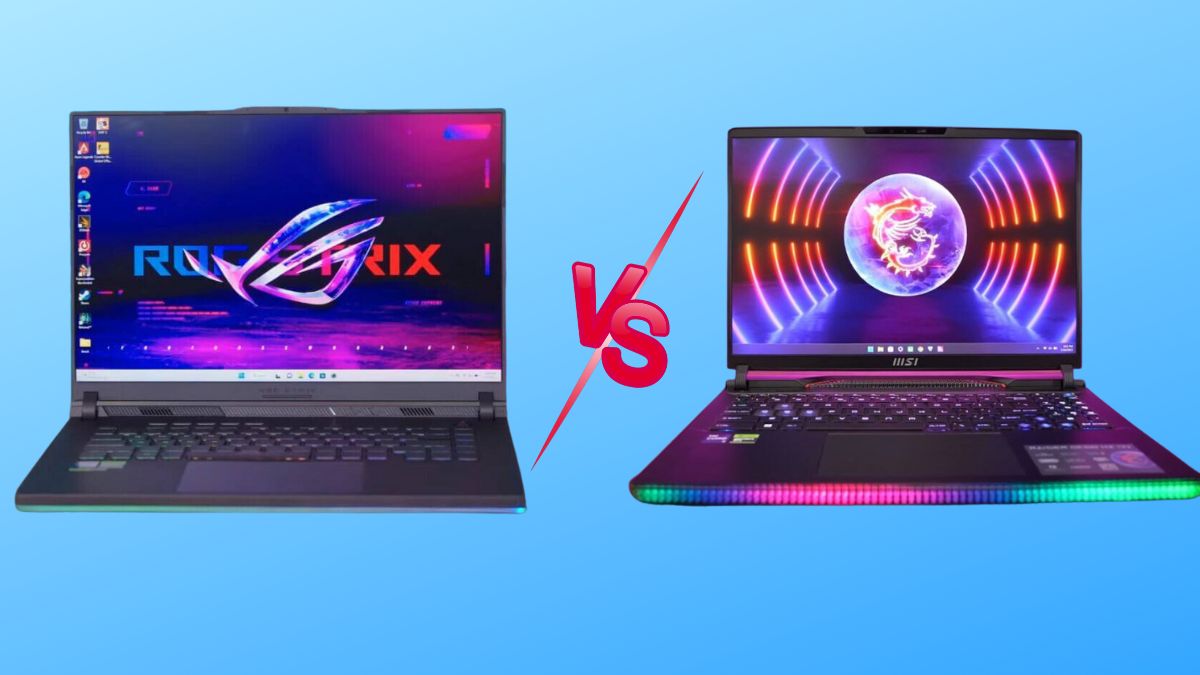
If you’re shopping for a competitive gaming laptop in Dubai or anywhere in the UAE, you’ve almost certainly landed on the same two names everyone else does: ASUS ROG and MSI Raider. Both brands build genuinely excellent hardware, both are widely stocked across the UAE, and both are backed by strong local warranty support – so the “which one is better” debate isn’t really about which brand is bad. It’s about which laptop is right for how you actually play.
We compared the ASUS ROG lineup (Strix and Zephyrus series) against the MSI Raider lineup (including the flagship Raider 18 HX) across the five things that matter most to competitive and esports players: raw performance, display responsiveness, keyboard feel, thermal management under sustained load, and price-to-performance in AED. Here’s the honest breakdown, plus where to buy either one in Dubai with genuine UAE warranty.
Quick Verdict – ASUS ROG or MSI Raider for Competitive Gaming?
If you only read one paragraph, read this one.
Choose ASUS ROG if you play fast-paced, twitch-reflex esports titles like Valorant, CS2, or Apex Legends. The optical-mechanical keyboard and faster panel response time give competitive players a small but real edge, and the cooler palm rest matters during long ranked sessions.
Choose MSI Raider if you want a desktop-replacement powerhouse that also handles heavy multitasking, streaming overlays, and demanding AAA titles at maximum settings without throttling. The Raider’s cooling system is built to sustain peak clock speeds longer under continuous load.
Both brands are excellent – the right pick genuinely depends on your game library and how you use the machine day to day. Below, we break down exactly why.
ASUS ROG vs MSI Raider: Key Specs Compared
| Feature | ASUS ROG (Strix / Zephyrus) | MSI Raider (18 HX / GE78 HX) |
| Processor options | Intel Core i9-14900HX / Ryzen 9 series / Core Ultra 9 | Intel Core i9-14900HX |
| GPU options | Up to NVIDIA GeForce RTX 5090 (Strix SCAR 16) | Up to NVIDIA GeForce RTX 4090 |
| Display refresh rate | Up to 240Hz–360Hz, 3ms response time | Up to 240Hz Mini LED, 3ms response time |
| Keyboard | Optical-mechanical switches, per-key RGB | SteelSeries per-key RGB, deeper key travel |
| Cooling | Arc Flow fans + Conductonaut liquid metal | Cooler Boost Titan + Phase Change Thermal Pads |
| Build material | Aluminum/magnesium alloy, aggressive gamer aesthetic | Magnesium alloy, subtler premium-business look |
| Best for | Esports / competitive FPS players | Desktop-replacement / max-settings AAA gaming |
| UAE price range | Approx. AED 4,900 – AED 22,000 depending on config | Approx. AED 6,500 – AED 20,000+ depending on config |
Performance for Competitive Gaming: CPU, GPU & FPS
Processor and Graphics Power
Both brands use nearly identical top-tier silicon at the high end – an Intel Core i9-14900HX paired with the latest NVIDIA RTX GPUs is common to both. In synthetic benchmarks (Cinebench, 3DMark Time Spy), the difference between a similarly specced ASUS ROG and MSI Raider is typically within a 2–3% margin – not something you’ll feel mid-match. What actually separates the two is how each brand tunes power delivery and sustains those clocks over a 40-minute ranked match, which we cover in the cooling section below.
Frame Rates in Esports Titles
For competitive titles like Valorant, CS2, Fortnite, and Apex Legends, both laptops will comfortably push 300+ FPS at 1080p on high-end configurations. The real differentiator isn’t raw FPS – it’s frame time consistency and display response time, because in competitive gaming, a stable 280 FPS on a fast panel beats an occasionally-spiking 320 FPS on a slower one.
Display & Response Time – Why It Matters for Esports
Refresh Rate and Response Time
This is where ASUS ROG has a slight, measurable edge for esports. Many ROG models ship with a 3ms response time panel tuned specifically for competitive play, alongside refresh rates reaching up to 360Hz on select Zephyrus and Strix models. MSI Raider panels are excellent too, often reaching 240Hz on Mini LED displays, but MSI’s engineering focus leans toward contrast and HDR punch rather than shaving off the last millisecond of latency.
Panel Type and Color Accuracy
If you split your time between ranked matches and story-driven or cinematic games, MSI’s Mini LED panels with VESA DisplayHDR 1000 support are genuinely stunning – deeper blacks, higher peak brightness, and richer color. ASUS panels are excellent for color accuracy out of the box too, which also makes ROG laptops a solid dual-purpose pick if you stream or create content between matches.
Keyboard, Build Quality & Portability
Keyboard Feel for Competitive Play
Competitive players live and die by their keyboard, and this is arguably ASUS ROG’s biggest strength. Its optical-mechanical switches have a sharp, distinct actuation point – the kind of tactile snap that helps with fast strafe-peeks and rapid ability inputs. MSI’s SteelSeries per-key RGB keyboard on the Raider offers deeper, more cushioned key travel, which some players prefer for comfort during marathon sessions, even if it’s a touch less crisp for split-second inputs.
Chassis, Weight & Design Philosophy
ASUS ROG leans into an unapologetically “gamer” aesthetic – angular lines, bold RGB light bars, dense and rugged-feeling chassis. MSI Raider takes a more understated, premium-business-meets-powerhouse approach: cleaner lines, more magnesium alloy, and a subtle light strip instead of a logo-forward design. If you carry your laptop to LAN events or a café between classes, MSI’s lower-key look might suit you better; if you want your setup to look like a gaming rig, ASUS wins that round easily.
Cooling & Thermal Throttling During Long Sessions
This matters more than most buyers realize. A laptop that peaks at high FPS in a five-minute benchmark but throttles 20 minutes into a real match isn’t actually the faster machine.
In sustained stress testing, high-end MSI Raider models tend to hold peak CPU and GPU clocks slightly longer under continuous load – roughly 15–20% longer before throttling kicks in – thanks to the Cooler Boost Titan system and phase-change thermal pads. The trade-off is more fan noise under load.
ASUS ROG models, using Arc Flow fans and liquid metal thermal compound, tend to run cooler to the touch on the WASD keys and palm rest – genuinely more comfortable for a two-hour ranked grind – but can throttle a touch earlier to protect surface temperatures.
Bottom line: if absolute sustained performance is your top priority, MSI Raider has a slight edge. If hand comfort during long sessions matters more, ASUS ROG wins.
Price in the UAE: ASUS ROG vs MSI Raider (AED Comparison)
Gaming laptop pricing in Dubai fluctuates with GPU generation, promotions, and shopping seasons like the Dubai Shopping Festival, but as a general guide:
- ASUS ROG models start around AED 4,900 for a mid-tier Strix G16 configuration and climb toward AED 22,000 for a flagship ASUS ROG Strix SCAR 16 with an RTX 5090.
- MSI Raider models, including the flagship MSI Raider 18 HX with an RTX 4090, typically sit in a similar premium bracket, with mid-tier Raider configurations available at a lower entry point.
Because both brands span budget-to-flagship tiers, the smarter comparison isn’t “which brand is cheaper” – it’s which specific model, at your budget, gives you the GPU tier and refresh rate your games actually need. For a broader breakdown of pricing tiers in the UAE, our guide on gaming laptops under AED 6,000 is a useful starting point if you’re on a tighter budget.
Which One Should You Buy?
Choose ASUS ROG If:
- You mainly play fast-paced esports titles (Valorant, CS2, Overwatch 2) where response time and keyboard feel matter most
- You want a cooler palm rest and keyboard during long ranked sessions
- You want strong built-in speakers and a more feature-rich control suite (Armoury Crate)
- You’re shopping mid-range and want the best performance-per-dirham – browse the full ASUS ROG Strix range for UAE gamers for model-by-model detail
Choose MSI Raider If:
- You want a desktop-replacement machine that holds peak performance longest under sustained load
- You play a mix of competitive titles and max-settings AAA games or do content creation between matches
- You prefer a more understated, premium chassis
- You want a brighter, richer Mini LED display for both gaming and movies
Not sure a full-size gaming laptop is even the right category for you versus a lighter everyday machine? Our comparison of gaming laptops vs regular laptops in the UAE market breaks down that decision too.
Where to Buy ASUS ROG & MSI Raider Gaming Laptops in Dubai, UAE
Buying a gaming laptop locally in the UAE – rather than importing or buying grey-market stock – matters for three reasons: genuine manufacturer warranty, fast local delivery, and after-sales support if something goes wrong mid-tournament season.
At UAE Tech Dubai (Berjaya Electronics), we stock both flagship ASUS ROG and MSI Raider configurations with full UAE warranty, fast delivery across Dubai, Abu Dhabi, Sharjah, and the rest of the Emirates, and secure payment options. You can browse the complete range directly:
- Shop all Gaming Laptops at UAE Tech Dubai
- ASUS ROG Strix SCAR 16 (RTX 5090) – in stock now
- MSI Raider 18 HX (RTX 4090) buyer’s guide
Also pair your new gaming laptop with the right peripherals for competitive play – check our gaming mouse,gaming keyboards, and gaming headsets collections for setups that match your new rig.
Conclusion
There’s no single “winner” here – there’s the right tool for your specific playstyle. If competitive FPS titles and keyboard feel are your priority, go with ASUS ROG. If you want a machine that maximizes every frame during long, demanding sessions without breaking a sweat, the MSI Raider is phenomenal.
Whichever direction you choose, buy from a retailer that backs it with genuine UAE warranty and real local support. Browse the full range of ASUS ROG and MSI Raider gaming laptops at UAE Tech Dubai (Berjaya Electronics), or get in touch with our team for personalized advice on which configuration fits your budget and your game library.
Is ASUS ROG better than MSI Raider for competitive gaming?
For pure competitive esports (Valorant, CS2), ASUS ROG has a slight edge thanks to its optical-mechanical keyboard and faster-response displays. For sustained max-performance gaming and multitasking, MSI Raider is the stronger pick.
Which is more expensive in the UAE, ASUS ROG or MSI Raider?
Both brands span a wide price range from mid-tier to flagship. Entry ASUS ROG models start lower, while flagship configurations of both brands land in a similar premium price bracket in Dubai.
Do ASUS ROG and MSI Raider laptops come with UAE warranty?
Yes – when purchased through an authorized UAE retailer like UAE Tech Dubai, both brands come with genuine manufacturer warranty valid across the Emirates.
Which laptop has better cooling, ASUS ROG or MSI Raider?
MSI Raider’s high-end models sustain peak clock speeds slightly longer under continuous load. ASUS ROG runs cooler to the touch on the keyboard and palm rest, prioritizing comfort during long sessions.
Can I game on either laptop for esports tournaments at 240Hz or higher?
Yes. Both ASUS ROG and MSI Raider offer configurations with refresh rates up to 240Hz–360Hz and 3ms response times, more than capable of competitive tournament-level play.


Leave a Comment
Your email address will not be published. Required fields are marked *