
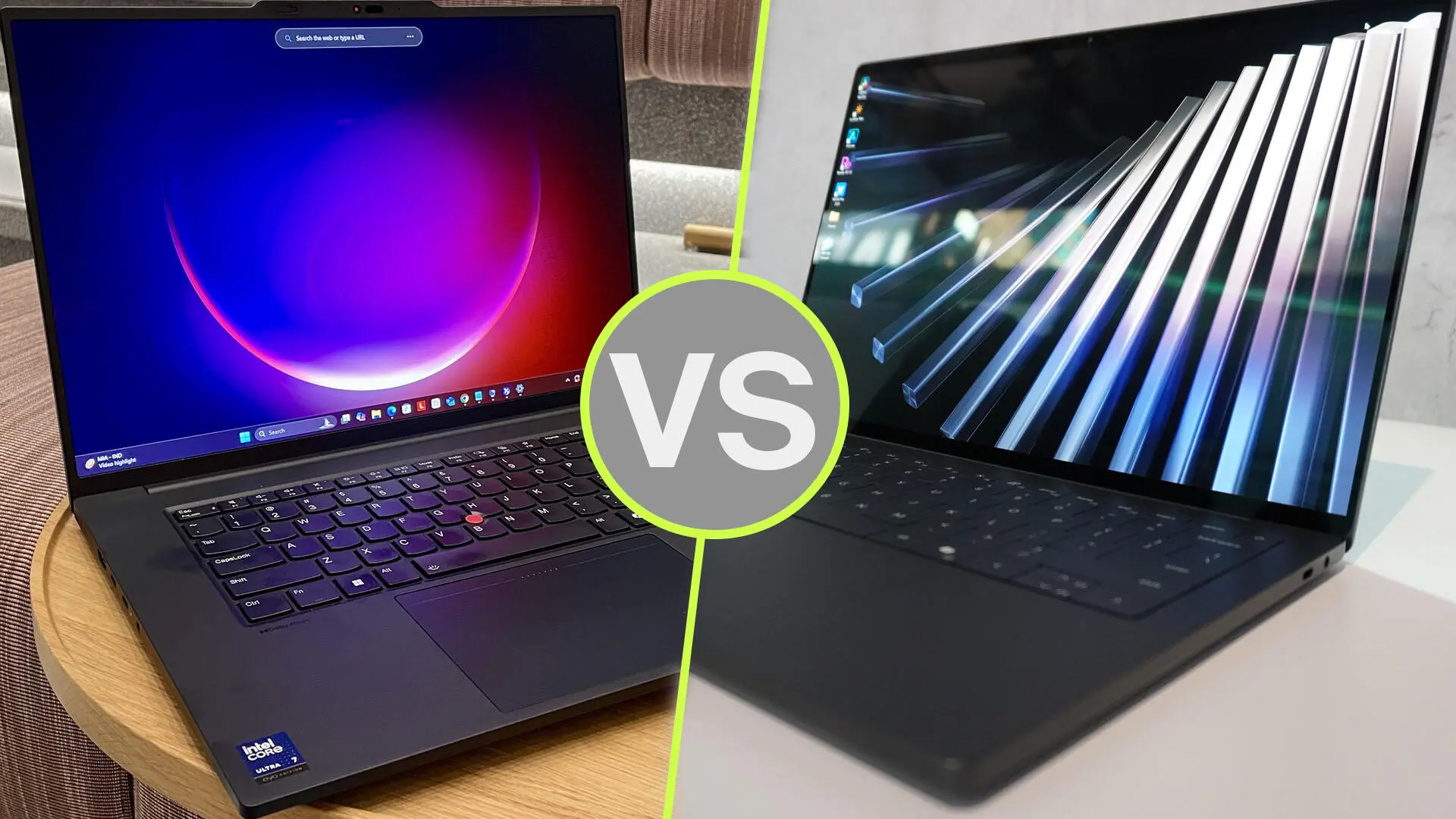
How do Dell Pro Precision workstations compare to Lenovo workstations? Compare the exact processor, graphics, memory expansion, application support and service agreement. Neither brand is the automatic winner for every professional. For buyers in Dubai, UAE, the best workstation is the one that handles the actual project reliably and comes with suitable local support.
This guide helps businesses shortlist a workstation family and evaluate quotations. It draws on manufacturer documentation and UAE Tech Dubai listings checked on 10 November 2026. It does not claim results from hands-on benchmarks.
Dell versus Lenovo workstations: start with the correct class
Dell’s catalogue includes Dell Pro Precision mobile and desktop workstations, alongside other workstation ranges. Lenovo offers ThinkPad mobile workstations and ThinkStation desktop workstations. A thin mobile model and an expandable desktop solve different problems, even when both carry a professional label.
First decide whether the computer must travel. Then compare models of a similar size, generation and power class. A compact Dell with integrated graphics should not be used to judge all Dell workstations against a Lenovo with dedicated graphics, or vice versa.
| Decision | What to compare on both brands | Why it matters |
|---|---|---|
| CPU | Exact processor, power limits and application benchmarks | Interactive work and long computations stress hardware differently |
| GPU | Graphics model, dedicated VRAM and software support | Viewport performance and rendering depend on the application |
| Memory | Installed RAM, slots and supported capacity | Large projects and virtual machines need room to grow |
| Storage | Installed SSD, spare slots and backup plan | Capacity and recoverability are separate requirements |
| Support | UAE coverage, service provider and written response terms | Downtime can cost more than the purchase-price difference |
Which workstation is better for AutoCAD, Revit and SolidWorks?
Begin with the application version and project size. A professional editing modest 2D drawings has different requirements from a team navigating a large building model or assembly. Check the software vendor’s current hardware recommendations and any certified graphics combinations before choosing a model.
For a useful trial, open one of your real projects and repeat everyday actions: loading, rotating, editing, saving and exporting. Record the time and any visual problems on both candidates. Use comparable application settings, driver versions and power modes. A generic processor score cannot answer every CAD workstation buying question.
If your day mainly involves documents, meetings and light technical review, also compare business laptops in Dubai. Workstation hardware should address a measured requirement.
Dell Pro Precision versus Lenovo for 3D rendering and AI
For rendering, determine whether your engine uses the CPU, GPU or both. Then confirm the supported graphics platform. If a workflow specifically requires NVIDIA CUDA, it needs compatible NVIDIA hardware; an integrated GPU from another vendor is not a substitute for that software requirement.
For local AI, identify the model, precision, context length and software framework before specifying VRAM. “AI PC” branding alone does not tell you whether a workstation can load your model or meet the required response time. Request a demonstration of the intended workload where possible.
Lenovo’s ThinkPad P16 Gen 3 specification reference lists several NVIDIA RTX PRO Blackwell GPU options. That is a range of configurations, not one fixed performance level. The same principle applies when choosing among Dell workstation graphics options: match the actual GPU, memory and workload.
RAM upgrades, SSD capacity and long-term ownership
Ask whether memory is soldered or installed in replaceable slots. Check how many slots are occupied and which upgrades the manufacturer supports. A high maximum capacity is useful only if the chosen system supports it and the upgrade fits your budget.
For example, Lenovo documents four memory slots on the ThinkPad P16 Gen 3, with different maximum capacities for ECC and non-ECC configurations. Do not apply that specification to every ThinkPad workstation. Likewise, inspect the manual for the exact Dell model rather than assuming that all Precision systems offer the same expansion.
Estimate SSD requirements from active projects, source assets, software and temporary files. Keep a separate backup plan. Additional internal storage does not protect against theft, accidental deletion or a failed computer.
Current Dell and Lenovo options to compare at UAE Tech Dubai
The Dell Pro Precision 7 14 PW714260 listing specifies a Core Ultra X7 368H, 64GB RAM, 2TB SSD and Intel Arc B390 graphics. Treat it as a specific compact configuration, not a description of the whole Dell workstation range.
The store also lists the Lenovo ThinkPad P16 Gen 3 21RQ000YUS with a Core Ultra 9 285HX, 32GB RAM, 1TB SSD and NVIDIA RTX PRO 2000 Blackwell graphics. These two listings have different priorities and should not be compared as equal configurations.
If dedicated professional graphics are central to the purchase, include the listed Dell Pro Max 16 Plus with RTX PRO 2000 in the quotation discussion. For a narrower model comparison, read our Dell Pro Precision 7 versus ThinkPad P16 Gen 3 guide. Confirm final specifications and stock before ordering.
Workstation prices and warranty in Dubai, UAE
Request an itemised AED quotation showing the full model code, CPU, GPU and VRAM, installed RAM, SSD, display, operating system and warranty. Ask whether VAT and delivery are included. For multiple units, make sure the quoted configurations are consistent across the order.
Check who provides UAE repairs, whether service is onsite or return-to-base, and whether any response time is contractual. An international brand name does not establish local coverage for an imported unit. Read the store’s shipping information and returns policy before purchase.
Frequently asked questions
Is Dell or Lenovo better for engineering?
Either can be suitable. Compare application compatibility, project performance, expansion and support for the specific configurations being offered.
Does every workstation need a dedicated GPU?
No. The need depends on the software and workload. Dedicated graphics may be essential for a particular rendering or acceleration path, while lighter tasks may have different priorities.
Should I choose a mobile workstation or desktop?
Choose mobile when you must work at different locations. If it stays at a desk, compare a desktop’s expansion and serviceability against the complete mobile setup before deciding.
Conclusion: find your workstation at UAE Tech Dubai
Dell Pro Precision and Lenovo workstations should be judged by the work they must do, not brand preference alone. Create a shortlist, test a representative project and compare complete UAE quotations. UAE Tech Dubai offers valuable professional computing products, including listed Dell and Lenovo workstations, laptops and desktops, and accessories. Contact UAE Tech Dubai with your applications, project sizes and budget to confirm available products, specifications and warranty before buying in Dubai, UAE.



Leave a Comment
Your email address will not be published. Required fields are marked *