
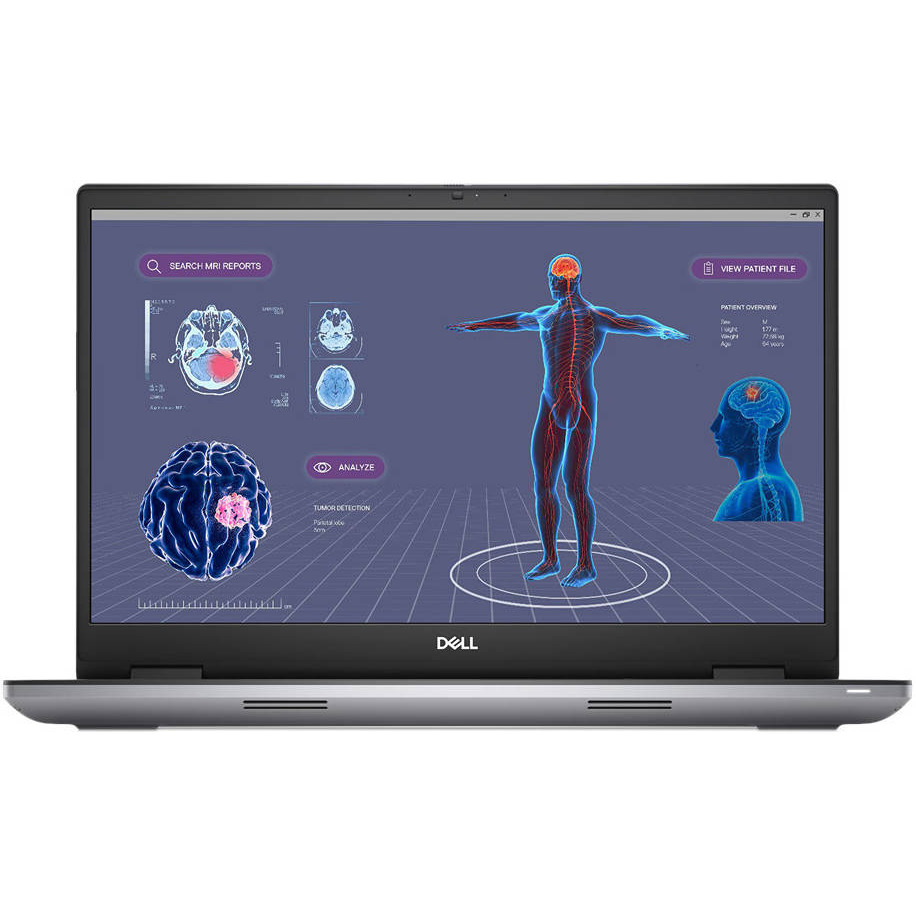
Shortlist the Dell Precision 7780 for memory-heavy BIM workloads that need its included 128GB RAM. Start with the ThinkPad P16 Gen 2 when 32GB is sufficient and you value a lower price, more SSD capacity and a higher-resolution built-in screen. For 3D rendering, the answer also depends on whether your chosen renderer uses the CPU or GPU.
This Dell Precision 7780 vs ThinkPad P16 Gen 2 comparison covers the specific UAE Tech Dubai listings below. It separates specification advantages from performance claims: we have not timed the same Revit project or rendering scene on these machines.
Dell Precision 7780 vs ThinkPad P16 Gen 2: UAE prices
| Listed specification | Dell Precision 7780 | ThinkPad P16 Gen 2 |
|---|---|---|
| Configuration | Core i9-13950HX vPro | 21FA0027US, Core i9-13980HX |
| System RAM | 128GB | 32GB |
| SSD | 512GB | 1TB |
| Professional laptop GPU | NVIDIA RTX 4000 Ada, 12GB | NVIDIA RTX 3500 Ada, 12GB |
| Display | 17.3-inch FHD non-touch | 16-inch WQUXGA IPS, 3840 × 2400 |
| Operating system | Windows 11 Pro | Windows 11 Pro |
| Price, 20 November 2026 | AED 18,000 | AED 13,349 |
| Stock, 20 November 2026 | In stock | In stock |
Prices and availability were checked on 20 November 2026 and can change. The Dell costs AED 4,651 more at these prices. See the Dell Precision 7780 RTX 4000 Ada configuration and Lenovo ThinkPad P16 Gen 2 21FA0027US for current ordering details.
These are professional laptop GPUs, not desktop graphics cards. The Lenovo page’s short description uses “GeForce” alongside RTX 3500 Ada; the professional RTX 3500 Ada designation is the relevant one here. Confirm the supplied GPU and complete configuration on the quotation.
What matters for Revit modelling?
Autodesk’s Revit 2027 requirements emphasise single-core clock speed while noting that many tasks use multiple cores. Its balanced tier specifies at least 32GB RAM; the large-model tier specifies at least 64GB. These are planning guidelines, not a promise that a particular project will run smoothly.
For a Dubai architecture practice, a useful test is the actual project: open it, navigate representative views, edit elements and produce the outputs your team creates every day. Include linked models and required add-ins. An empty demonstration file cannot establish suitability for a complex coordination workload.
The ThinkPad’s i9-13980HX model number alone does not prove it will feel faster in Revit than the Dell’s i9-13950HX. Nor does the Dell’s larger RAM allocation accelerate every command. Identify whether your current bottleneck is processing, memory pressure, graphics, storage or collaboration connectivity before spending more.
128GB vs 32GB RAM: when is the Dell worth it?
The Precision has four times the listed system memory. That is a capacity advantage, not a fourfold speed claim. It deserves attention if your team opens large linked models alongside coordination tools, document sets and other memory-heavy applications.
The Lenovo’s 32GB may fit a more moderate workload. If monitoring shows your normal session needs more, ask for a 64GB or larger compatible configuration and compare the installed price with the Dell. Confirm existing memory-module layout, supported capacity and any warranty implications before planning an upgrade.
Buying 128GB that your work never uses may provide little practical return. Buying too little and relying heavily on disk-backed virtual memory can create delays. Your own peak working-session memory use is a better guide than the size of one RVT file alone.
CPU rendering and GPU rendering need different comparisons
CPU rendering: compare a representative scene using the same renderer version and quality settings. Sustained CPU power and cooling matter during a long job; a brief processor boost specification does not tell you the completion time.
GPU rendering: the Dell’s RTX 4000 Ada is the higher-tier GPU to investigate, but the benefit must be tested in your renderer. Both configurations list 12GB graphics memory, so the Dell does not offer more VRAM capacity merely because its GPU number is higher.
For example, Blender Cycles offers NVIDIA CUDA and OptiX rendering paths. Its GPU rendering documentation explains that memory behaviour matters when a scene exceeds GPU memory. Extra system RAM does not become equally fast dedicated graphics memory.
If you export Revit models to another visualisation application, check that application’s exact version, GPU requirements and driver guidance separately. Passing Revit’s requirements does not establish suitability for every renderer, texture set or real-time walkthrough.
Screen resolution: an important difference for BIM users
The Dell listing has a larger 17.3-inch screen, but it is FHD. Lenovo’s 16-inch WQUXGA display offers 3840 × 2400 pixels. More physical screen size and more pixels are different benefits; test your preferred text scaling and interface layout before choosing.
There is also a specific Revit 2027 consideration: Autodesk’s large-model tier lists 1920 × 1200 as its minimum display resolution. The Dell’s listed FHD panel, normally 1920 × 1080, is below that vertical resolution. A suitable external monitor is worth including in the plan; do not describe this configuration as meeting every large-model recommendation solely because it has 128GB RAM.
For drawing reviews at a desk, compare the full monitor setup. For site meetings, assess the built-in panel, readability and charger weight. Neither workstation should be chosen on an unsupported claim that it is an ultraportable laptop.
Storage, drivers and project reliability
The ThinkPad includes a 1TB SSD versus the Dell’s 512GB. Project caches, textures, exports and multiple application versions can consume space quickly. Plan free working capacity, suitable storage upgrades and backups before buying. A bigger SSD is not itself a backup.
Ask for the appropriate driver and certification information for your application version and exact GPU. “Workstation” is a product category, not blanket certification for every plug-in or release. For cloud collaboration, also assess the office network and project workflow rather than expecting a GPU upgrade to solve sync delays.
A simple test before an architecture-team purchase
- Use a representative project with the same Revit release, add-ins and linked files.
- Time opening, navigation and a repeatable editing task; record RAM and graphics-memory use.
- Render the same scene using the intended CPU or GPU mode and identical settings.
- Run long enough to assess sustained behaviour, fan noise and stability while plugged in.
- Compare the final quotation including required RAM, SSD, monitor, warranty and applicable delivery or tax charges.
Browse more professional laptops in Dubai, UAE and our Dell and Lenovo workstation buying guide if these configurations do not match your workload.
Frequently asked questions
Is 32GB RAM enough for Revit?
It can be sufficient for some projects and matches Autodesk’s Revit 2027 balanced-tier memory starting point. Larger linked projects and simultaneous applications may need more. Test your working session rather than treating 32GB as a universal answer.
Does the Precision 7780 render faster than the ThinkPad P16 Gen 2?
We cannot promise that without matched tests. The Dell offers a higher-tier GPU and more RAM in these listings; CPU rendering, GPU rendering and memory-limited scenes can produce different outcomes.
Which has more GPU memory?
Neither: both listed professional GPUs have 12GB VRAM. The Dell’s 128GB figure refers to system RAM, not graphics memory.
Conclusion: match the workstation to the project
The Dell Precision 7780 is the stronger shortlist candidate when included memory capacity is decisive, with its GPU worth testing for your rendering work. The ThinkPad P16 Gen 2 offers a lower starting price, more storage and a higher-resolution display; include any necessary RAM upgrade in the comparison.
At UAE Tech Dubai, explore valuable products for architecture, engineering and everyday work, including laptops and accessories. Contact our store for current stock, exact specifications and warranty details. Review shipping information and the returns policy before placing your UAE order.
Hardware references: Dell Precision 7780 technical guide and Lenovo ThinkPad P16 Gen 2 specifications. Model-family options vary; the comparison table uses the store configurations linked above.


Leave a Comment
Your email address will not be published. Required fields are marked *