
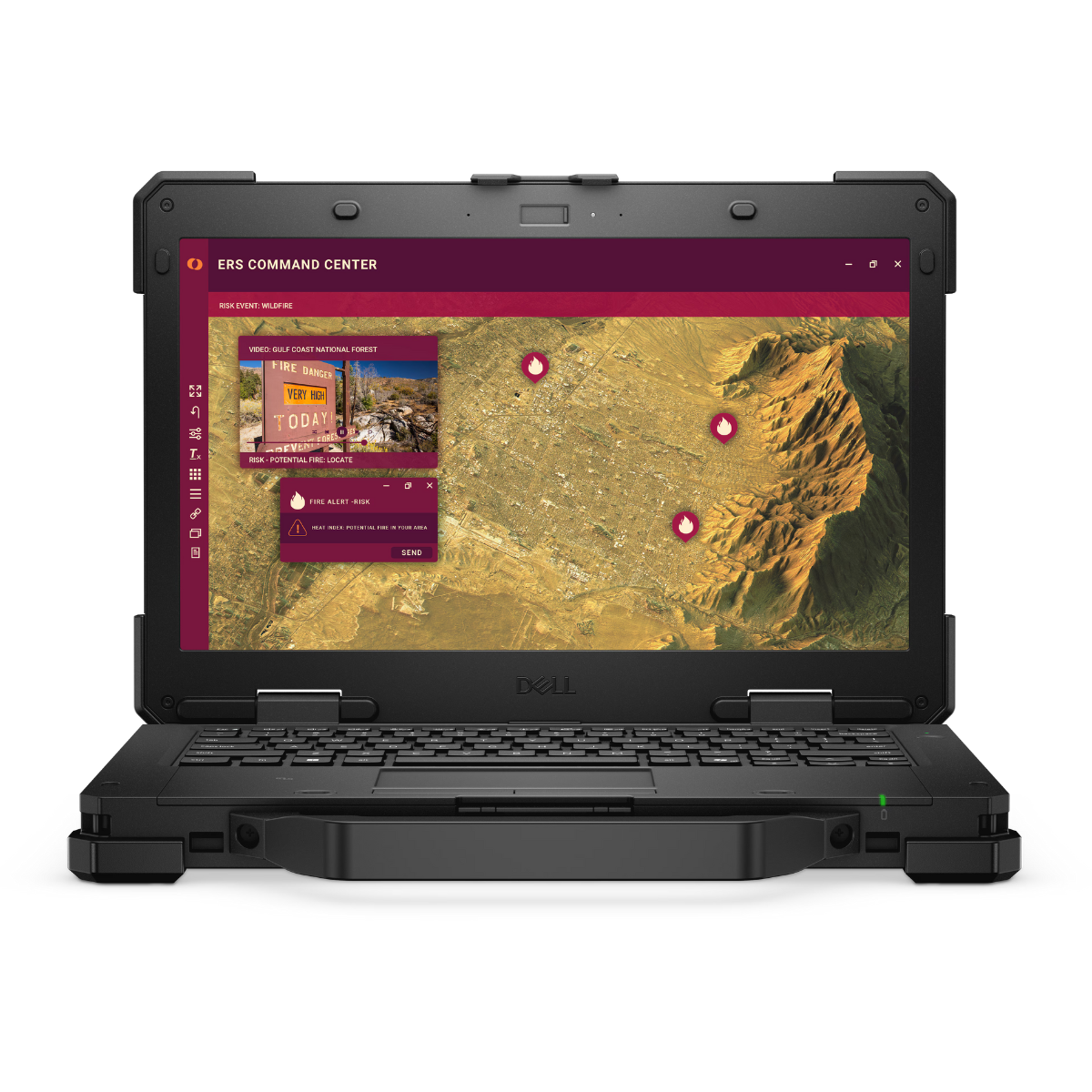
The Dell Pro Rugged 13 is worth considering when your team regularly uses a laptop around dust, outdoor work areas and demanding field conditions. For UAE construction buyers, the right purchase depends on more than durability: the screen, installed ports, connectivity, batteries and support package must match the job.
This guide focuses on the Dell Pro Rugged 13 RA13250 listed by UAE Tech Dubai. It is a specification-based procurement guide, not a hands-on durability test. Do not confuse this model with the newer Dell Pro Rugged 13 Extreme or assume specifications from another generation apply.
Dell Pro Rugged 13 price and availability in UAE
| Listed specification | RA13250 configuration |
|---|---|
| Processor | Intel Core Ultra 7 165U |
| Display | 13.3-inch FHD touch |
| Memory | 16GB RAM |
| Storage | 512GB SSD |
| Operating system | Windows 11 Pro |
| Catalogue price checked 26 November 2026 | AED 14,500 |
| Stock checked 26 November 2026 | Out of stock |
See the Dell Pro Rugged 13 RA13250 product page for current information. The displayed price is a dated catalogue reference, not confirmation that the laptop can be dispatched. Request a written availability estimate and final quotation before planning a site rollout.
Who should buy a rugged laptop for construction work?
A rugged laptop is most relevant when work regularly moves beyond a protected office. A site engineer reviewing drawings beside equipment, a maintenance technician connecting to diagnostic hardware, and an inspection team recording assets may have different requirements, but all need equipment suited to their working environment.
If employees mainly work in an air-conditioned site office and carry the device between meetings, compare ordinary business laptops in Dubai, UAE as well. Rugged construction adds value when it addresses a real exposure or downtime problem; it does not automatically make office applications faster.
For an introduction to the model family, read our Dell Pro Rugged 13 overview. The checklist below focuses on selecting and deploying the actual configuration.
Understand the protection claims before ordering
Dell’s Rugged family brochure describes the RA13250-era Rugged 13 as fully rugged, with IP65 protection and testing that includes six-foot drops and temperatures from approximately −29°C to 63°C. Obtain the applicable documentation for the supplied model and read the test conditions.
These ratings are not a promise that every fall, water exposure or working environment is covered. Confirm the required port-cover positions, maintenance instructions and warranty exclusions. Do not interpret a water-resistance rating as permission to immerse the computer or pressure-wash it.
For Dubai construction teams, translate the specification into a working procedure: where the laptop is used, how it is carried, who checks the covers and how it is stored between shifts. A temperature test range does not establish unlimited runtime in direct sun or safe storage in a parked vehicle. Follow the operating and charging limits in the exact unit’s manual.
Check outdoor readability with your actual documents
Dell’s RA13250 configuration page lists a 13.3-inch FHD touchscreen option rated at 1,400 nits. Confirm that panel on your UAE quotation rather than assuming every listing detail is identical to a regional Dell configuration.
Test the screen with the drawings, inspection forms and photographs your team uses. A bright display is useful outdoors, but small drawing annotations still need comfortable scaling. Check glare, viewing position and touch behaviour with the gloves used on site. Verify any required pen and whether it is included.
For prolonged drawing review, a larger external monitor in the site office may be more comfortable. The laptop’s compact format is a mobility choice, not a replacement for every desk setup.
Is 16GB RAM and 512GB storage enough?
The listed configuration is a starting point for document handling, field forms, browser-based systems and compatible diagnostic software. Test the complete application mix, including security tools, offline maps and large PDF sets. There are no workload benchmarks in this guide establishing that 16GB suits every team.
If employees also edit large BIM models or render 3D scenes, evaluate the software’s memory and graphics requirements separately. Ruggedness describes protection and design; it does not establish workstation-level graphics capability. Our Revit and 3D-rendering workstation comparison explains why those workloads need a different assessment.
Plan storage for local project copies, photos, logs and application updates. Confirm memory and SSD upgrade options before purchase, rather than assuming field upgrades will be simple. Keep a backup and synchronisation plan for information collected away from the office.
Specify ports and mobile connectivity by task
Dell lists connections including USB-A, Thunderbolt 4, HDMI, serial and Ethernet on the RA13250, with configurable options. Make a list of the exact survey, diagnostic and network equipment the laptop must connect to, then confirm the required ports on the supplied unit.
For older equipment, test the actual cable, software and driver together. A matching connector does not guarantee that an application can communicate with a device. If you require a vehicle dock or specialist mount, obtain compatibility confirmation before ordering accessories.
Cellular connectivity is configuration-dependent. Confirm the installed modem, antenna arrangement, intended SIM or eSIM service and coverage at the site. Optional 5G in a product family does not mean the listed laptop includes it. For areas with unreliable coverage, test an offline workflow and how records synchronise after reconnection.
Plan battery changes around the shift
The Rugged family offers hot-swappable battery arrangements, but confirm the actual battery configuration and follow Dell’s replacement procedure. Ask how many batteries are supplied, which spares are compatible and whether a separate charger is needed.
Measure runtime with realistic brightness, wireless use and applications before setting a shift target. We have not tested battery life and cannot promise all-day operation. Label and track spares, plan charging locations and include replacement batteries in the ownership budget.
Support and security matter as much as the chassis
The store configuration lists Windows 11 Pro. Have IT verify the required sign-in hardware, encryption setup, account policies and management features. Do not assume a fingerprint reader, smart-card reader or enabled remote-management option is included without written confirmation.
Ask who provides warranty service in the UAE, how faults are reported and what turnaround or site attendance is included. Separate standard warranty, accidental-damage coverage and any extended service agreement. The cost of a spare unit may matter more than a small purchase-price saving if one failed laptop delays a field team.
UAE construction-team purchase checklist
- Configuration: model, CPU, RAM, SSD, panel and required connectors.
- Field use: applicable protection documentation, gloves, carrying method and operating limits.
- Connectivity: installed cellular hardware if required, site coverage and offline access.
- Accessories: batteries, charger, compatible dock, mount and pen where needed.
- Commercial details: current stock, delivery estimate, keyboard layout, warranty and total including applicable VAT and delivery.
- Pilot: one representative work session with normal documents, tools and users before a larger deployment.
For an alternative to investigate, see the Dell Pro Rugged 14 RB14250. Its different size and ruggedness specification should be checked against the same site requirements; it is not an automatic substitute. Browse laptop accessories only after confirming compatibility.
What is the Dell Pro Rugged 13 price in UAE?
The RA13250 Core Ultra 7, 16GB/512GB listing showed AED 14,500 on 26 November 2026 and was out of stock. Contact the store for current availability and a complete quote.
Is the Dell Pro Rugged 13 suitable for outdoor construction work?
It is designed for demanding field use, but suitability depends on the exact configuration, exposure conditions and operating instructions. Validate the panel, protection documentation and application performance for your site.
Does it include 5G and spare batteries?
Do not assume either is included. Request confirmation of installed cellular hardware, supplied batteries, compatible spares and charging accessories.
Conclusion: buy a complete field setup
The Dell Pro Rugged 13 RA13250 deserves consideration when construction and maintenance work requires a protected laptop with the right field connections. Choose it through a documented configuration and site pilot, with a clear plan for power, connectivity and support.
At UAE Tech Dubai, explore valuable products for site and office teams across laptops, business devices and accessories. Contact our store to discuss the Rugged 13’s current availability or suitable alternatives.


Leave a Comment
Your email address will not be published. Required fields are marked *